What is the Secondary Memory? Definition, Examples, Purpose, Quick Overview
Published: 2 Feb 2025
Have you ever run out of space on your computer when saving important files? Or lost your data after turning off your system? It feels stressful, right? Many users face this problem daily, especially when they don’t understand how storage works. This is where the secondary memory computer plays a big role.
Secondary memory is the place where your data stays safe for a long time. It stores your photos, videos, documents, and software even when the computer is off. Without it, you cannot save or access your important files later. Think of it like a digital cupboard where everything stays organized and secure.
In this guide, you will learn what secondary memory in a computer is, how it works, and why it is important for everyday use. You will also explore its types and benefits in simple words. By the end, you will clearly understand how secondary storage helps you manage and protect your data easily.
What is Secondary Memory? (Clear Definition)
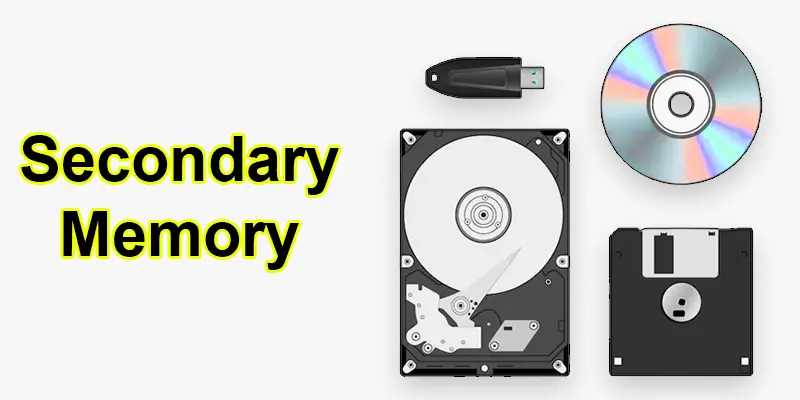
Secondary memory is a storage device that retains data indefinitely, even when the computer is powered off. It includes hard drives (HDDs, SSDs), USBs, CDs, and cloud storage. Unlike primary memory (RAM), it offers a large storage capacity but works more slowly.

What are Examples of Secondary Storage Devices in a Computer?
Here are some examples of secondary memory:
- Hard Disk Drive (HDD): Common storage for computers and laptops.
- Solid-State Drive (SSD): Faster and more durable than HDDs.
- USB Flash Drive: A compact device used for transferring data easily.
- Memory Card: Used in cameras, smartphones, and tablets.
- CD/DVD/Blu-ray Disc: Optical storage for media and software.
- Cloud Storage: Online storage like Google Drive and Dropbox.
How Secondary Memory Works?
- Data is stored magnetically (HDD) or electrically (SSD).
- Files are saved in sectors and blocks on the storage device.
- Data retrieval involves reading the stored information from these sectors.
- Secondary memory is slower than primary memory but offers larger storage.
- Data remains in secondary memory even when the computer is turned off.
- Access speed depends on the type of secondary memory (HDD vs. SSD).
What is the Purpose of Secondary Memory?
- It preserves data indefinitely, even when the computer is powered off.
- Provides large storage space for files and applications.
- Keeps important files safe and secure from data loss.
- Frees up primary memory (RAM) for faster processing.
- Ensures quick retrieval of data when needed.
Why is Secondary Memory Important?
Secondary memory is important because it permanently stores data, ensuring that files, software, and the operating system are preserved even when the computer is powered off. Unlike primary memory, which only holds data temporarily, secondary storage offers vast space for documents, applications, and backups, making it vital for managing data over the long term.
It also helps in data recovery and security by keeping important files protected from accidental loss. Businesses, students, and professionals rely on secondary memory to store valuable information, ensuring easy access whenever needed without worrying about losing data.
Final Thoughts
Secondary memory in a computer is essential for long-term data storage. It keeps your files safe, even when the system is off. Devices like hard drives and SSDs make storage easy and reliable. Now you understand the role of secondary storage and data management. Want better performance? Learn more about storage devices and memory types. Keep learning and make smarter tech choices every day.
FAQs
What is secondary storage memory?
Secondary storage memory is a type of storage that permanently holds data. Unlike primary memory, it remains intact even when the computer is powered off.
Where is memory stored in the brain?
Memory is stored in various parts of the brain, primarily the hippocampus and cerebral cortex, which process and store information.
Is secondary memory volatile or non-volatile?
Secondary memory is non-volatile, meaning it keeps data intact even when the system is powered off.
What is another name for secondary memory?
Another name for secondary memory is “external memory” or “storage memory.”
Can a computer work without secondary memory?
A computer can run without secondary memory, but it will lack permanent data storage and the operating system, making it unusable for regular tasks.






- Be Respectful
- Stay Relevant
- Stay Positive
- True Feedback
- Encourage Discussion
- Avoid Spamming
- No Fake News
- Don't Copy-Paste
- No Personal Attacks
- Be Respectful
- Stay Relevant
- Stay Positive
- True Feedback
- Encourage Discussion
- Avoid Spamming
- No Fake News
- Don't Copy-Paste
- No Personal Attacks
