What is the RAM? Definition, Examples, and Complete Overview
Published: 26 Jan 2025
Have you ever noticed your computer slowing down when too many apps are open at the same time? Or felt frustrated when a game starts lagging without warning? This is a common problem, and most users don’t know the real reason behind it. The answer often lies in RAM (Random Access Memory). Many people use computers every day, but they don’t understand what RAM actually does.
Not understanding this can result in choosing the wrong device and dealing with slow performance. It may also make upgrades feel confusing and difficult. So, what exactly is RAM, and why does it play such a key role in speed and smooth performance? RAM works as the temporary memory of your computer. It stores data that your system is currently using, so everything runs faster and more smoothly.
Without enough RAM, even powerful processors struggle to perform well. In this guide, you will clearly learn what RAM is, how it works, and why it matters in real life. You will also discover how it affects speed, multitasking, and overall system performance. By the end, you will know exactly how to choose and use RAM wisely.
What is a RAM? (Simple Definition)
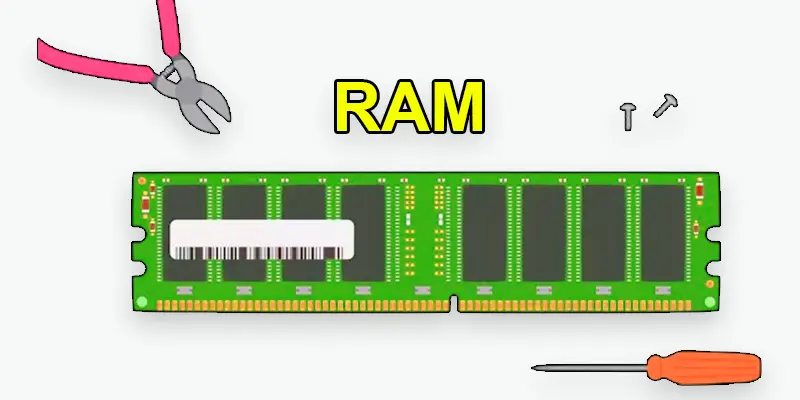
Computer memory, known as Random Access Memory (RAM), temporarily stores information that your system needs for quick access. It helps your device run multiple tasks smoothly by providing fast access to active programs and files. Unlike permanent storage, RAM clears when the device is turned off, making it essential for real-time performance and speed.
What is a Example of RAM?
An example of RAM in action is when you’re working on a document while listening to music and browsing the web. The RAM temporarily stores the data from all these tasks, allowing your computer to switch between them quickly. Without enough RAM, your computer would struggle to keep everything running smoothly, leading to slowdowns or freezes.
What is the Purpose of RAM and How Does it Improve Performance?
- Stores data temporarily for quick access.
- Helps your computer run multiple programs at once.
- Speeds up data processing and improves system performance.
- Reduces the time it takes to switch between tasks.
- Allows smoother operation of complex applications.
What Does RAM Do?
Random Access Memory, or RAM, is essential to the functionality of your computer. It temporarily stores data from running applications, allowing quick access and smooth multitasking. Your computer can manage more apps at once and move between tasks more quickly if it has more RAM.
- Temporarily stores data for quick access.
- Helps your computer multitask smoothly.
- Allows fast switching between running programs.
- Affects the overall speed and performance of your system.
How Much RAM Do You Need?
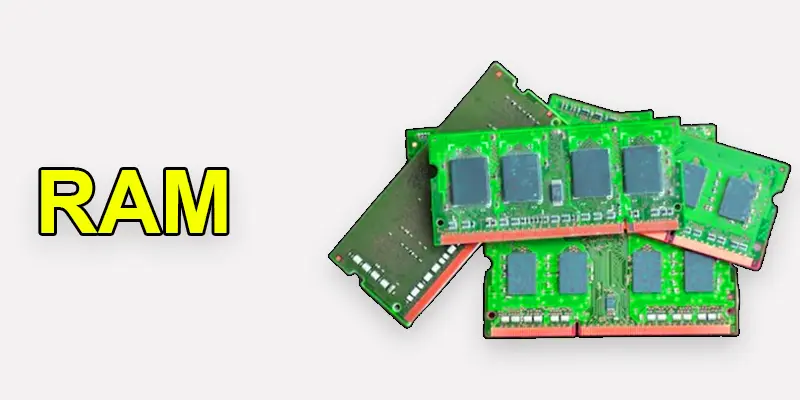
The amount of RAM you need depends on how you use your computer. Whether you’re browsing the web, gaming, or editing videos, the right amount of RAM ensures smooth performance. Too little RAM can slow down your computer, while having more than you need might not provide significant benefits.
- For basic tasks (browsing, word processing): 4GB to 8 GB.
- For gaming or heavy multitasking: 16GB or more.
- For video editing or graphic design: 32GB or higher.
- More RAM improves speed and multitasking ability.
Do You Need to Upgrade Your RAM?
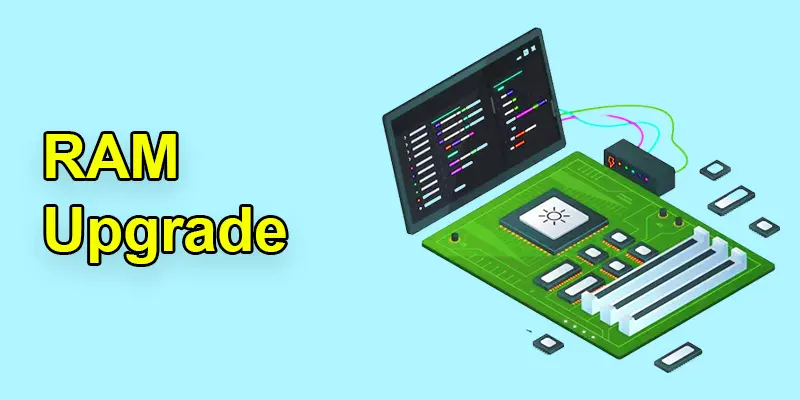
Your computer’s speed can be greatly improved by upgrading your RAM, particularly if it’s having trouble multitasking or running demanding apps. If you notice lagging, slowdowns, or frequent crashes, increasing your RAM could be the solution for a smoother experience.
- The computer slows down when running multiple programs.
- Applications take longer to open or load.
- Frequent freezes or crashes during tasks.
- Upgrading RAM can improve speed and multitasking.
What is RAM and How Does It Work?
RAM works as your computer’s short-term memory, quickly storing and accessing data needed to run apps and tasks smoothly.
- RAM stores data temporarily while your computer is running.
- It gives the processor quick access to active programs and files.
- When you open an app, it loads into RAM for faster use.
- RAM clears its data when the computer is turned off.
- More RAM means smoother multitasking and faster performance.
Why is RAM Important in a Computer System?
RAM is important because it helps your computer run programs quickly. It stores data that your device needs right now, so you can switch between apps smoothly. Without enough RAM, your system slows down and struggles with multitasking.
More RAM means better performance for tasks like gaming, video editing, or browsing with many tabs open. It allows your device to handle more work without freezing or crashing. That’s why upgrading RAM is a smart way to boost speed.
Final Thoughts
RAM plays a key role in your computer’s speed and smooth performance. It stores active data and helps your system run multiple tasks without slowing down. More RAM means better multitasking and faster response time. Understanding RAM helps you make smarter upgrade and buying decisions. It improves your overall user experience in gaming, work, and daily use. Now you can choose the right memory with confidence. Start applying this knowledge today and boost your computer performance easily.
FAQs
What is memory ram?
A type of computer storage called Random Access Memory, or RAM, temporarily stores data so the CPU can access it quickly. It helps improve system performance by allowing fast retrieval of information for running programs.
What does RAM mean?
RAM is a kind of computer memory that allows for seamless multitasking and speedy program execution by temporarily storing data for quick access.
Can a computer work without RAM?
No, a computer cannot function without RAM, as it stores the data needed for the system to run programs and perform tasks.
What are the full forms of RAM and ROM?
RAM means Random Access Memory, while ROM refers to Read-Only Memory.
Does RAM increase FPS?
More RAM can help improve FPS (frames per second) in some cases, especially in games or applications that require a lot of memory, but the GPU is more responsible for FPS.






- Be Respectful
- Stay Relevant
- Stay Positive
- True Feedback
- Encourage Discussion
- Avoid Spamming
- No Fake News
- Don't Copy-Paste
- No Personal Attacks
- Be Respectful
- Stay Relevant
- Stay Positive
- True Feedback
- Encourage Discussion
- Avoid Spamming
- No Fake News
- Don't Copy-Paste
- No Personal Attacks
