What is the Primary Memory? Definition, Examples, Purpose, Quick Overview
Published: 30 Jan 2025
Have you ever noticed your computer becoming slow when too many apps are open? Or wondered why some programs run fast while others take time? The answer often lies in something called primary memory. Many beginners feel confused when they hear terms like RAM or ROM. It can sound technical and hard to understand. But don’t worry—you are not alone.
Most people use computers every day without knowing how this important part works. So, what is primary memory, and why does it matter so much? In simple words, primary memory is the place where your computer stores data that it needs right now. It helps your system run apps smoothly and quickly. Without it, even basic tasks like opening a browser or playing a video would feel slow and frustrating.
In this guide, you will learn everything in an easy way. We will break down the concept of primary memory, its types, and how it works in real life. By the end, you will clearly understand how your device performs better and how you can improve it too.
What is Primary Memory? (Simple Definition)
Primary memory is the computer’s main storage area that holds data and instructions while it is working. It stores data that the CPU needs right now. This helps your system work fast and smoothly. It is also called the main memory. For example, when you open a browser or app, it loads into primary memory, so it runs quickly. It includes RAM and ROM. Without it, your computer cannot perform basic tasks efficiently.

How Does Primary Memory Work?
Primary memory works as the working space of a computer. It keeps the data and instructions that the CPU is currently using to perform tasks. When you open a program, the system loads it into primary memory so it runs fast and smoothly. The CPU reads and writes data directly from this memory. This helps the computer process tasks quickly without delay.
- When you open a file, it moves from storage to primary memory.
- The CPU uses this data while you work.
- When you close the program or turn off the device, the data is removed from RAM.
Example: When you open a web browser or play a game, it loads into RAM. This allows smooth performance without lag. Primary memory acts like a short-term workspace for your computer. It helps your system handle active tasks efficiently and improves overall speed.
How Can You Manage Primary Memory Better?
Managing primary memory (RAM) helps your computer run faster and more smoothly. When memory is full, your system slows down. You can improve performance with a few simple habits.
- Close unused apps: Shut down programs you are not using. This frees up RAM for active tasks.
- Restart your device: Restarting clears temporary data and refreshes primary memory.
- Avoid too many tabs: Open fewer browser tabs at one time. Each tab uses memory.
- Uninstall heavy apps: Remove apps you don’t need. This reduces memory usage in the background.
- Use task manager: Check which programs use more memory and close unnecessary ones.
- Upgrade RAM if needed: If your system is slow, adding more RAM can improve speed.
Why Do We Need Primary Memory?
Primary memory is essential for the smooth and efficient operation of a computer. It provides fast data access, enabling the CPU to process information quickly and run multiple programs without delays.
- Quick Access: Provides immediate data to the CPU.
- Smooth Performance: Ensures programs run without lag.
- Multitasking: Supports running multiple tasks simultaneously.
- Real-Time Processing: Handles data instantly for active tasks.
Why is Primary Memory Volatile in Nature?
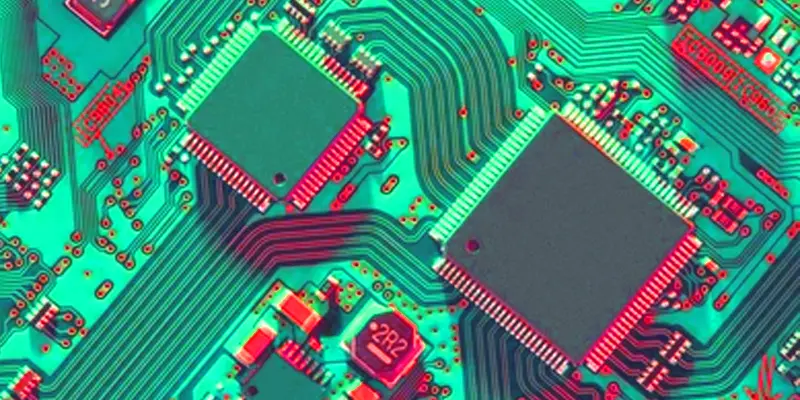
Since primary memory needs power to store data, it is volatile. Primary memory is crucial for temporary storage during active operations because all data saved there is erased when the power is switched off.
- Power Dependency: Needs constant power to retain data.
- Temporary Storage: Holds data only while the computer is on.
- Quick Access: Provides fast data retrieval during operations.
- Data Loss: All information is erased when power is lost.
- Efficiency: Helps with high-speed processing of current tasks.
When Does Cache Memory Come Into Existence?
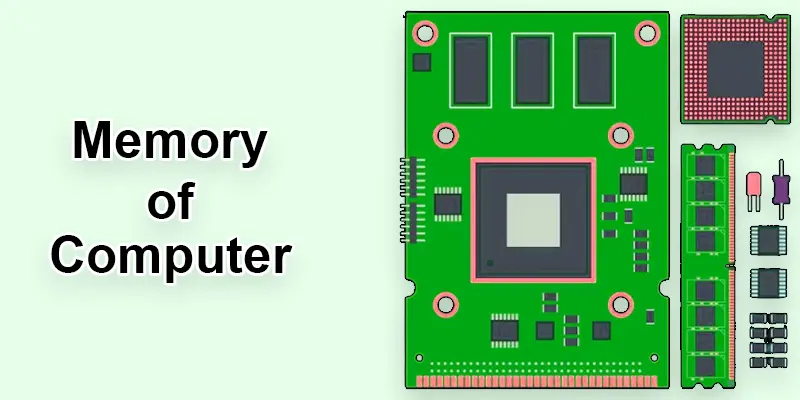
Cache memory comes into play when the CPU needs quick access to frequently used data. It acts as a temporary storage area, reducing the time it takes for the CPU to access data from slower primary memory, thus improving performance.
- Frequently Used Data: Stores recently accessed information.
- Improves Speed: Reduces data retrieval time for the CPU.
- Near CPU: Located close to the processor for fast access.
- Speeds Up Tasks: Optimizes program performance.
- Temporary Storage: Holds data only as long as needed for tasks.
What are the Key Features of Primary Memory?
Primary memory has some important features that help your computer run smoothly. Let’s look at them in simple points:
- Fast speed: Primary memory works very fast. It helps the CPU get data quickly. This improves system performance.
- Temporary storage: Most primary memory (like RAM) stores data for a short time. When you turn off the computer, the data is lost.
- Direct access by CPU: The CPU can directly read and write data in primary memory. This makes processing quick and easy.
- Limited size: Primary memory has less storage compared to secondary storage, like hard drives.
- Stores active data: It keeps only the data and programs that are currently in use. Example: When you open a game, it loads into primary memory for fast access.
What are the Advantages and Limitations of Primary Memory?
Primary memory plays an important role in computer performance. It helps your system run programs quickly. But it also has some limits. Let’s understand both in simple points.
Advantages of Primary Memory
- Very fast speed: Primary memory gives quick access to data. It helps the CPU work without delay.
- Smooth performance: It improves system speed. Apps and software open faster.
- Direct CPU access: The CPU directly reads and writes data from primary memory. This makes processing easy.
- Supports active tasks: It stores only running programs and active data. Example: When you play a game, it loads into RAM for smooth gameplay.
- Better user experience: Faster memory means less lag and better multitasking.
Limitations of Primary Memory
- Limited storage size: Primary memory has less space compared to hard drives or SSDs.
- Temporary storage: Data is lost when the power is turned off (in RAM).
- Expensive: It costs more per GB than secondary memory.
- Not for permanent storage: You cannot save files permanently in RAM.
- Requires upgrades for heavy use: High-end apps and games may need more RAM to run smoothly.
What is the Purpose of Primary Memory?
- Stores data and instructions for quick access by the CPU.
- Supports the smooth performance of running programs.
- Enables fast data processing for active tasks.
- Facilitates multitasking by holding multiple processes.
- Helps in executing real-time operations efficiently.
Final Thoughts
Now you understand what primary memory is and how it works. It includes RAM and ROM, and it helps your system run fast and smoothly. Good memory management improves performance and user experience. Want better speed? Close unused apps or upgrade your RAM. Keep learning about computer basics, and you will use your device more smartly every day.
FAQs
What is memory in a computer?
Memory in a computer is used to store data and instructions for quick access by the CPU, enabling the smooth operation of programs.
Why is ROM considered primary memory?
ROM is considered primary memory because it stores essential instructions, such as the computer’s boot-up process, that are needed immediately when the system starts.
Which memory type includes both RAM and ROM?
RAM (Random Access Memory) and ROM (Read-Only Memory) are key parts of primary memory, providing the CPU with rapid access to essential data.
Are RAM and ROM both considered primary memory?
Yes, both RAM and ROM are considered primary memory as they provide the CPU with immediate access to essential data and instructions.
What happens if a computer has less RAM?
If a computer has less RAM, it can become slower as it struggles to handle multiple tasks or larger programs simultaneously.
Can primary memory be expanded?
Yes, primary memory can be expanded by adding more RAM, which improves system performance and allows for better multitasking.






- Be Respectful
- Stay Relevant
- Stay Positive
- True Feedback
- Encourage Discussion
- Avoid Spamming
- No Fake News
- Don't Copy-Paste
- No Personal Attacks
- Be Respectful
- Stay Relevant
- Stay Positive
- True Feedback
- Encourage Discussion
- Avoid Spamming
- No Fake News
- Don't Copy-Paste
- No Personal Attacks
