MIDI Keyboard Explained | Everything You Need to Know
Published: 25 Jul 2026
Have you ever wanted to create music on your computer but felt confused by all the different keyboards available? Many beginners ask, what is a MIDI keyboard, and whether they need one to start making music. It is easy to feel overwhelmed when you see terms like MIDI, DAW, controller, and virtual instruments. The good news is that learning the basics is much easier than you might think.
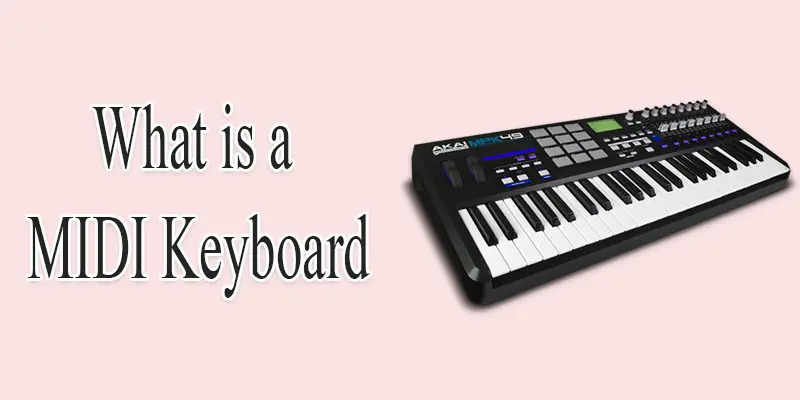
A MIDI keyboard is one of the most useful tools for music production, songwriting, and learning digital music. Unlike a traditional piano, it does not create sound on its own. Instead, it sends musical information to your computer or other compatible devices. This allows you to play thousands of virtual instruments, record songs, and create professional-quality music from home.
This beginner’s guide explains what a MIDI keyboard is, how it works, the features it offers, and the various types available today. You will also discover its benefits, common uses, and tips for choosing the right model. By the end of this article, you will have the knowledge and confidence to decide if a MIDI keyboard is the right choice for your music journey.
What is a MIDI Keyboard?
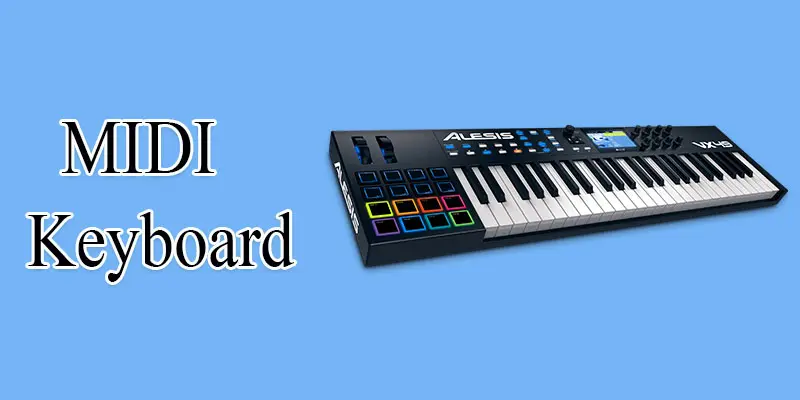
A MIDI keyboard is a device that helps you create music with a computer, tablet, or smartphone. MIDI stands for Musical Instrument Digital Interface. It does not make sound by itself. Instead, it sends digital instructions, such as which note you played and how hard you pressed the key, to music software or a virtual instrument. For example, when you press a key on a MIDI keyboard, your digital audio workstation (DAW) can play a piano, drum, or guitar sound. This makes MIDI keyboards useful for recording music, producing beats, composing songs, and practicing keyboard skills. A MIDI keyboard is popular with beginners because it is affordable, portable, and easy to connect with USB or Bluetooth.
How Does a MIDI Keyboard Work?
A MIDI keyboard may look like a regular piano keyboard, but it works in a completely different way. Understanding how a MIDI keyboard works will help you use it with confidence and unlock its full potential for music production, recording, and learning.
- A MIDI keyboard does not create sound on its own. It sends digital data to a connected device, such as a computer, tablet, or smartphone.
- Each time you press a key, the MIDI keyboard records the note played, the force of your touch, and the length of time the key stays pressed.
- A digital audio workstation (DAW) or virtual instrument receives this data and turns it into sound. The sound can be a piano, guitar, violin, drum kit, or any other instrument.
- Most MIDI keyboards connect through a USB cable or Bluetooth, making setup quick and simple.
- You can also use buttons, knobs, sliders, and pads to control volume, effects, tempo, or other music settings in your software.
- For example, if you press the C key, your music software can play a grand piano sound. With one click, you can change the same key to play a flute or electric guitar instead.
- This flexible system makes MIDI keyboards ideal for music production, songwriting, recording, beat making, and learning music without buying several physical instruments.
What are the Main Parts of a MIDI Keyboard?
Understanding the main parts of a MIDI keyboard helps you use its features more effectively and choose the right model for your music production, recording, or learning needs.
- Piano Keys
- Drum Pads
- Knobs
- Sliders (Faders)
- Pitch Bend Wheel
- Modulation Wheel
- Octave Up/Down Buttons
- Transport Controls
- Function Buttons
- USB Port
- MIDI In Port
- MIDI Out Port
- Sustain Pedal Input
- Expression Pedal Input
- Display Screen (LCD/OLED)
- Power Button
- Power Input (DC Port)
- Headphone Output (on some models)
- Audio Output (on some models)
- MIDI Channel Controls
- Piano Keys: Piano keys are the main part of a MIDI keyboard. You press them to play notes and melodies. Most keys can also detect how hard you press them to create a more natural playing experience.
- Drum Pads: Drum pads are soft, square buttons used to create drum beats and rhythms. You can also assign them to trigger sound effects, loops, or music samples with a single tap.
- Knobs: Knobs let you adjust different settings while making music. You can use them to control volume, effects, filters, or virtual instrument settings without using a mouse.
- Sliders (Faders): Sliders, also called faders, help you increase or decrease values smoothly. They are often used to adjust volume levels, mixing, or sound effects during recording.
- Pitch Bend Wheel: The pitch bend wheel changes the pitch of a note while you play. It helps create smooth note bends, just like a guitarist bending a guitar string.
- Modulation Wheel: The modulation wheel adds expression to your music. It can create effects like vibrato, tremolo, or other sound changes, depending on your music software.
- Octave Up/Down Buttons: These buttons move the keyboard range higher or lower. This allows you to play very high or very low notes without needing a larger keyboard.
- Transport Controls: Transport controls help you manage your recording software. You can play, pause, stop, record, rewind, or fast-forward your project directly from the MIDI keyboard.
- Function Buttons: Function buttons provide quick access to different settings and shortcuts. They help you switch modes, change controls, or customize your keyboard easily.
- USB Port: The USB port connects the MIDI keyboard to a computer or other compatible device. It also transfers MIDI data and, in many models, supplies power to the keyboard.
- MIDI In Port: The MIDI In port receives MIDI signals from another device. This lets your keyboard communicate with other MIDI instruments or controllers.
- MIDI Out Port: The MIDI Out port sends MIDI data from your keyboard to another MIDI device. It allows multiple musical devices to work together during recording or live performances.
- Sustain Pedal Input: This port lets you connect a sustain pedal. Pressing the pedal keeps notes playing even after you release the keys, just like on a traditional piano.
- Expression Pedal Input: An expression pedal controls settings such as volume or effects while you play. It gives you better control and makes your performance more expressive.
- Display Screen (LCD/OLED): Some MIDI keyboards include a small display screen. It shows important information like settings, selected sounds, MIDI channels, or menu options, making navigation easier.
- Power Button: The power button turns the MIDI keyboard on or off. Some USB-powered models may not need a separate power button.
- Power Input (DC Port): The DC power input lets you plug in a compatible power adapter to supply electricity to the MIDI keyboard. It is useful for MIDI keyboards that need more power than a USB connection can provide.
- Headphone Output (On Some Models): Some MIDI keyboards include a headphone jack. It lets you listen to your music privately without disturbing others.
- Audio Output (On Some Models): An audio output sends sound from the keyboard to speakers, headphones, or an audio interface. This feature is usually available on MIDI keyboards with built-in sounds.
- MIDI Channel Controls: MIDI channel controls let you choose which MIDI channel the keyboard uses to send or receive data. This helps you control multiple instruments or devices at the same time without causing conflicts.
What are the Different Types of MIDI Keyboards?
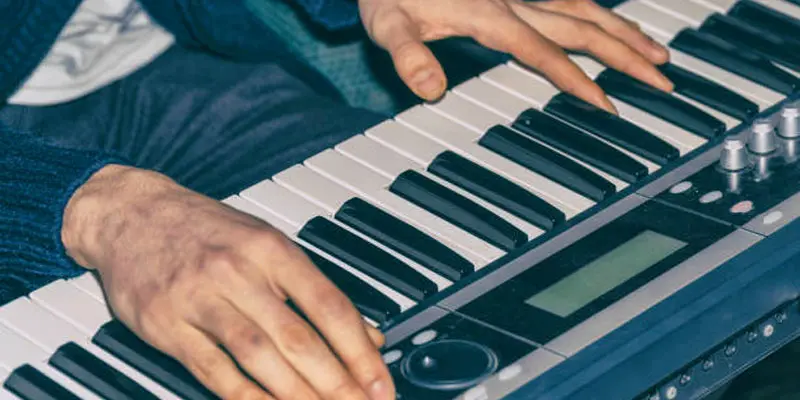
The different types of MIDI keyboards are designed for different users and music styles. Understanding each type will help you choose the right MIDI keyboard for your skill level, budget, and music production needs.
- Mini MIDI Keyboard
- Full-Size MIDI Keyboard
- Portable MIDI Keyboard
- MIDI Keyboard Controller
- USB MIDI Keyboard
- Wireless Bluetooth MIDI Keyboard
- MIDI Keyboard with Drum Pads
- MIDI Keyboard with Built-in Audio Interface
Mini MIDI Keyboard
A Mini MIDI keyboard features a space-saving design with smaller keys, making it convenient to carry for travel or mobile music production. It is a great choice for beginners, travelers, and people with limited desk space. Despite its small size, it works well for music production, practicing, and creating songs.
Full-Size MIDI Keyboard
A full-size MIDI keyboard has standard piano-sized keys that feel comfortable to play. It is ideal for beginners and experienced musicians who want a natural playing experience. This type is great for music production, recording, and piano practice.
Portable MIDI Keyboard
A portable MIDI keyboard is lightweight and easy to carry from one place to another. It is perfect for musicians who travel or create music on the go. It connects smoothly to laptops, tablets, and smartphones, allowing you to create music wherever you are.
MIDI Keyboard Controller
A MIDI keyboard controller is made to control music software and virtual instruments. It does not have built-in sounds, so it needs a computer or compatible device to produce music. It is a popular choice for recording, beat making, and music production.
USB MIDI Keyboard
A USB MIDI keyboard connects directly to a computer using a USB cable. It is easy to set up and works with most music production software. It is a great choice for beginners because it is simple, reliable, and ready to use.
Wireless Bluetooth MIDI Keyboard
A wireless Bluetooth MIDI keyboard connects to your computer, tablet, or smartphone without a cable. It gives you more freedom to play and keeps your workspace neat. It is a great option for musicians who want a portable and cable-free setup.
MIDI Keyboard with Drum Pads
A MIDI keyboard with drum pads lets you play drum beats, trigger samples, and create rhythms with ease. The built-in pads make beat-making faster and more fun. It is a great choice for music producers, DJs, and beginners who enjoy creating electronic music.
MIDI Keyboard with Built-in Audio Interface
A MIDI keyboard with a built-in audio interface lets you connect speakers, headphones, or microphones directly to the keyboard. It reduces the need for extra equipment and makes your music setup simpler. It is a great option for home studios, recording, and music production.
What are the Different MIDI Keyboard Sizes?
MIDI keyboards come in different sizes to match different playing styles and music needs. The main difference is the number of keys. A smaller keyboard is easy to carry, while a larger one gives you a wider note range for playing complex songs.
- 25-Key MIDI Keyboard: Small and portable. Best for beginners, travel, and basic music production.
- 32-Key MIDI Keyboard: Offers a few extra keys while staying compact. Good for creating melodies on the go.
- 37-Key MIDI Keyboard: A nice balance between portability and playing comfort. Suitable for beginners and hobby musicians.
- 49-Key MIDI Keyboard: One of the most popular sizes. Great for music production, recording, and learning to play.
- 61-Key MIDI Keyboard: Provides a wider range of notes. Ideal for serious learners, composers, and studio work.
- 88-Key MIDI Keyboard: Has the same number of keys as a traditional piano. It is the best choice for pianists, advanced players, and realistic piano practice.
What is a MIDI Keyboard Used For?
A MIDI keyboard is used to create, record, and control music on a computer or other compatible devices. It works with music production software, also called a digital audio workstation (DAW), to play virtual instruments such as piano, drums, guitar, and strings. Since it sends digital data instead of sound, one keyboard can control many different instrument sounds.
Many beginners and professional musicians use a MIDI keyboard for songwriting, beat making, recording, and live performances. For example, a music producer can use it to create a drum beat, record a piano melody, and add string sounds without owning those instruments. It is also a great tool for learning keyboard skills because many learning apps support MIDI input. Its flexibility, easy setup, and wide range of features make it an excellent choice for home studios, music production, and creative projects.
What are the Common Features of a MIDI Keyboard?
The common features of a MIDI keyboard make it easier to play, record, and control music. Understanding these features makes it easier to select a MIDI keyboard that fits your playing needs and music production workflow.
- Velocity-Sensitive Keys: These keys respond to how hard or softly you press them. A gentle press creates a softer sound, while a harder press produces a louder sound.
- Drum Pads: Built-in pads let you create drum beats, trigger samples, and play rhythms with a simple tap.
- Knobs and Sliders: These controls adjust volume, effects, filters, and other settings without using a mouse.
- Pitch Bend and Modulation Wheels: They add expression to your performance by changing the pitch or adding effects like vibrato.
- Octave Buttons: These buttons move the keyboard range higher or lower, giving you access to more notes.
- USB and MIDI Connectivity: Most MIDI keyboards connect easily to a computer, tablet, or smartphone through USB or MIDI ports.
- Assignable Controls: Many models let you customize buttons, knobs, and pads to match your favorite music production software and workflow.
What are the Advantages and Disadvantages of a MIDI Keyboard?
Understanding the advantages and disadvantages of a MIDI keyboard can help you decide if it is the right choice for your music production, recording, or learning needs.
Advantages of a MIDI Keyboard
- Affordable: Costs less than buying multiple musical instruments.
- Portable: Lightweight and easy to carry to different locations.
- Works with Many Instruments: Control virtual pianos, guitars, drums, strings, and more using one keyboard.
- Easy to Connect: Connects to computers, tablets, and smartphones through USB or Bluetooth.
- Great for Music Production: Perfect for recording, songwriting, beat making, and editing music.
- Customizable Controls: Many models let you assign knobs, pads, and buttons to different functions.
- Space-Saving: One MIDI keyboard can replace several physical instruments in a home studio.
Disadvantages of a MIDI Keyboard
- No Built-in Sound: Most MIDI keyboards cannot produce sound without music software or a connected device.
- Needs Extra Equipment: You usually need a computer, tablet, or smartphone to use it fully.
- Learning Curve: Beginners may need time to understand MIDI software and settings.
- Limited Features on Basic Models: Entry-level keyboards may have fewer keys and controls.
- Software Compatibility: Some features work best with specific digital audio workstations (DAWs).
- Power Dependency: Many models require a USB connection or external power source to operate.
Final Thoughts
Now that you know what is a MIDI keyboard, you can see why it is an essential tool for modern music production. Whether you want to record songs, control virtual instruments, or improve your keyboard skills, a MIDI keyboard offers a simple and flexible solution. Compare different MIDI keyboard types, explore the features that match your needs, and start creating music with confidence. Every great musician begins with a single step, and today could be yours.
FAQs
A keyboard can produce sound on its own, while a MIDI keyboard sends digital data to music software or virtual instruments. If you want to create music on a computer, a MIDI keyboard offers more flexibility and control for recording and music production.
Yes, you can use a normal computer keyboard as a basic MIDI input with compatible music software. However, it does not provide piano-style keys, velocity sensitivity, or expressive controls, so a dedicated MIDI keyboard offers a much better playing experience.
Yes. Many MIDI keyboards can connect to an iPad using a USB adapter or a wireless Bluetooth connection, depending on the model. It lets you play virtual instruments, record music, and use music apps easily, making mobile music production more convenient.




- Be Respectful
- Stay Relevant
- Stay Positive
- True Feedback
- Encourage Discussion
- Avoid Spamming
- No Fake News
- Don't Copy-Paste
- No Personal Attacks
- Be Respectful
- Stay Relevant
- Stay Positive
- True Feedback
- Encourage Discussion
- Avoid Spamming
- No Fake News
- Don't Copy-Paste
- No Personal Attacks
