SSD Benefits and Drawbacks | A Simple Guide for Beginners
Published: 15 Mar 2025
Is your computer slow when opening apps or starting up? Do you feel frustrated waiting for files to load? You are not alone. Many people face this issue every day. Traditional hard drives can slow down performance and make simple tasks feel time-consuming. This is where the advantages and disadvantages of SSD become very important to understand.
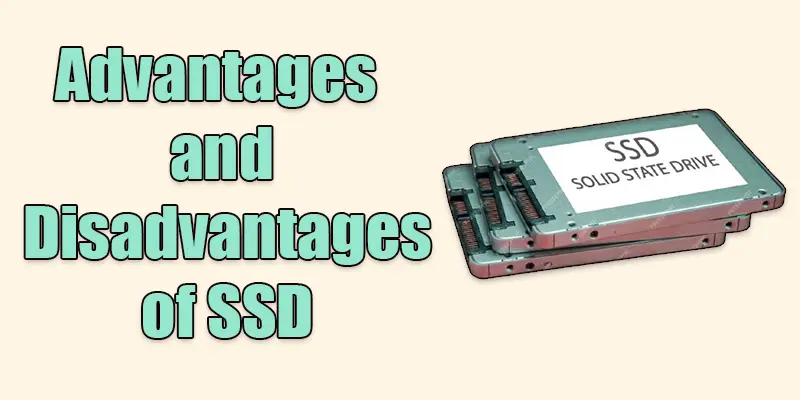
An SSD, or Solid State Drive, is a modern storage device that works much faster than older hard drives. It improves speed, boosts performance, and makes your system more responsive. Tasks like booting your computer, opening software, and transferring files become quick and smooth. But SSDs also have some downsides, like higher cost and limited storage in some cases.
In this guide, you will learn everything in simple terms. We will go through the main benefits of SSDs and also examine their drawbacks in a clear and simple way. This will help you decide if upgrading to an SSD is the right choice for your needs. If you want faster speed, better performance, and a smoother computing experience, this article will guide you step by step. Let’s explore the full picture and make your decision easier and smarter.
What are the Advantages of Solid State Drive (SSD)?
Discover the top reasons why upgrading your storage can make your device faster, quieter, and more reliable.
- Faster speed
- Better durability
- Energy efficiency
- Silent operation
- Lightweight design
- Less heat generation
Faster Speed
SSDs load files and programs much faster than old storage drives. Your computer starts up in seconds, and apps run smoothly without delays. This makes everything feel quicker and more responsive.
Better Durability
SSDs have no moving parts, so they are less likely to break if dropped or shaken. They can handle bumps and shocks better than old storage drives. This makes them more reliable for laptops and portable devices.
Energy Efficiency
SSDs use less power than old storage drives, which helps your device last longer on battery. This makes them great for laptops and other portable devices. Less power use also means lower electricity bills.
Silent Operation
SSDs make no noise because they have no moving parts. Unlike old storage drives that spin and click, SSDs run silently. This makes them perfect for quiet work or gaming.
Lightweight Design
SSDs are smaller and lighter than old storage drives. This makes laptops and other devices easier to carry. Their compact size also allows for thinner and more modern designs.
Less Heat Generation
SSDs produce less heat because they have no spinning parts. This helps keep your device cooler and reduces the need for extra cooling. A cooler system also means better performance and a longer lifespan.

What are the Disadvantages of Solid State Drive (SSD)?
While SSDs offer great speed and reliability, they also have some drawbacks that are important to consider.
- Higher cost
- Limited lifespan
- Storage capacity limits
- Performance drops over time
- Data recovery challenges
- Compatibility issues
Higher Cost
SSDs are more expensive than old storage drives with the same space. This makes them less budget-friendly, especially for larger storage needs. However, prices are slowly dropping over time.
Limited Lifespan
SSDs wear out over time because they have a limited number of writes. Frequent data writing can shorten their lifespan. However, most SSDs last for many years with normal use.
Storage Capacity Limits
SSDs usually have smaller storage sizes compared to old drives at the same price. High-capacity SSDs exist, but they are expensive. This can be a problem for users who need a lot of space for files, games, or videos.
Performance Drop Over Time
SSDs can slow down over time as they fill up with data. Frequent writing and deleting can affect performance. Regular maintenance, like freeing up space, can help keep them fast.
Data Recovery Challenges
Recovering lost data from an SSD is difficult and sometimes impossible. Unlike old storage drives, SSDs use special methods to store data, making recovery harder. This is why regular backups are important.
Compatibility Issues
Some older computers may not support certain SSD types. Newer SSDs, like NVMe, need specific slots to work. Checking your device’s compatibility before upgrading is important.
Final Thought
SSDs offer many benefits, such as fast speed, better performance, low noise, and improved durability. They make your computer work faster and more efficiently. At the same time, they can be expensive and may offer less storage compared to traditional hard drives. By understanding the advantages and disadvantages of SSDs, you can choose the right storage for your needs. If you want faster performance and smoother use, upgrading to an SSD is a smart step. Take action today and improve your system experience with better storage technology.
FAQs
How much SSD do I need?
It depends on your use. For basic tasks, 256GB is enough. For gaming or work, go for 512GB or 1TB.
Why is SSD important?
SSDs make computers faster, reduce load times, and improve performance. They also last longer than HDDs.
Are SSDI benefits taxable?
Social Security Disability Insurance (SSDI) benefits are sometimes taxable if your income is above a certain limit.
Are SSDs better than HDDs?
Yes, SSDs are faster, quieter, and more durable than HDDs, but they cost more.
What benefit is SSD?
SSDs speed up your computer, making programs load faster and improving overall performance.
What is the SSD best used for?
SSDs are best for fast booting, gaming, video editing, and overall system speed improvement.






- Be Respectful
- Stay Relevant
- Stay Positive
- True Feedback
- Encourage Discussion
- Avoid Spamming
- No Fake News
- Don't Copy-Paste
- No Personal Attacks
- Be Respectful
- Stay Relevant
- Stay Positive
- True Feedback
- Encourage Discussion
- Avoid Spamming
- No Fake News
- Don't Copy-Paste
- No Personal Attacks
