SRAM vs DRAM | Which Memory Type Is Better?
Published: 5 Feb 2025
Have you ever noticed your computer slowing down when you open too many apps or tabs? This can feel frustrating, especially when you are working, studying, or gaming, and everything suddenly lags. The main reason behind this problem is how computer memory works, especially SRAM and DRAM. Many users hear these terms but do not understand what they really mean or how they affect performance.
If you are confused about which memory is faster, which is cheaper, and why both are used in computers, you are not alone. The Difference Between SRAM and DRAM plays a key role in understanding computer speed, efficiency, and multitasking power. SRAM (Static RAM) is very fast and used in small but important areas like cache memory.
DRAM (Dynamic RAM) is slower but cheaper and is used as the main system memory in most devices. In this guide, you will clearly learn how both types work, why they matter, and how they impact your daily computer use. By the end, you will easily understand the difference and make smarter choices when learning about computer hardware.
What is SRAM and DRAM?
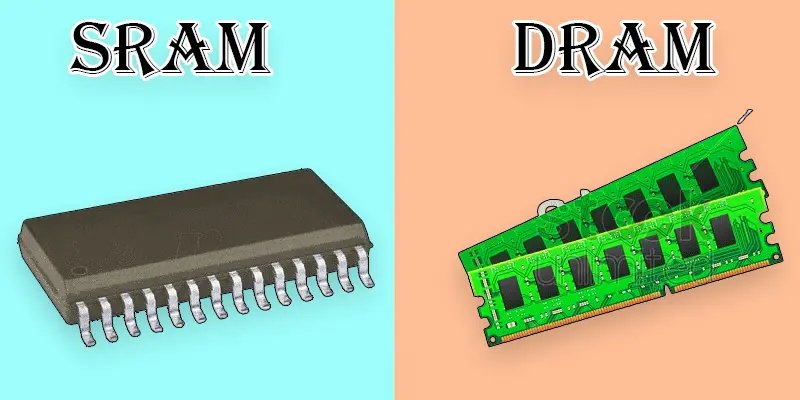
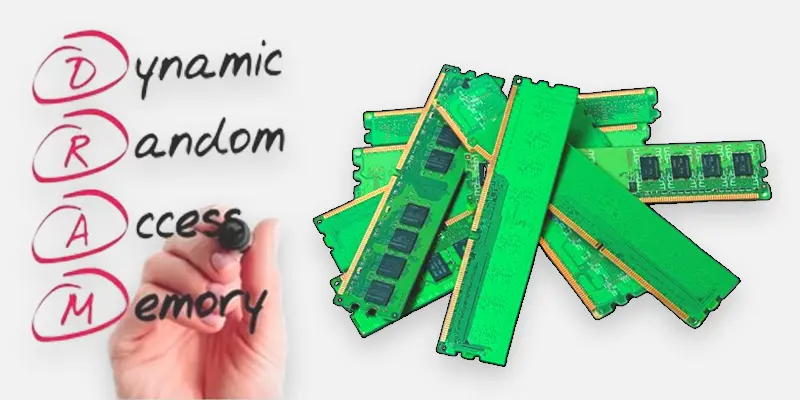
SRAM (Static Random-Access Memory) and DRAM (Dynamic Random-Access Memory) are two widely used memory types in computer systems. SRAM is faster, doesn’t need refreshing, and is used for cache memory, while DRAM is slower, needs constant refreshing, and is used as main RAM. SRAM is more expensive but improves speed, whereas DRAM is cheaper and stores more data. Both work together to keep your computer running smoothly.
What is the Difference between SRAM and DRAM?
The main difference between SRAM and DRAM is speed and usage. SRAM is faster, doesn’t need refreshing, and is used for cache memory, while DRAM is slower, requires constant refreshing, and is used as main RAM. SRAM is expensive but boosts speed, whereas DRAM is cheaper and offers more storage.
| SRAM | DRAM |
|---|---|
| Static Random-Access Memory (SRAM). | Dynamic Random-Access Memory (DRAM). |
| A type of memory that doesn’t require refreshing to retain data. | A type of memory that requires constant refreshing to retain data. |
| Used in CPU cache memory. | Used as the main memory in computers. |
| Faster than DRAM. | Slower compared to SRAM. |
| More expensive to manufacture. | Cheaper to produce. |
| Uses less energy. | Requires more energy. |
| Offers limited storage space. | Provides larger storage capacity. |
| Does not require refreshing. | Requires constant refreshing to maintain data. |
| Mainly used in cache memory and registers. | Primarily used as the main memory in systems. |
| Retains data even without power. | Data is erased when power is lost. |
| More complex and costly to manufacture. | Easier and cheaper to manufacture. |
| Built using flip-flops and latches. | Built using capacitors and transistors. |
| Takes up more space for the same storage. | Takes up less space for the same storage. |
| More durable and long-lasting. | Less durable compared to SRAM. |
| Found in mobile devices, processors, and routers. | Found in desktops, laptops, and gaming systems. |
| Has very low latency and quick access. | Has higher latency and slower access. |
| Less sensitive to voltage changes. | More sensitive to voltage fluctuations. |
| Provides higher data integrity. | Can be affected by data corruption if not refreshed. |
| Uses static technology. | Uses dynamic technology. |
| Higher due to its complexity. | Lower because of its simpler design. |
Why Do Computers Use Both SRAM and DRAM?
Computers use both SRAM and DRAM to balance performance and cost. SRAM provides fast access speeds for critical tasks, while DRAM offers larger storage capacity at a lower cost for overall system memory.
SRAM
- Faster data access speeds up processing.
- No need for constant refreshing, saving power.
- More reliable with less risk of data corruption.
- Used in cache memory for quick CPU access.
- It provides low latency and is ideal for high-speed operations.
DRAM
- Higher storage capacity allows for more data storage.
- Cheaper to produce, reducing overall system cost.
- Needs constant refreshing, which increases power consumption.
- Slower than SRAM but used for main memory in computers.
- Offers a good balance between cost and capacity for larger data needs.
Final Thoughts
SRAM and DRAM are both essential parts of computer memory, but they serve different roles. SRAM is faster and used for cache, while DRAM provides larger storage for everyday computing tasks. Understanding the Difference Between SRAM and DRAM helps you better understand system speed, performance, and efficiency. Now that you know the basics, you can explore computer memory with more confidence and clarity. Keep learning and stay curious about how technology powers your digital world.
FAQs
Is static RAM faster than dynamic RAM?
Yes, SRAM is faster than DRAM. SRAM does not require refreshing, allowing quicker data access, while DRAM needs constant refreshing, which slows down its performance.
Which one is better: SRAM or DRAM? Why?
SRAM is better for speed and performance, making it ideal for cache memory. DRAM is better for larger storage at a lower cost, but it’s slower due to the need for constant refreshing.
Why is DRAM cheaper than SRAM?
DRAM is cheaper than SRAM because it is simpler to manufacture. DRAM uses capacitors and transistors, which are easier and less costly to produce, while SRAM uses flip-flops and latches, which are more complex and expensive to make.
Can a computer work without SRAM?
A computer can technically work without SRAM, but its performance would be significantly slower. Without SRAM, the system would rely entirely on DRAM, resulting in slower data access and processing.





- Be Respectful
- Stay Relevant
- Stay Positive
- True Feedback
- Encourage Discussion
- Avoid Spamming
- No Fake News
- Don't Copy-Paste
- No Personal Attacks
- Be Respectful
- Stay Relevant
- Stay Positive
- True Feedback
- Encourage Discussion
- Avoid Spamming
- No Fake News
- Don't Copy-Paste
- No Personal Attacks
