Cloud Computing vs VPS | Key Differences Explained Clearly
Published: 27 Aug 2025
Cloud computing vs VPS is a common choice for website owners, and many get confused about which is best. VPS gives stable performance with dedicated resources, while cloud adapts easily to traffic spikes. Choosing the wrong one can cause slow websites, downtime, or high costs. By understanding their differences, you can pick the hosting that keeps your site fast, secure, and reliable. Consider it like this: both a private room and a flexible space are good options for your website, but the correct one will fix your hosting issues.
What is the Difference Between Cloud Computing and VPS?
| Cloud Computing | VPS |
|---|---|
| A computing model where resources like servers, storage, and apps are delivered over the internet on demand. | A virtual server hosted on a single physical server, providing dedicated resources to a user. |
| Using Amazon Web Services (AWS) to host a website that scales automatically. | Hosting a WordPress website on a VPS with 4GB RAM and 2 vCPUs. |
| Highly scalable; resources can expand automatically based on demand. | Limited scalability; upgrading requires manual configuration. |
| Pay-as-you-go; you pay only for what you use. | Fixed monthly cost regardless of usage. |
| Shared across multiple servers but managed dynamically. | Dedicated portion of a single server. |
| Can handle high traffic due to distributed resources. | Performance may vary under heavy load. |
| High reliability due to redundancy and multiple servers. | Moderate reliability; if the physical server fails, VPS may go down. |
| Managed by the cloud provider. | Some maintenance required by user or hosting provider. |
| Quick deployment; ready in minutes. | Deployment takes longer; OS and software need configuration. |
| Enterprise-level security with encryption and monitoring. | Security depends on VPS setup; user responsible for patches. |
| Automated backups and disaster recovery options available. | Manual backups required unless included by host. |
| Can run multiple OS simultaneously across servers. | Limited to OS installed on the VPS instance. |
| Less direct control over physical hardware. | Full root access for configuration and control. |
| Supports multiple applications and services. | Limited to what the VPS can support. |
| Easy to upgrade resources without downtime. | May require server reboot or migration for upgrades. |
| Fast due to multiple distributed data centers. | Limited by the single physical server and its network. |
| Minimal skill required for basic use; provider handles infrastructure. | Requires intermediate technical knowledge for setup and management. |
| Limited at infrastructure level; focus on software and apps. | High customization; can install and modify OS and apps freely. |
| Resources dynamically shared across multiple clients. | Resources are allocated exclusively per VPS instance. |
| Enterprise apps, big data, AI, scalable web apps. | Small to medium websites, apps needing dedicated resources. |
| Can automatically handle spikes in traffic. | Limited by server capacity; may require manual scaling. |
| Cost-efficient for variable workloads. | Cost-efficient for consistent workloads. |
| Failover to other servers ensures uptime. | Vulnerable to physical server failures unless backup VPS exists. |
| Public, private, hybrid clouds available. | VPS generally hosted on a single physical server. |
| Easier for beginners using managed cloud services. | Slightly higher learning curve due to server management. |
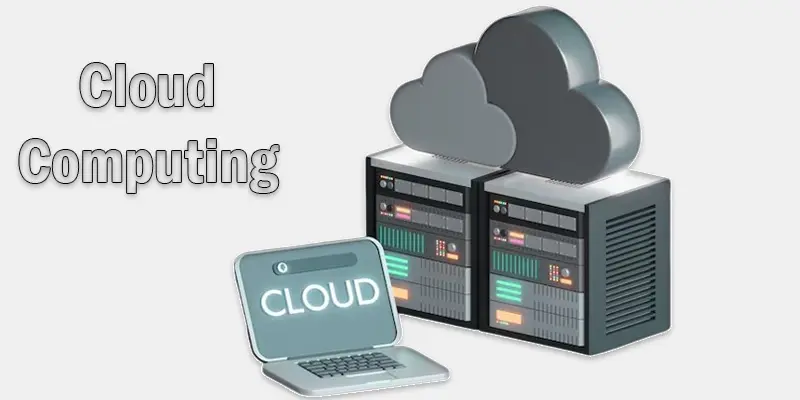
What are the pros and cons of VPS Hosting and Cloud Computing?
Cloud computing has clear pros like flexibility, cost savings, and scalability, but it also has cons such as security risks and potential downtime. Knowing both sides helps you make smarter choices.
VPS Hosting Benefits
- Dedicated resources in a private setting
- More efficient than shared hosting
- Greater command over settings and software
- Affordable compared to dedicated hosting
Cons of VPS Hosting
- Limited scalability (resources are fixed)
- If the main server fails, your site can go down
- Needs some technical knowledge to manage
- Example: VPS is like renting your own apartment. You have privacy, but if the building has a power cut, your apartment is affected too.
- What are cloud hosting’s benefits and drawbacks?
Benefits of Cloud Computing
- incredibly dependable (uses several servers)
- Easy to scale up or down
- Pay only for what you use
- Handles traffic spikes smoothly
Cons of Cloud Computing
- It can become expensive if usage grows
- Setup may feel complex for beginners
- Needs a strong internet connection to work smoothly
- Example: Cloud hosting is like using Netflix. You can watch anytime, anywhere, but you must pay monthly, and costs can rise with more usage.
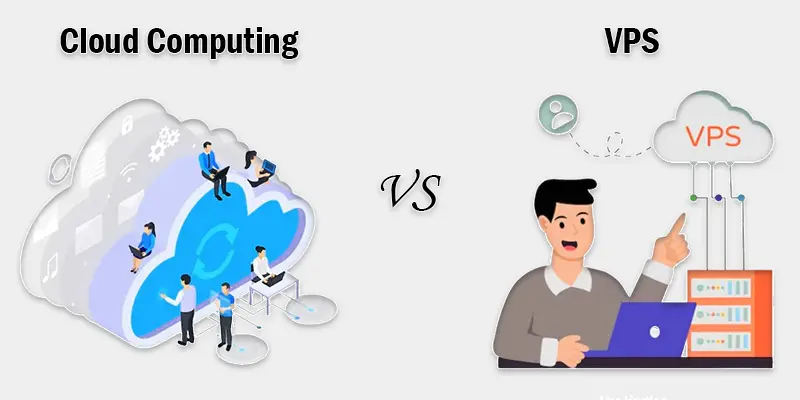
VPS or Cloud Hosting | Which one is right for you?
- Choose VPS if you need stable performance, privacy, and lower costs.
- Choose Cloud if you want flexibility, easy scaling, and strong uptime.
- Simple view: VPS is like buying a steady car for daily drives. Cloud is like using a ride-sharing service that’s always available, no matter the demand.
What are the Current Trends and Future Outlook?
Cloud computing trends show growing use of AI, edge integration, and multi-cloud strategies. Its future promises faster, smarter, and more secure solutions for businesses and individuals.
What are the latest trends in VPS vs Cloud Hosting?
- Cloud hosting is growing fast because businesses need flexibility and high uptime.
- VPS hosting remains popular for websites that need privacy and steady performance.
- Hybrid solutions are becoming common, combining VPS control with cloud scalability.
- Managed services are increasing, making hosting easier for beginners.
- Example: Many startups now prefer cloud hosting so they can handle sudden traffic without downtime.
How is the hosting industry moving toward cloud solutions?
- Companies want better reliability – the cloud can handle server failures.
- They want scalable resources – add CPU, RAM, or storage anytime.
- Cost efficiency – pay only for what you use instead of buying full servers.
- Global access – cloud hosting allows websites to load faster worldwide.
- Example: Big platforms like Netflix and Instagram use cloud hosting to serve millions of users smoothly.
Conclusion
We’ve covered Cloud computing vs VPS in detail. From my experience, VPS is great for steady performance and private resources, while cloud is best for websites that need flexibility and can handle traffic spikes. For most small to medium websites, I recommend starting with a VPS for stability, but consider the cloud if you expect growth. Choosing the right hosting ensures your website runs smoothly and securely. Take action today and pick the hosting that fits your site’s needs perfectly!
FAQS
Is VPS better than cloud hosting?
VPS and cloud hosting serve different purposes. VPS is better for steady performance and private resources. Cloud hosting is better for scalability and handling traffic spikes.
What is VPS in cloud computing?
VPS stands for Virtual Private Server. In cloud computing, it works like a private server inside a larger cloud network. You get dedicated resources while using cloud flexibility.
Is AWS more expensive than VPS?
AWS can be more expensive than a VPS, depending on your usage. It charges for resources you use, which can add up. VPS usually has fixed pricing, making it cheaper for smaller websites.
What is the difference between virtual servers and cloud computing?
A single physical server can be divided into several virtual ones using virtual servers. Cloud computing uses many servers connected together. Cloud is more scalable and reliable than a single virtual server.
Is AWS a VPS?
No, AWS is a cloud platform, not a VPS. It offers VPS-like services, such as Amazon Lightsail, for simpler setups. AWS also provides full cloud services beyond VPS.






- Be Respectful
- Stay Relevant
- Stay Positive
- True Feedback
- Encourage Discussion
- Avoid Spamming
- No Fake News
- Don't Copy-Paste
- No Personal Attacks
- Be Respectful
- Stay Relevant
- Stay Positive
- True Feedback
- Encourage Discussion
- Avoid Spamming
- No Fake News
- Don't Copy-Paste
- No Personal Attacks
