Virus in the Computer | Signs and Protection Tips
Published: 26 Jul 2026
Have you ever noticed your computer becoming slow for no clear reason? Do strange pop-up messages appear on your screen? Maybe some files are missing, or programs start opening by themselves. These can be warning signs of a virus in computer systems, and they can quickly turn a normal day into a frustrating experience.
Computer viruses are one of the most common cybersecurity threats today. They can enter your device through infected downloads, email attachments, unsafe websites, or even USB drives. Once inside, a virus can damage files, reduce system performance, and put your personal information at risk. Many people do not realize their computer is infected until serious problems begin to appear.
The good news is that protecting your device does not have to be difficult. By learning the right basics and following simple safety practices, you can lower the chance of infection and protect your data. In this guide, you will learn what a computer virus is, how it spreads, the different types of viruses, common warning signs, and the best ways to remove and prevent them. By the end, you will have the information you need to keep your computer safe and running smoothly.
What is a Virus in Computer?
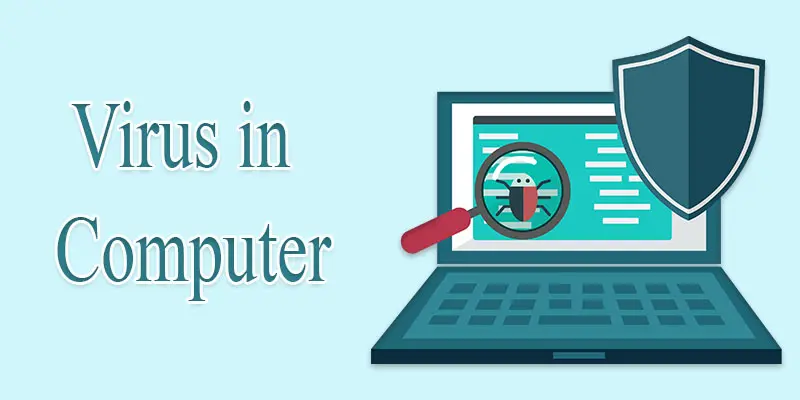
A virus in computer systems is a harmful program that can enter a device and damage files, slow performance, or cause other problems. Like a biological virus, it spreads from one file or program to another. A computer virus often spreads when a user takes an action, like opening a harmful email attachment or downloading an untrusted file. For example, if you download software from an untrusted website, it may contain a virus that infects your computer. Viruses can affect personal data, system security, and overall device performance if left unchecked.
How Does a Computer Virus Work?
A computer virus works by entering a device, spreading to other files or programs, and performing harmful actions that can affect system performance and data security.
- Infection Stage
- Activation Stage
- Replication Stage
- Execution Stage
- Spreading Stage
- Damage Stage
- Detection Avoidance Stage
- Persistence Stage
Infection Stage
The infection stage is the first step of a computer virus. During this stage, the virus enters a device through an infected file, email attachment, software download, or USB drive. Once inside, it attaches itself to a file or program. The virus stays hidden until it gets a chance to run.
Activation Stage
The activation stage begins when the virus starts running on the computer. This usually occurs when a user runs an infected file or launches a harmful program. Some viruses activate immediately, while others wait for a specific action or date. Once activated, the virus prepares to carry out its harmful tasks.
Replication Stage
During the replication stage, the virus makes copies of itself inside the computer. It spreads to other files, folders, or programs on the device. This helps the virus grow and infect more parts of the system. As the virus spreads, it can become harder to detect and remove.
Execution Stage
The execution stage is when the virus begins its harmful activity. It may change files, slow down the computer, or affect system settings. Some viruses can also display unwanted messages or programs. The actions depend on the type of virus and its purpose.
Spreading Stage
During the spreading stage, the virus moves from one file or device to another. It can move from one system to another through email attachments, USB devices, downloaded files, or connected networks. The goal is to infect as many computers as possible. This allows the virus to cause more damage and reach more users.
Damage Stage
The damage stage is when the virus starts causing problems on the computer. It may delete files, corrupt data, or slow down system performance. Some viruses can steal information or stop programs from working properly. The level of damage depends on the type of virus.
Detection Avoidance Stage
During the detection avoidance stage, the virus tries to stay hidden from antivirus software and users. It may change its code or run quietly in the background. This makes it harder to find and remove. As a result, the virus can remain on the computer for a longer time.
Persistence Stage
During the persistence stage, the virus tries to stay active on the computer even after a restart. It may make changes to system settings or create hidden files. This helps the virus return every time the device turns on. As a result, removing the virus becomes more difficult.
What are the Most Common Ways Computer Viruses Spread?
Computer viruses can spread in many ways. They often enter a device when users unknowingly interact with infected files or unsafe content. Here are the most common ways a computer virus can spread:
- Infected Email Attachments: Cybercriminals often send emails with infected attachments. Opening these files can install a virus on your computer. For example, a fake invoice attachment may contain harmful code.
- Unsafe Software Downloads: Downloading software from unknown websites can put your device at risk. Some free programs may hide viruses inside the installation files.
- Malicious Websites: Certain websites contain harmful scripts that can infect your computer. Visiting unsafe websites may lead to unwanted downloads without your knowledge.
- USB Drives and External Devices: An infected USB drive can transfer a virus to any computer it connects to. This is a common way viruses spread between devices.
- Pirated Software and Cracked Programs: Illegal software often contains hidden malware or computer viruses. Installing these programs can expose your system to security threats.
- Fake Software Updates: Some pop-up messages claim that your browser or software needs an update. Clicking these fake updates may download a virus instead.
- Malicious Links on Social Media: Attackers sometimes share harmful links through social media platforms. Clicking these links can redirect users to infected websites.
- File Sharing Networks: Downloading files from untrusted file-sharing platforms can increase the risk of virus infections. Some files may appear safe but contain harmful programs.

What are the Early Signs of a Computer Virus?
A computer virus often shows early warning signs before it causes serious damage. If your device starts acting strangely, it could be infected. Below are some common signs you should watch for:
- Slow computer performance: Your computer may become very slow without any clear reason. Programs take longer to open or respond.
- Frequent crashes or freezes: The system may suddenly stop working or restart again and again.
- Unwanted pop-up ads: Strange ads appear on your screen even when you are not browsing the internet.
- Missing or corrupted files: Some files may disappear or stop opening properly. This is a common virus symptom.
- Unknown programs running: You may see new apps or programs that you did not install.
- Browser changes: Your homepage or search engine may change without your permission.
- Overheating or high CPU usage: The computer may become hot or noisy even when you are not using heavy software.
What Damage Can a Computer Virus Cause?
A computer virus can cause serious harm to your device and personal data. It can enter your system and start damaging files, slowing down performance, and even stealing information. Many users do not notice the damage until it becomes severe. A virus can delete important files from your computer. It can also corrupt documents, photos, and software, making them unusable. For example, a student may lose school assignments stored on a laptop due to a virus attack.
It can also slow down your system. Programs may take longer to open, and the computer may freeze often. Some viruses run in the background and use system resources without your knowledge. In many situations, viruses may collect private information like passwords, banking details, or login credentials. This may lead to stolen identity or financial damage. For example, a hacker may access your email or online accounts through a virus infection.
Some viruses even damage system settings or disable security tools. This makes it harder to remove the infection and protect the device. Overall, a virus in computer systems can affect performance, privacy, and data safety. That is why it is important to use antivirus software and safe browsing habits to reduce risks and protect your digital life.
How to Detect a Computer Virus on Your Device?
Detecting a computer virus early helps protect your files and system. Many viruses show warning signs before causing major damage. Here are simple ways to detect them:
- Run an antivirus scan: Use trusted antivirus software to scan your system. It can find hidden viruses and malware quickly.
- Check system performance: If your computer becomes slow without a reason, it may be infected. Programs may also take longer to open.
- Look for unusual pop-ups: Random ads or warning messages can be a sign of a virus or adware infection.
- Monitor unknown programs: Check installed apps. If you see software you did not install, it may be harmful.
- Check CPU and memory usage: Open Task Manager. High usage without heavy work can indicate a virus running in the background.
- Watch for file changes: Missing or corrupted files are a strong warning sign of infection.
How to Protect Your Computer from Viruses?
Protecting your computer from a virus in computer systems is very important for keeping your data safe and your device running smoothly. A few easy daily habits can lower the chance of infection and strengthen your overall cybersecurity.
- Install trusted antivirus software: Use reliable antivirus tools to detect and block viruses. Keep it updated for better protection against new threats.
- Keep your system updated: Regular software and operating system updates fix security gaps. These updates help prevent virus attacks.
- Avoid suspicious emails and attachments: Do not open emails from unknown senders. For example, a fake “bank alert” email may contain a harmful file.
- Download files from trusted sources only: Always use official websites for software downloads. Avoid pirated or cracked programs, as they often contain malware.
- Use strong passwords: Make sure each account has a unique and hard-to-guess password. This helps keep your personal information safe from hackers.
- Enable firewall protection: A firewall works as a security barrier between your system and the internet. It helps stop unsafe or suspicious connections.
- Scan USB drives before use: External devices can carry viruses. Always scan them before opening files.
- Avoid clicking unknown links: Links shared on social media or pop-ups may lead to infected websites.
Final Thoughts
A virus in computer systems can cause slow performance, data loss, security risks, and many other problems. Knowing how viruses spread, spotting early warning signs, and using trusted antivirus tools can keep your system well-protected. Regular updates, safe browsing habits, and strong cybersecurity practices are also important. Take action today to protect your device from computer viruses and malware threats. Taking a few easy steps today can protect your data and help your computer stay fast and healthy.
FAQs
There are many types of computer viruses, but commonly around 7 to 10 main types are identified. These include file infector, boot sector, macro, and polymorphic viruses. Each type spreads and harms systems in different ways.
It is called a virus because it behaves like a biological virus that spreads from one host to another. A computer virus copies itself into files or programs and spreads when users share or open infected data.
The 7 virus classifications include file infector, boot sector, macro, multipartite, resident, polymorphic, and direct action viruses. These categories help explain how computer viruses infect systems and cause damage in different ways.
The first computer virus is considered the “Creeper virus,” created in the early 1970s. It was mainly experimental and showed a simple message on infected systems, marking the beginning of computer virus history.
The top 3 dangerous computer viruses include the ILOVEYOU virus, Melissa virus, and WannaCry ransomware. These viruses caused global damage by spreading quickly, stealing data, and locking computer systems for ransom.






- Be Respectful
- Stay Relevant
- Stay Positive
- True Feedback
- Encourage Discussion
- Avoid Spamming
- No Fake News
- Don't Copy-Paste
- No Personal Attacks
- Be Respectful
- Stay Relevant
- Stay Positive
- True Feedback
- Encourage Discussion
- Avoid Spamming
- No Fake News
- Don't Copy-Paste
- No Personal Attacks
