Computer Full Forms and 1st to 5th Generations Explained
Published: 28 Jan 2024
Have you ever seen words like CPU, RAM, or ROM and felt confused about what they really mean? You are not alone. Many students and beginners struggle to understand computer full forms and how computers have changed over time. This confusion can make learning basic computer knowledge feel hard and frustrating.
But here is the good news. You don’t need to feel lost anymore. In this guide, you will clearly understand the Computer Full Forms and Generations of Computers in a very simple way. We will break down common short forms into easy meanings. You will also learn how computers evolved from large, slow machines to the fast devices we use today.
Think about it. You use a computer or smartphone every day. But do you really know how it works or where it started? Knowing this can boost your confidence and improve your basic IT skills. So, if you want clear answers without complex words, you are in the right place. Let’s make computer basics easy and interesting together.
What is Computer Full Form?
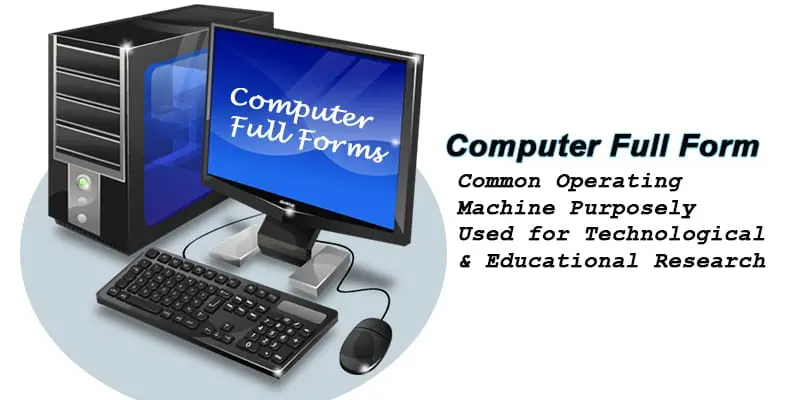
The term “Computer” is often associated with the acronym “Common Operating Machine Purposely Used for Technological and Educational Research. It’s a powerful device used for processing, storing, and retrieving data across various industries.
How to Learn Computer Full Forms from Beginner to Expert?
Computer full forms are essential to understanding various terms used in the tech world. From CPU to URL, each acronym has its unique meaning and function. Knowing these full forms helps you navigate the digital world more effectively. These full forms can be grouped into several categories for better understanding:
What is the Computer Full Form in General Terms?
A computer, in general terms, is a versatile electronic device that processes data, enabling tasks like computation, communication, and entertainment.
General Term Full Forms
- PC: Personal Computer
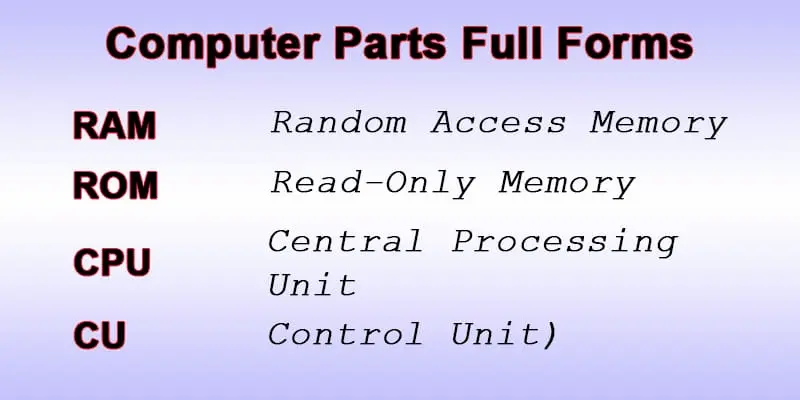
- CPU: Central Processing Unit
- RAM: Random Access Memory
- ROM: Read-Only Memory
- UPS: Uninterruptible Power Supply
- LAN: Local Area Network
- IP: Internet Protocol
- URL: Uniform Resource Locator
- CD: Compact Disc
- USB: Universal Serial Bus
- GUI: Graphical User Interface
- BIOS: Basic Input Output System
- VPN: Virtual Private Network
- WAN: Wide Area Network
- LED: Light Emitting Diode
- PDF: Portable Document Format
What is the Computer Full Form in Hardware?
A COMPUTER is a Commonly Operated Machine for Processing, Understanding, and Transferring Electronic Requests. It is an essential hardware-based device used for a variety of tasks.
Forms of Hardware
- CPU: Central Processing Unit
- Mouse: Input Device
- Keyboard: Input Device
- Hard Drive: Storage Device
- Headphones: Audio Output
- Printer: Output Device
- Monitor: Display Device
- Motherboard: Main Circuit Board
- Battery: Power Supply
- Wi-Fi Adapter: Networking Hardware
- Webcam: Video Input Device
- Laptop: Portable Computer
- Trackpad: Input Device
- Joystick: Input Device for Gaming
- Optical Drive: Storage Device (CD/DVD)
What is the Computer Full Form in Software?
A COMPUTER is a Complex Operating system for Managing Programs, Utilities, and Tools for Efficient Running. It’s powered by software that drives all tasks.
Forms of Software
- API: Application Programming Interface
- OS: Operating System
- App: Application Software
- Antivirus: Security Software
- IDE: Integrated Development Environment
- Browser: Web Browser
- Spreadsheet: Data Management Software
- Word Processor: Document Creation Software
- Media Player: Audio/Video Playback Software
- Driver: Hardware Control Software
- Utility: System Tools Software
- AI Software: Artificial Intelligence Program
- CRM: Customer Relationship Management Software
- Game: Video Game Software
- Database: Data Management Software
What is the Computer Full Form in Networking?
A COMPUTER is a Connected Organization for Managing Personal and Universal Transmissions, Enabling Remote connections through networking.
Forms of Networking
- IP: Internet Protocol
- Wi-Fi: Wireless Fidelity
- LAN: Local Area Network
- WAN: Wide Area Network
- VPN: Virtual Private Network
- MAN: Metropolitan Area Network
- DNS: Domain Name System
- HTTP: HyperText Transfer Protocol
- FTP: File Transfer Protocol
- Bluetooth: Short-Range Wireless Network
- SMTP: Simple Mail Transfer Protocol
- HTML: HyperText Markup Language
- CSS: Cascading Style Sheets
- Java: Just Another Virtual Accelerator
- SQL: Structured Query Language
- exe: Executable File
- RSS: Really Simple Syndication
- SSL: Secure Sockets Layer
- CDN: Content Delivery Network
- PWA: Progressive Web App
- MAC: Media Access Control
- IDE: Integrated Development Environment
- AI: Artificial Intelligence
- CRUD: Create, Read, Update, Delete
- DBMS: Database Management System
- OCR: Optical Character Recognition
- BI: Business Intelligence
- IRC: Internet Relay Chat
- POP3: Post Office Protocol Version 3
- SNMP: Simple Network Management Protocol
What are the Computer Full Forms in Organizations?
A COMPUTER is a Collaborative Organization for Managing Processes, Unifying Teams, and Enhancing Resource-sharing within businesses and institutions.
Forms of Organizations
- NGO: Non-Governmental Organization
- IBM: International Business Machines
- FCC: Federal Communications Commission
- SME: Small and Medium Enterprises
- LLC: Limited Liability Company
- MNC: Multinational Corporation
- PLC: Public Limited Company
- B2B: Business to Business
- B2C: Business to Consumer
- CIO: Chief Information Officer
- CEO: Chief Executive Officer
- R&D: Research and Development
- HRD: Human Resource Development
- TNC: Transnational Corporation
- SOHO: Small Office/Home Office
- IIT: Indian Institutes of Technology
- CSR: Corporate Social Responsibility
What are the Generations of Computer from 1st to 5th?
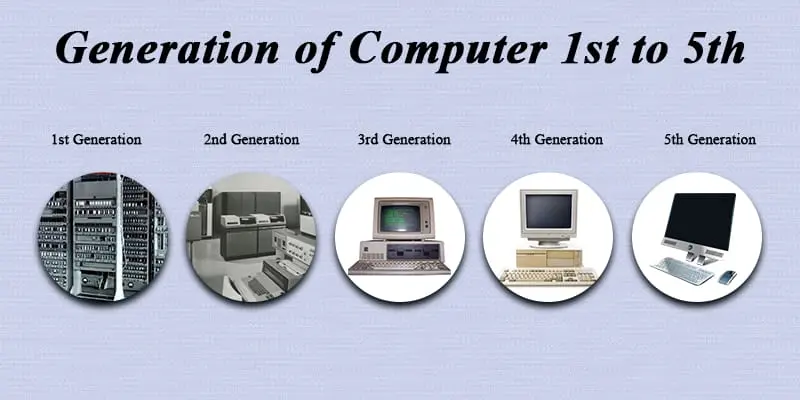
Each generation of computers has brought big changes. They have become stronger, smaller, and better at solving hard problems. Computers keep getting better and better. Now, let’s look at the different types of computers from the first to the fifth generation.
First Generation of Computer
During the 1940s and 1950s, the first generation of computers was formed. The first computer was operated using vacuum tubes. They were very slow and took up a lot of space. These computers were mainly used to perform basic calculations.
Second Generation of Computer
During the 1950s-1960s, the second generation of computers was formed. Computer’s second generation saw the introduction of computers and transistors, making them smaller, faster, and more reliable. Now, they can store information in magnetic cores and use it for input and output.
Third Generation of Computer
The third generation of computers started in the 1960s and lasted through the 1970s. During this time, computers became smaller, faster, and more powerful. Integrated circuits replaced transistors, making computers more affordable. They became widely used in businesses and universities. Operating systems (OS) and programming languages such as COBOL and FORTRAN were developed and improved during this era.
Fourth Generation of Computer
The fourth generation of computers formed during the 1970s-1980s. In this generation, microprocessors were developed that could fit thousands of transistors onto a single chip. The fourth generation made computers much more powerful, efficient, and faster. It also made personal computers more common and cheaper to buy.
Fifth Generation of Computer
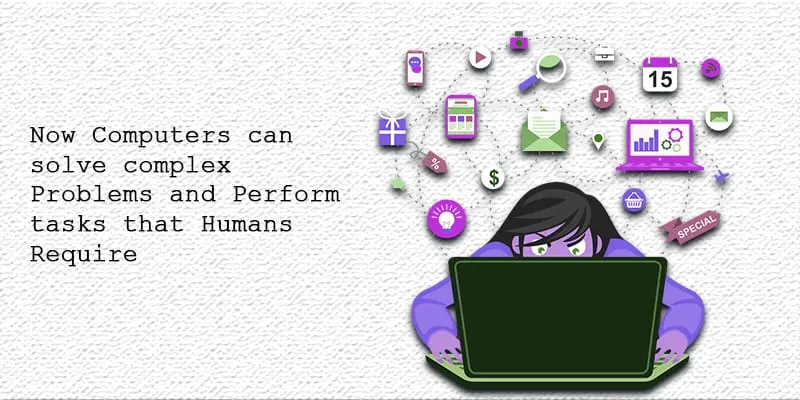
The fifth generation of computers was formed in the 1980s present. This generation brought new technologies like Artificial Intelligence (AI) and Machine Learning. Now, computers can handle difficult problems and do tasks like understanding speech and processing language naturally, which were once only possible for humans.
Final Thoughts
Now you understand computer full forms and the generations of computers in a simple way. You learned how terms like CPU and RAM work, and how computers evolved over time. This knowledge builds a strong base for your IT skills. Keep learning and exploring more computer basics. Want to grow faster? Start practicing and applying what you learned today. You’ve got this.
FAQs
UPS for computer full forms?
Uninterruptible Power Supply
IBM in computer full form?
International Business Machines
HHD stand for?
Hard Disk Drive
What are the 6 Generations of computers?
Sixth Generation (Ongoing – Future Generation) The sixth generation is still evolving.



- Be Respectful
- Stay Relevant
- Stay Positive
- True Feedback
- Encourage Discussion
- Avoid Spamming
- No Fake News
- Don't Copy-Paste
- No Personal Attacks
- Be Respectful
- Stay Relevant
- Stay Positive
- True Feedback
- Encourage Discussion
- Avoid Spamming
- No Fake News
- Don't Copy-Paste
- No Personal Attacks
