What is the Laser Printer? Everything You Need to Know
Published: 24 Sep 2025
Laser printers are among the fastest and most reliable printers used worldwide. They were first introduced in the 1970s and have since become the top choice for offices and businesses. But what is a laser printer, and why is it trusted more than other types?
Ever felt confused about choosing between inkjet and laser printers? Many people ask, “What is a laser printer, and how is it different?” This question matters because the wrong choice can waste money, time, and even lower print quality.
If you’re tired of slow printing, high ink costs, or unclear prints, then a laser printer might be the answer. It offers speed, sharp results, and long-lasting performance. Understanding what a laser printer is will help you make a smart choice.
What is a Laser Printer? (Simple Definition)
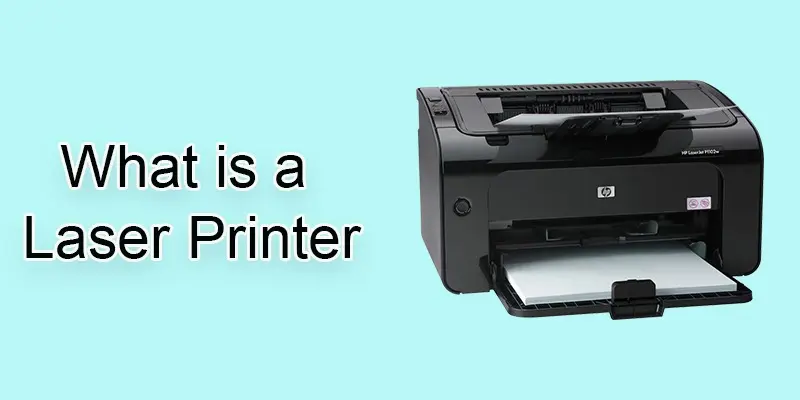
A laser printer is a printing device that uses a laser light to form clear text and images on paper. It is fast, reliable, and great for handling bulk printing. Laser printers are popular in offices and schools because they save time and cost compared to inkjet printers.
What is the history of a laser printer?
Laser printers started in the 1960s as an early idea. With time, they became advanced devices known for their speed, clear printing, and reliable performance.
- The first concept of a laser printer came in the late 1960s.
- In 1969, Gary Starkweather at Xerox created the first working model.
- The first commercial laser printer, the Xerox 9700, was launched in 1977.
- In the 1980s, HP introduced the LaserJet printer, making laser printers popular for home and office use.
- Over time, laser printers became faster, smaller, and more affordable.
How does a laser printer work?
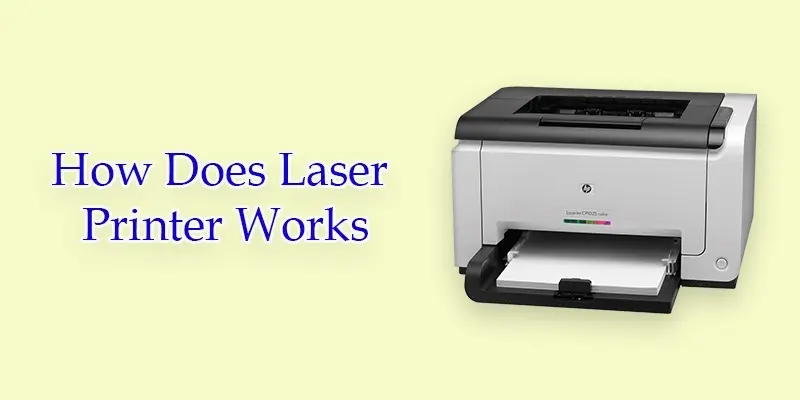
A laser printer uses laser light and electrical charges to place toner on paper. This process makes prints that are clean, sharp, and full of detail.
- Exposing
- Developing
- Cleaning
- Transferring
- Charging
- Fusing
- Recharging
Charging
In this step, the printer charges the drum so it can get ready to create the image or text. A high voltage is applied to the drum, giving it an even negative charge. This charged surface helps attract toner in the right places later. Without charging, the printer cannot form clear images or text.
Exposing
Here, a laser beam scans across the drum to form the design. The laser removes charges in specific spots, leaving behind the pattern that needs to be printed. These exposed parts are where the toner will stick. This step makes sure the print is sharp and accurate.
Developing
Next, toner powder is applied to the drum. The toner attaches only to the parts where the laser removed the charge, building the text or image. This creates a visible image or text on the drum. Without this step, nothing would appear on the paper.
Transferring
At this stage, the image made of toner is carried from the drum onto the paper. The opposite electrical charges pull the toner to the paper, forming a clear design.
Fusing
Next, the paper runs through hot rollers known as the fuser. The mix of heat and pressure melts the toner, sealing it tightly onto the paper so the print stays permanent. This makes the print durable and smudge-proof. Without fusing, the toner would just brush off the paper.
Cleaning
In the cleaning step, the drum is wiped to remove any leftover toner from the previous print. This makes sure the next page prints clearly without smudges. A cleaning blade or brush usually does this job. Proper cleaning keeps the printer working well and extends its life.
Recharging
In the recharging step, the drum is given a fresh negative charge again. This prepares it for the next page to be printed. Recharging ensures the printer can produce sharp and clear prints every time. Without recharging, the toner would not stick properly for the next print.
What is the performance of a laser printer?
Laser printer performance depends on how quickly and clearly it can print. This makes it a strong choice for both office and personal needs.
- Print Speed: Delivers pages fast, perfect for bulk printing.
- Print Quality: Creates neat text and crisp images.
- Paper Handling: Can handle various paper sizes and types.
- Warm-Up Time & FPOT: Fast start and first page out time.
- Duty Cycle: Can print large volumes without frequent maintenance.
- Color Options: Available in black & white or color models.
How do you maintain and troubleshoot a laser printer?
Proper maintenance keeps a laser printer running smoothly and ensures high-quality prints. Regular cleaning of the drum, toner cartridge, and paper trays prevents smudges and paper jams.
Troubleshooting small issues quickly can save time and money. Checking for toner levels, clearing paper jams, and updating printer drivers are simple steps anyone can do.
Following these practices extends the life of your printer and avoids costly repairs. With proper care, a laser printer can deliver consistent, sharp, and reliable prints for years.
What are the safety, health, and environmental considerations of using a laser printer?
Safe use of a laser printer means careful handling of toner, taking steps to protect your health, and following eco-friendly methods to reduce waste and pollution.
- Toner Clean-Up: Spilled toner can be messy; always handle it carefully.
- Respiratory Risks: Avoid inhaling toner dust to protect lungs.
- Ozone Hazards: Some older printers release small amounts of ozone.
- Air-Transport Restrictions: Toner cartridges have shipping limitations due to safety.
- Environmental Benefits: Laser printers are energy-efficient and produce less waste than some alternatives.
- Proper Disposal: Recycle cartridges to reduce environmental impact.
What are smart chips, and how do they enhance laser printer security?
Smart chips are small electronic components built into toner cartridges. They help the printer recognize genuine cartridges and monitor toner levels accurately.
These chips also prevent the use of counterfeit or incompatible cartridges. This protects the printer from damage and ensures consistent print quality.
By enhancing security, smart chips reduce errors and downtime. They make printing more reliable while keeping your documents safe and your printer running efficiently.
What does the future hold for laser printing technology?
The future of laser printing looks promising with faster speeds and smarter features. New models are being designed to handle more work in less time while keeping quality high.
Eco-friendly improvements are also shaping the industry. Energy-saving designs and recyclable toner cartridges are reducing waste and lowering costs.
With wireless connectivity and cloud printing, laser printers are becoming more flexible for modern needs. This shows that laser printing will stay important in homes and businesses for years to come.
Final Thought
From my experience, if you need sharp text, quick results, and low running costs, a laser printer is the right choice. So, now that you know what a laser printer is, take the next step and choose the model that best fits your needs.
FAQS
The first laser printer was the Xerox 9700, released in 1977. It was mainly used for business printing.
Yes, a laser printer can print photos, but it is not the best choice for high-quality pictures. Inkjet printers usually give better results for photos.
The oldest type of printer is the dot matrix printer, introduced in the 1960s. It used pins and ink ribbons to make prints.
The first laser ever made was the ruby laser, created by Theodore Maiman in 1960. It marked the beginning of laser technology.
The best printer for photos is usually an inkjet printer, especially models designed for photo printing.
Currently, China holds the record for building one of the world’s strongest lasers, used for advanced scientific research.






- Be Respectful
- Stay Relevant
- Stay Positive
- True Feedback
- Encourage Discussion
- Avoid Spamming
- No Fake News
- Don't Copy-Paste
- No Personal Attacks
- Be Respectful
- Stay Relevant
- Stay Positive
- True Feedback
- Encourage Discussion
- Avoid Spamming
- No Fake News
- Don't Copy-Paste
- No Personal Attacks
