Cloud Computing Concepts Technology and Architecture Explained
Published: 23 Sep 2025
Cloud computing is a modern way to use technology. Instead of keeping data and software only on your computer, you can use the internet to access them from anywhere. It works like electricity; you don’t build your own power plant, you just use the service. In the same way, cloud computing lets you use storage, applications, and tools without owning big servers.
A simple example is Google Drive. You save files there and can open them on your phone, laptop, or tablet anytime. This makes cloud computing easy, flexible, and useful for both personal and business needs.
What are the Core Concepts of Cloud Computing?
Cloud computing is built on a few simple but powerful ideas. These concepts help users understand how the cloud works and why it is useful.
- On-Demand Service – You can access cloud services anytime, just like turning on a light when you need it.
- Broad Network Access – Cloud services are available on phones, laptops, or tablets through the internet.
- Resource Pooling – Many users share the same servers and storage, but everyone’s data stays separate and safe.
- Rapid Elasticity – The cloud grows or shrinks based on your needs. For example, a business can quickly add more storage during busy seasons.
- Measured Service – You only pay for what you use, similar to paying for water or electricity at home.
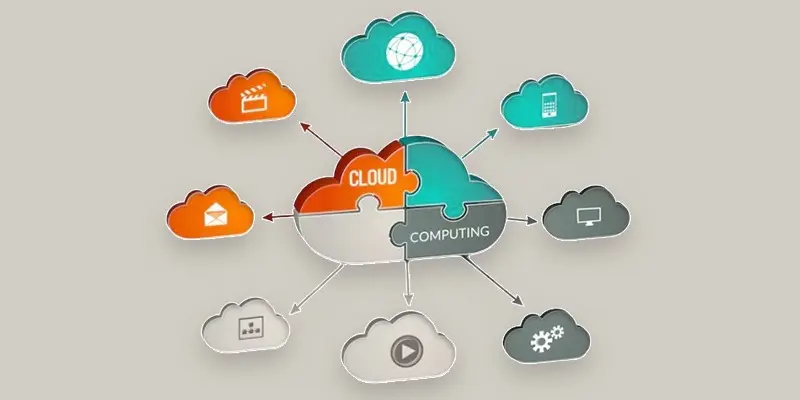
What are Cloud Service Models (XaaS)?
Cloud service models explain how people use and get benefits from the cloud. The term XaaS means “Anything as a Service.” It covers many services, but the three main models are:
- SaaS, or Software as a Service, provides ready-to-use applications over the internet. You don’t need to install anything, just log in and start using apps like Gmail or Google Docs.
- Platform as a Service (PaaS) – This helps developers build and run apps without managing servers. Example: Google App Engine. It saves time and effort.
- IaaS, or infrastructure as a service – This offers networks, storage, and virtual servers. Example: Amazon Web Services (AWS EC2). It’s like renting IT infrastructure.
How Does Cloud Computing Architecture Work?
Cloud computing architecture explains how the cloud is built and how it works. It has two main sides:
- User-side, or front-end, is what users view and interact with. It includes web browsers, mobile apps, or software that connect to the cloud. Example: logging into Dropbox from your phone.
- Back-End (Cloud Side): This is the hidden part that makes the cloud run. It includes servers, storage, databases, and networking systems. Example: data centers used by Amazon Web Services (AWS).
- Management & Security Tools: These control how resources are used, keep data safe, and ensure smooth performance.
What is the Scope and Future of Cloud Computing?
Cloud computing is growing fast and changing how we use technology. Its scope is huge because it helps businesses, schools, and individuals work efficiently without heavy hardware.
- Business Growth – Companies can expand quickly using cloud services without buying expensive servers.
- New Technologies – Cloud powers AI, IoT, and big data, making smart apps and devices possible.
- Global Access – People anywhere can use cloud tools for work, study, or entertainment.
- Cost Savings – Pay-as-you-go models save money for both small and large organizations.
Future Trends
- More serverless computing for faster app deployment.
- Advanced cloud security to fight cyber threats.
- Wider use of hybrid and multi-cloud strategies for flexibility.
- Growth of AI-powered cloud applications.

Are You Ready to Embark on Your Cloud Journey?
Starting with cloud computing can feel tricky, but it’s easier than you think. Here are simple steps to begin your cloud journey:
- Identify Your Needs – Decide if you need storage, apps, or full infrastructure. Example: A student may just need Google Drive, while a business may need AWS.
- Select the Appropriate Cloud Model – Depending on your demands for flexibility, security, and cost, choose between public, private, or hybrid cloud.
- Select a Cloud Provider – AWS, Google Cloud, and Microsoft Azure are well-liked choices. Examine their support, costs, and services.
- Start Small – Begin with a small project or a free tier to learn how it works.
- Learn & Scale – As you get comfortable, expand usage, add more services, and explore advanced features like serverless computing or cloud automation.
Conclusion
Cloud computing is changing how we store, access, and use technology. It combines powerful infrastructure, flexible service models, and secure systems to make life easier for businesses and individuals. From SaaS apps like Gmail to IaaS platforms like AWS, the cloud offers tools that are fast, scalable, and cost-effective. By understanding its concepts, technologies, and architecture, anyone can start using cloud services confidently. Whether you are a student, professional, or business owner, the cloud helps you work smarter, save money, and stay connected.
FAQS
What are the technologies of cloud computing?
Key technologies include servers, storage systems, networking, virtualization, management tools, and security solutions. These technologies power cloud services and make them reliable. They allow businesses and individuals to store, manage, and access data online.
What are the 4 layers of cloud architecture?
The four layers are: Front-End Layer (user interface), Back-End Layer (servers and storage), Cloud Middleware (management tools), and Security Layer. Each layer plays a specific role to ensure smooth and secure cloud operation. Together, they form the full cloud system.
What is the main major difference between PaaS and SaaS?
SaaS gives ready-to-use applications.
PaaS provides tools for building and deploying apps.
SaaS is for users, while PaaS is for developers.
What are the two major categories of SaaS?
The two main categories are Horizontal SaaS and Vertical SaaS.
Horizontal SaaS serves many industries (like email or CRM apps).
Vertical SaaS targets specific industries (like healthcare or education software).
How many types of PaaS are there?
There are four types of PaaS: Public, Private, Hybrid, and Mobile PaaS.
Each type offers different levels of access, security, and flexibility.
Businesses pick a type based on project needs.






- Be Respectful
- Stay Relevant
- Stay Positive
- True Feedback
- Encourage Discussion
- Avoid Spamming
- No Fake News
- Don't Copy-Paste
- No Personal Attacks
- Be Respectful
- Stay Relevant
- Stay Positive
- True Feedback
- Encourage Discussion
- Avoid Spamming
- No Fake News
- Don't Copy-Paste
- No Personal Attacks
