Mobile Security Guide | Keep Your Data Safe
Published: 20 Apr 2026
Have you ever thought about how much personal data lives on your phone? Your photos, bank apps, passwords, messages, and even work files are all stored on one small device. Now think about what could happen if a hacker gained access to it. That sounds scary, right? Today, smartphones have become an important part of our everyday life. We use them for shopping, banking, social media, and work.
But many people ignore one big risk mobile security. Hackers, malware, and fake apps are growing fast. A single unsafe click can expose your private data. The good news is that protecting your phone is not difficult. By following good mobile security habits, you can protect your data and stay safe from online threats. Simple steps like using strong passwords, updating apps, and avoiding risky downloads can make a big difference.
This guide will explain mobile security, why it’s important, and how to keep your smartphone safe from common threats. Let’s make your mobile device safer starting today.
What is Mobile Security? (Simple Definition)
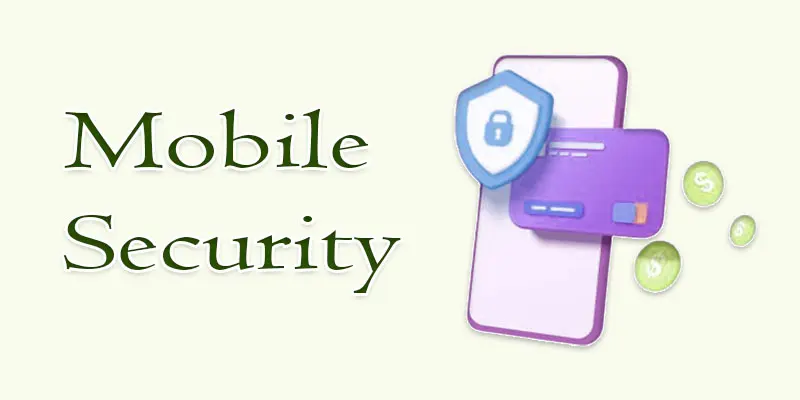
Mobile security means protecting your smartphone or tablet from digital threats. These threats include hackers, malware, viruses, and data theft. The goal is to keep your personal information safe. This includes photos, passwords, banking apps, and messages. Mobile security uses different methods to protect your device, such as:
- Strong passwords or screen locks.
- Security apps and antivirus tools.
- Regular software updates.
- Safe app downloads from trusted stores.
For example, if you install a fake app, it may steal your data. Good mobile security practices help prevent this problem. Simply put, mobile security keeps your device, data, and privacy safe.
What are the Best Practices to Improve Mobile Security?
Improving mobile security is easier than many people think. Small safety steps can protect your smartphone from hackers, malware, and data theft. Follow these simple best practices to keep your mobile device secure.
- Use a strong screen lock: Always lock your phone with a strong password, PIN, fingerprint, or face ID. This prevents others from accessing your device.
- Download apps from trusted sources: Install apps only from official stores like Google Play or the Apple App Store. Fake apps can contain malware that steals data.
- Keep your phone updated: Install system and app updates regularly. Updates fix security bugs and improve smartphone security.
- Avoid public Wi-Fi for sensitive tasks: Public Wi-Fi networks can be risky. Hackers may try to steal information like login details or banking data.
- Use mobile security or antivirus apps: A trusted security app can detect malware, block unsafe websites, and protect your device.
- Check app permissions: Some apps ask for unnecessary access to your camera, contacts, or location. Review permissions and allow only what is needed.
- Enable remote tracking and device lock: Features like “Find My Device” help locate, lock, or erase your phone if it gets lost or stolen.
Why is Mobile Security Important?
Mobile security is important because smartphones store a lot of personal and sensitive data. Without proper protection, hackers or malicious apps can steal this information. These are the main reasons why keeping your mobile devices secure is important:
- Protects personal data: Your photos, contacts, emails, and passwords stay safe.
- Prevents financial loss: Mobile banking and payment apps need strong protection.
- Stops malware attacks: Security tools help block viruses and harmful apps.
- Keeps online accounts safe: Good smartphone security protects social media and email accounts.
- Protects privacy: It prevents strangers from accessing your private information.
How Does Mobile Security Work?
Mobile security works by using different tools and technologies to protect your smartphone and the data inside it. These tools help stop hackers, malware, and unauthorized access. For example, screen locks like PINs, passwords, fingerprints, or face ID prevent others from opening your phone.
Security features such as data encryption keep your information safe even if the device is stolen. Antivirus apps scan for harmful software and remove threats. Regular software updates also fix security weaknesses. Together, these mobile protection methods create a strong layer of smartphone security and help keep your personal data private and secure.
Which Features Help Protect Mobile Security?
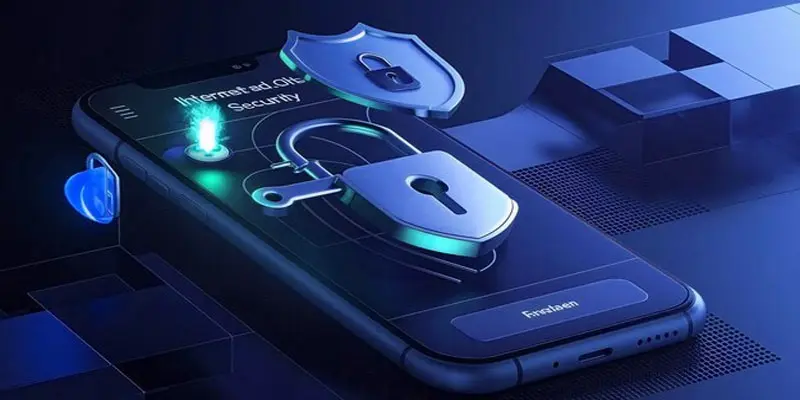
Several built-in features help improve mobile security and protect your smartphone from digital threats. These tools keep your personal data safe.
- Screen Lock Protection: Use a PIN, password, fingerprint, or Face ID. It stops others from opening your phone.
- Data Encryption: Encryption protects your files and messages. Even if someone steals your phone, they cannot read the data.
- App Permission Control: You can control what apps have access. For example, a game should not need your contacts.
- Antivirus and Security Apps: These apps detect malware and harmful files.
- Regular Software Updates: Updates fix security problems and improve mobile device protection.
What are the Common Mobile Security Threats?
Smartphones have made life easier, but they also face many mobile security threats. Hackers and malware target devices to steal personal data, financial information, or sensitive files. Knowing about these dangers can help you protect yourself. Here are the most common mobile security risks:
- Malware and Viruses
- Phishing Attacks
- Unsecured Wi-Fi Networks
- Spyware
- Lost or Stolen Devices
- Weak Passwords
Malware and Viruses
Harmful software can infect your phone through fake apps, email attachments, or unsafe websites. For example, a malicious game app may secretly steal your contacts or messages.
Phishing Attacks
Scammers trick you into giving personal info through fake emails, texts, or websites. A common example is a message pretending to be your bank asking for login details.
Unsecured Wi-Fi Networks
Public Wi-Fi can be dangerous. Hackers may intercept your data when you log in to apps or make payments.
Spyware
Spyware secretly tracks your activities, location, or calls without your knowledge. It can come from downloaded apps or links.
Lost or Stolen Devices
Losing your phone can expose personal data if it isn’t locked or encrypted.
Weak Passwords
Using simple or repeated passwords makes it easy for hackers to access accounts or apps.
How Cybersecurity Professionals Keep Mobile Devices Secure?
Cybersecurity professionals use several methods to protect smartphones and tablets from hackers, malware, and data theft. Their goal is to make sure your personal information stays safe and private.
They often start by analyzing threats. This helps identify weak points in a device or app. Professionals then install security tools, like antivirus software and firewalls, to block malware and unsafe websites. They also ensure data encryption is active, so files and messages remain unreadable if a phone is stolen.
Regular software updates are another key practice. Updates fix vulnerabilities that hackers might exploit. Cybersecurity experts also teach users to follow safe habits, like using strong passwords, avoiding public Wi-Fi for sensitive tasks, and checking app permissions.
For example, a professional may detect a malicious app that secretly tracks location and immediately remove it. By combining technology, updates, and user guidance, they keep mobile devices secure and personal data protected every day.
What are the Types of Mobile Device Security?
Mobile devices face many threats, so using different types of mobile device security is important. These security methods protect your data, apps, and personal information. Here are the main types explained simply:
- Password and Screen Lock Security
- Antivirus and Anti-Malware Security
- Data Encryption
- Network Security
- App Permission and Access Control
- Remote Tracking and Wiping
- Regular Software Updates
Password and Screen Lock Security
Using a PIN, password, fingerprint, or face recognition keeps your device safe from unauthorized access. For example, if your phone is lost, a strong lock can prevent others from opening it.
Antivirus and Anti-Malware Security
Security apps scan your phone for malware, viruses, or suspicious files. They block harmful apps and websites before they can cause damage.
Data Encryption
Encryption protects your files, messages, and emails. Even if someone steals your device, encrypted data cannot be read without the key.
Network Security
Secure your device when using Wi-Fi or mobile networks. VPNs (Virtual Private Networks) and avoiding public Wi-Fi for sensitive tasks help prevent hackers from stealing data.
App Permission and Access Control
Control what apps can access, like your camera, location, or contacts. This reduces the risk of spyware or privacy leaks.
Remote Tracking and Wiping
Tools such as “Find My Device” let you track, lock, or wipe your phone if it’s lost or stolen.
Regular Software Updates
Updates fix security vulnerabilities and improve overall mobile protection.
What are the Challenges and Benefits of Mobile Device Security?
Mobile devices make life easier, but protecting them comes with both challenges and benefits. Understanding these helps you make better security choices.
Challenges of Mobile Device Security
- Rapidly Changing Threats: Hackers constantly develop new malware, phishing attacks, and spyware. Staying ahead can be difficult.
- User Behaviour: Many people use weak passwords, download apps from unknown sources, or ignore updates, increasing risk.
- Device Loss or Theft: Losing a smartphone or having it stolen can expose sensitive data if security measures aren’t strong.
- Compatibility Issues: Some security apps or updates may not work on older devices, leaving them vulnerable.
- Balancing Security and Convenience:Strong security sometimes slows down apps or limits certain functions, which users may find frustrating.
Benefits of Mobile Device Security
- Protects Personal Data: Strong security keeps photos, messages, banking apps, and passwords safe from hackers.
- Prevents Financial Loss: Protecting mobile banking apps prevents unauthorized transactions.
- Blocks Malware and Spyware: Security apps find and remove threats before they can damage your device.
- Maintains Privacy: Controlling app permissions and encrypting data keeps your personal information private.
- Peace of Mind: Knowing your device is secure reduces stress about potential hacking, data leaks, or identity theft.
Final Thought
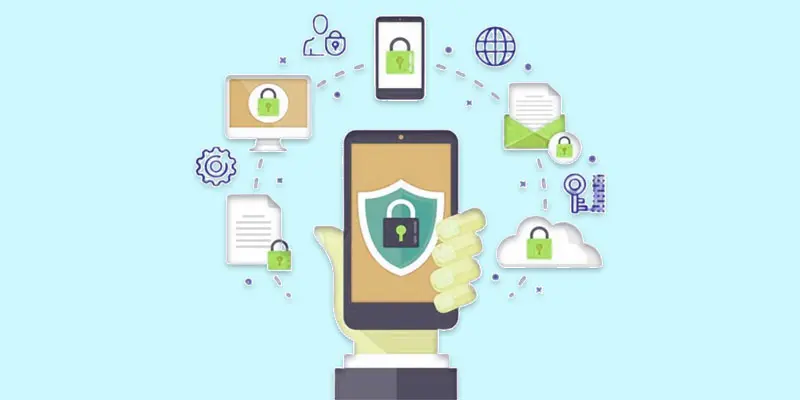
Mobile phones store some of the most important parts of our digital life. That is why mobile security is no longer optional. It is a necessity. By using strong passwords, updating your device, avoiding unsafe apps, and using trusted security tools, you can protect your personal data from hackers and malware. Good smartphone security, safe browsing habits, and strong data protection can reduce many mobile threats. Small actions today can prevent big problems tomorrow. Start improving your mobile security now. Review your phone settings, remove suspicious apps, and follow safe mobile practices. Your data, privacy, and digital safety are worth protecting. Stay alert, stay secure, and keep your mobile life safe.
FAQs
What is wireless and mobile security?
Wireless and mobile security protects your smartphone, tablet, and other devices from hackers, malware, and data theft. It ensures safe Wi-Fi, secure apps, and encrypted communication so your personal data stays private and your phone works safely.
Which mobile phone security is best?
The best mobile phone security combines antivirus apps, strong passwords, and system updates. Trusted apps like Norton, McAfee, or Bitdefender offer real-time protection, secure browsing, and alerts for suspicious activity, keeping your phone safe from hackers.
What is the best phone protection from hackers?
Strong phone protection includes updated software, secure passwords, two-factor authentication, and reliable security apps. Avoid public Wi-Fi for sensitive tasks and install antivirus tools to block malware and phishing attacks, keeping your personal data safe.
Do I need security on my phone?
Yes, you need security on your phone because hackers and malware can steal personal data, banking info, and passwords. Security apps, updates, and safe browsing protect your device, giving you peace of mind and safer mobile use.
What is the most trusted security app?
The most trusted security apps are Norton Mobile Security, Bitdefender, and McAfee Mobile Security. They provide real-time protection, malware scanning, safe browsing, and anti-theft features, helping users keep phones and personal data completely safe.
What is the most secure operating system?
iOS is known for strong security thanks to its strict app checks, frequent updates, and built-in data protection. Android can be secure too if updated and paired with strong security apps, but iOS offers stronger default protection.





- Be Respectful
- Stay Relevant
- Stay Positive
- True Feedback
- Encourage Discussion
- Avoid Spamming
- No Fake News
- Don't Copy-Paste
- No Personal Attacks
- Be Respectful
- Stay Relevant
- Stay Positive
- True Feedback
- Encourage Discussion
- Avoid Spamming
- No Fake News
- Don't Copy-Paste
- No Personal Attacks
