LED Printer vs Laser Printer | Key Differences Explained
Published: 6 Nov 2025
Did you know that both LED and Laser printers use similar technology, yet they work in slightly different ways? The debate on LED Printer vs Laser Printer has been around for years, especially among people who want faster, sharper, and more affordable prints. Understanding how they differ helps you make a smart choice for your printing needs.
Have you ever been confused about which printer gives better results, the difference between LED Printer and a Laser Printer? You’re not alone! Many users struggle to decide which one offers the right balance between cost, speed, and print quality for their daily tasks.
If you’re tired of slow prints, costly toners, or bulky machines, it’s time to look closely at this comparison. Choosing between an LED Printer vs Laser Printer doesn’t have to be hard once you know what each does best, picking the right one becomes simple and stress-free.
What is a Laser Printer?
A laser printer prints text and pictures by using a focused laser beam. The beam helps move toner powder onto a drum, which then presses and melts the toner onto paper to create sharp prints. This process makes prints sharp, clear, and fast. Laser printers are great for offices and schools because they handle large volumes easily and give professional-quality results.
What Is an LED Printer?
An LED printer works in a similar way but replaces the laser beam with many small LED lights. These lights form the image on the drum and produce clear, fast, and reliable prints. These lights flash to form the design or text that gets printed on paper. It has fewer moving parts, making it more reliable and quieter. LED printers are compact, fast, and ideal for homes or small offices needing smooth, colorful prints.
What Are the Key Differences Between LED and Laser Printers?
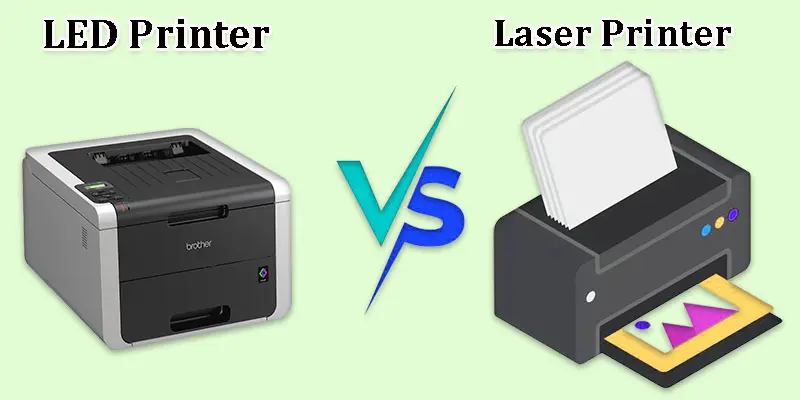
The main difference between LED and Laser printers lies in how they create images one uses tiny LED lights, while the other uses a laser beam, leading to small but important changes in speed, quality, and design.
| LED Printer | Laser Printer |
|---|---|
| Uses tiny LED lights to form images on the drum. | Creates images on the drum using a concentrated laser beam. |
| Uses light-emitting diodes (LEDs). | Uses a single laser beam and a moving mirror. |
| Fixed LED array. | Rotating laser beam. |
| Few moving parts are more reliable. | More moving parts need regular maintenance. |
| Often faster for color printing. | Very fast for black-and-white text. |
| Great for graphics and general documents. | Excellent for fine text and detailed prints. |
| Slightly lower precision for complex details. | High precision due to laser focus. |
| Compact and lightweight. | Usually larger and heavier. |
| Very quiet while printing. | Slightly louder due to the moving laser. |
| Long-lasting due to fewer moving parts. | Durable but parts may wear out faster. |
| Quick start, minimal warm-up. | Takes a bit longer to warm up. |
| Low maintenance and easy to clean. | Requires regular service for parts. |
| Usually more affordable. | Slightly higher purchase cost. |
| Uses the same toner as laser printers. | Uses standard toner cartridges. |
| Good for small to medium workloads. | Ideal for heavy office printing. |
| Consumes less power. | Uses more power during printing. |
| Consistent performance and fewer errors. | Reliable but sensitive to dust and vibration. |
| Longer due to the simple design. | Slightly shorter if not maintained. |
| Fast and even color distribution. | Accurate color detail, but slower. |
| Up to 2400 dpi typically. | It can reach higher resolutions. |
| Supports Wi-Fi, USB, and network printing. | Also supports multiple connectivity options. |
| Home users, small offices, schools. | Businesses and offices with high printing needs. |
| Brother, OKI, and some Dell models. | HP, Canon, Xerox, and others. |
| More eco-friendly, uses less energy. | Uses more energy, slightly higher emissions. |
| OKI C332dn LED Printer – compact and fast. | HP LaserJet Pro M404dn – sharp and powerful. |
What Benefits and Drawbacks Do LED and Laser Printers Offer?
Knowing the advantages and disadvantages of both LED and laser printers will help you select the best printer for your printing requirements and price range.
What are the Advantages of LED Printers?
- Fewer moving parts, so they last longer.
- Smaller and lighter in size, easy to fit anywhere.
- Quiet while printing, perfect for home or small office.
- Faster color printing for graphics and charts.
- Uses less power, making it more energy-efficient.
- Needs less maintenance and fewer repairs.
What are the Disadvantages of LED Printers?
- Slightly lower precision in very detailed prints.
- Not as common, so fewer models are available.
- Replacement parts or service centers can be harder to find.
What are the Advantages of Laser Printers?
- Produces sharp and clear text for professional documents.
- Very fast for large-volume printing.
- Works well for black-and-white printing tasks.
- Toner lasts longer than ink, reducing refill costs.
- Strong build quality for heavy office use.
What are the Disadvantages of Laser Printers?
- Bulkier and heavier than LED printers.
- Uses more electricity during printing.
- It can be noisy compared to LED models.
- Higher upfront cost.
- Requires regular maintenance for best performance.
Which Printer Should You Choose?
Choosing between an LED printer and a Laser printer depends on what you print most, whether you need fast, colorful documents or sharp, professional text for daily office use.
When Should You Choose an LED Printer?
- You need a compact and quiet printer for home or small office use.
- You print colorful charts, school projects, or light documents.
- You want a low-maintenance, energy-efficient option.
- You prefer a budget-friendly printer with smooth performance.
When Should You Choose a Laser Printer?
- You print large volumes of text documents daily.
- You want sharp, professional-quality black-and-white prints.
- You need a fast printing speed for office or business work.
- You don’t mind spending a bit more for long-term durability.
Final Thought
When comparing the Laser Printer vs LED Printer, both offer excellent print quality and speed. However, if you want high reliability with fewer moving parts, I personally recommend the LED printer for long-term use. It’s efficient, compact, and perfect for both home and office needs. Still unsure which one fits you best? Visit your nearest tech store or explore trusted online reviews to find the perfect printer for your work style.
FAQS
Because LED printers have fewer moving parts, they are more dependable and energy-efficient, which makes them superior in certain aspects. However, both provide comparable print quality.
Laser printers are better for fast and large printing jobs, while inkjet printers are better for colorful photos and home use.
Yes, LED printers can print photos, but they work best for text and graphics, not high-quality photo printing like inkjets.
LED printers are used in offices and schools for printing reports, documents, and graphics quickly and clearly.
LED masks are better for home skincare use because they are gentle, safe, and easy to use compared to laser treatments.
Most LED printers offer a resolution of about 600 to 2400 dpi, giving sharp and clear print results.
An LED cap uses gentle light to help hair growth, while a laser cap uses stronger, focused light for deeper treatment.
Inkjet printers are best for home use because they are affordable and print both documents and colorful photos easily.
Because laser printers use toner powder rather than ink, they do not dry out.
Laser and LED printers give high-quality text prints, while inkjet printers give the best photo quality.
LED is an acronym for light-emitting diode.






- Be Respectful
- Stay Relevant
- Stay Positive
- True Feedback
- Encourage Discussion
- Avoid Spamming
- No Fake News
- Don't Copy-Paste
- No Personal Attacks
- Be Respectful
- Stay Relevant
- Stay Positive
- True Feedback
- Encourage Discussion
- Avoid Spamming
- No Fake News
- Don't Copy-Paste
- No Personal Attacks
