Email Security Explained | Best Practices and Tips
Published: 21 Feb 2026
Have you ever opened your inbox and felt unsure about a message asking for your password or bank details? You are not alone. Email attacks are growing every day, and one wrong click can cause data loss, money theft, or account hacks.
Many people think basic passwords are enough, but they are not. That’s where email security becomes important. It helps protect your messages, accounts, and private data from hackers and scams. This guide will show you easy and practical steps to protect your email and stay ahead of online threats.
What is Email Security?
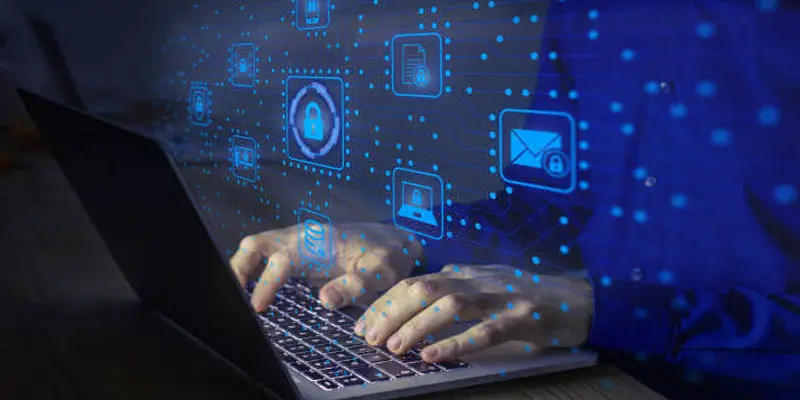
Email security means protecting your email account and messages from hackers, scams, and malware. It uses tools and safe practices to stop phishing emails, spam, and unauthorized access. For example, spam filters block harmful messages, and two-factor authentication adds an extra login code. Just like you lock your house door, email protection keeps your inbox and personal data safe from cyber threats and email attacks.
Why Is Email Security Important?
Email security matters because it keeps your inbox, personal information, and online accounts safe from hackers, phishing attempts, and dangerous email threats.
- Email security protects your personal and business data from hackers and cyber attacks.
- It stops phishing emails that try to steal passwords and bank details.
- It blocks malware and harmful links before you click them.
- It reduces spam and fake messages in your inbox.
- For example, a secure email setup can prevent account takeovers.
- It keeps communication safe, private, and trusted.
What are 7 Ways to Secure Your Email?
Securing your email is essential to protecting your personal and business information. Here are seven simple ways to keep your inbox safe:
- Use Strong Passwords: Create a unique password with letters, numbers, and symbols. Avoid easy passwords like “123456.” A strong password makes it harder for hackers to guess.
- Enable Two-Factor Authentication (2FA): 2FA adds an extra step to login, usually a code sent to your phone or email. Your account stays protected from unauthorized access, even if someone manages to obtain your password.
- Handle links and attachments with care: Don’t open files or click on links from people you don’t know, as they may harm your device.
- Use Spam Filters: Email filters automatically detect and block suspicious or unwanted emails, reducing the risk of phishing attacks and spam clutter.
- Keep Software Updated: Regular updates fix security weaknesses in your email app or device. Outdated software can be exploited by hackers.
- Monitor Account Activity: Check login history and unusual activity regularly. Early detection can prevent unauthorized access.
- Educate Yourself About Phishing: Learn to recognize phishing emails that try to steal your information. Always verify the sender before responding.
What are the Types of Email Threats?
Email threats are different kinds of harmful messages that try to trick users or damage systems. Knowing these common email security risks helps you stay safe.
- Ransomware links
- Business Email Compromise
- Spoofing
- Malware attachments
- Spam emails
- Phishing emails
Ransomware Links
These emails contain links that can install harmful software on your device. Once activated, ransomware can lock your files until a ransom is paid. Always avoid clicking unknown links.
Business Email Compromise (BEC)
Hackers impersonate company executives or colleagues to trick employees into sending money or sensitive information. For example, a fake email from a “manager” asking for a wire transfer.
Spoofing
This happens when attackers pretend to be someone you trust. They can use fake sender addresses to trick you into sharing passwords or clicking malicious links.
Malware Attachments
Emails may carry infected files. Opening these attachments can harm your computer or steal personal information.
Spam Emails
Unwanted messages clutter your inbox. They can include ads or hidden threats.
Phishing Emails
Scammers send fake emails pretending to be banks or services. They aim to steal passwords, credit card numbers, or personal info.
What is a Phishing Attack?
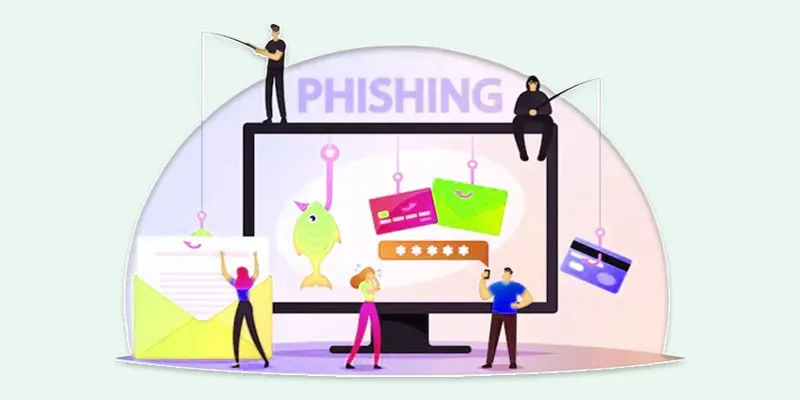
A phishing attack occurs when hackers send fraudulent emails or messages to fool you into giving out personal info, passwords, or financial details. These attacks often look real, like emails from your bank, online stores, or even coworkers.
- Hackers use phishing emails to get you to open links or attachments that can capture your private information.
- They often create a sense of urgency, like “Your account will be closed.”
- Real-life example: You receive an email that looks like PayPal asking to verify your account, but it’s a scam.
How Can Phishing Attacks Be Stopped?
Stopping phishing attacks requires simple steps and safe email habits. Here’s how you can protect yourself:
- Check the sender: Always verify email addresses before clicking links or opening attachments.
- Avoid unknown links: Don’t click links in suspicious emails. Hover over them to see the real URL.
- Create strong passwords: Using a different, strong password for each account helps prevent hackers from breaking in.
- Activate two-step verification (2FA): to add an extra login check, using a code sent to your phone or email for safety.
- Install security software: Anti-virus and email filters can block phishing emails automatically.
How Do Attackers Take Over Email Accounts?
Attackers take over email accounts by using tricks and weak security gaps. The most common method is phishing emails that ask users to enter their login details on fake websites. They also use password guessing when people choose simple passwords like “123456.” Malware from bad links or infected attachments can secretly record keystrokes and steal credentials.
Data breaches from other websites also expose reused passwords. For example, if you use the same password for shopping and email, a leak can give attackers access to your inbox. Once inside, they change recovery settings and lock the real user out.
How are Email Attachments Used in Attacks?
Email attachments are often used by hackers to deliver malware and steal data. Attackers send messages with files that look safe, like invoices, resumes, or delivery receipts. When you open the attachment, harmful software can install on your device. This can lead to virus infections, password theft, or ransomware.
- Fake PDF or Word files may contain hidden malicious code.
- Office files can ask you to “enable macros” to activate malware.
- Zip files may hide dangerous programs inside.
- Attack emails often create urgency to make you open the file fast.
How Do DNS Records Help Prevent Email Attacks?
DNS records help protect your email by verifying that messages come from trusted sources. They act like a digital ID for your domain, making it harder for hackers to send fake emails. The three main DNS records used for email security are:
- SPF (Sender Policy Framework): Lists which servers are allowed to send emails for your domain. It stops attackers from sending fake emails that look like they are from you.
- DKIM (DomainKeys Identified Mail): Adds a digital signature to your emails. This helps the receiver confirm that the email wasn’t changed or tampered with during transit.
- DMARC (Domain-based Message Authentication, Reporting & Conformance): Instructs email services on how to handle messages that don’t pass SPF or DKIM verification. It can block or quarantine suspicious emails and send reports to the domain owner.
How Does Encryption Protect Email?
Encryption keeps your emails safe by converting them into a coded format that only the person you send them to can read. This stops hackers and cybercriminals from accessing your personal or business information while it travels over the internet. If your email is intercepted, its contents remain unreadable without the proper decryption key.
For example, when you send sensitive files or passwords, encryption keeps them safe from attackers. Many email services offer built-in encryption, like TLS (Transport Layer Security), which secures emails in transit. End-to-end encryption ensures that only you and the person you’re communicating with can read your messages. Overall, email encryption keeps your communication private, prevents data theft, and strengthens overall email security.
What Is Spam?
Spam is unwanted or unsolicited email sent to many people at once. These emails often promote products, services, or scams and can clutter your inbox. While most spam is harmless advertising, some may contain phishing links or malware.
- Spam emails can come from unknown senders or fake addresses.
- They may try to trick you into clicking links or sharing personal information.
- Real-life example: You receive dozens of “You won a prize” emails in a day, most of which are spam.
What are the Benefits of Email Security?
Email security helps protect your personal and business information from cyber threats. It keeps your inbox safe, prevents data loss, and reduces the risk of fraud.
- Protects Personal Information: Email security stops hackers from stealing passwords, bank details, and other sensitive data.
- Prevents Phishing and Scams: Strong filters and safe practices block fake emails and malicious links before you click them.
- Stops Malware and Ransomware: Security tools prevent harmful attachments from infecting your device.
- Maintains Business Reputation: Companies that use email security reduce the risk of data breaches, keeping client trust intact.
- Improves Productivity: Fewer spam and scam emails mean a cleaner inbox, saving time and reducing stress.
How Does Email Security Work?
Email security works by protecting your messages, accounts, and personal data from hackers, malware, and scams. It uses tools like spam filters, antivirus software, and encryption to block threats before they reach your inbox. Authentication methods like SPF, DKIM, and DMARC verify that emails come from trusted sources.
Two-factor authentication adds an extra login step, making it harder for attackers to access your account. For example, a bank email claiming to verify your account will be checked against these security measures, keeping your information safe and preventing phishing attacks.
What are the Essential Features of Strong Email Security Solutions?
Email security services provide tools to protect your inbox from cyber threats, spam, and data theft. Here are the key features:
- Spam and Phishing Protection: Blocks unwanted emails and fake messages that try to steal your personal or business information.
- Malware and Virus Scanning: Scans attachments and links to prevent harmful software from infecting your device.
- Encryption: Secures your emails by converting them into a coded format that only the recipient can access.
- Authentication Checks: Uses SPF, DKIM, and DMARC to verify that emails come from trusted sources.
- Data Loss Prevention (DLP): Stops confidential information from being accidentally shared outside your organization.
- Reporting and Alerts: Notifies you of suspicious activity or potential threats in real-time.
Final Thought
Email threats are real, but protection is possible. Strong passwords, spam filters, two-factor authentication, and phishing awareness can greatly improve your email security. Small steps make a big difference in stopping email scams and data breaches. Start checking links, verifying senders, and updating your security settings today. Don’t wait for an attack to happen first. Take control of your inbox now and build safer email habits. A secure email account means safer personal and business communication, and you can start protecting it right now.
FAQS
The 5 email rule is a simple guideline suggesting you reply to or manage only five important emails at a time. It helps reduce inbox stress, stay focused, and prioritize essential messages. Following this rule makes email management easier and ensures you don’t miss critical information.
Most email providers allow you to send up to 500–2,000 emails per day for personal accounts. Business accounts may have higher limits. Sending a large number of emails at the same time may trigger spam filters, so spacing them out helps ensure delivery and keeps your account safe from being flagged.
An email address can include up to 254 characters, including the username, domain name, and special characters. Keeping your email simple, short, and professional ensures it is easy to remember, avoids delivery issues, and improves communication reliability.
If you can’t remember your Gmail password, go to the login page, select “Forgot password?”, and follow the steps to regain access. Use your recovery email or phone number to reset your password quickly. This restores access safely and keeps your account protected from unauthorized use.
An email address has three main parts: the username (your name or ID), the “@” symbol, and the domain name (like gmail.com). For example, in “example@gmail.com
“example” is the username, and “gmail.com” is the domain. Knowing these parts helps you manage and secure your email efficiently.






- Be Respectful
- Stay Relevant
- Stay Positive
- True Feedback
- Encourage Discussion
- Avoid Spamming
- No Fake News
- Don't Copy-Paste
- No Personal Attacks
- Be Respectful
- Stay Relevant
- Stay Positive
- True Feedback
- Encourage Discussion
- Avoid Spamming
- No Fake News
- Don't Copy-Paste
- No Personal Attacks
