Laser Printer Advantages and Disadvantages You Must Know
Published: 30 Sep 2025
Fast and crisp printing is a hallmark of a laser printer. Many offices choose them because they handle bulk work easily. But before buying, it’s smart to explore the advantages and disadvantages of a laser printer.
Ever felt confused about which printer is better for home or office use? Some say inkjet is cheaper, while others trust laser printers for long-term use. This makes knowing the laser printer benefits and drawbacks very important.
High cost, big size, and toner expenses often bother users. At the same time, speed, durability, and clean results make them appealing. That’s why learning the laser printer pros and cons helps you pick wisely.
What Advantages Does a Laser Printer Offer?
For both home and office use laser printers provide a number of benefits that include printing speed, clarity, and efficiency.
- Fast Printing Speed
- High-Quality Text
- Sharp Images
- Durable Prints
- Long-Lasting Toner
- Low Maintenance
- Efficient for Bulk Printing
- Cost-Effective in the Long Run
- Reliable Performance
- Less Ink Smudging
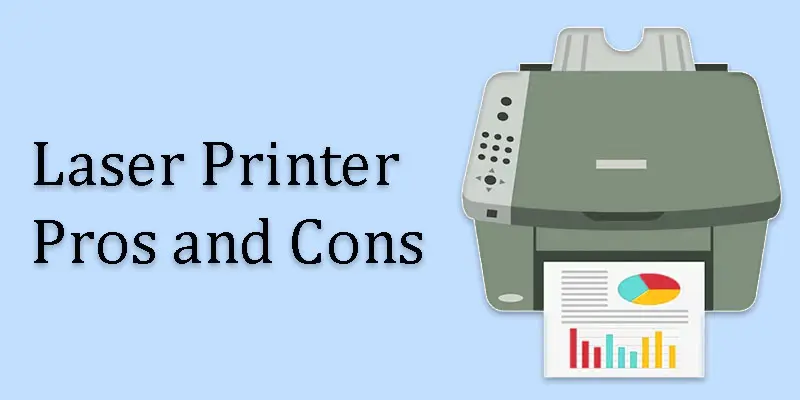
Fast Printing Speed
Because a laser beam transfers toner onto paper quickly, a laser printer can print at high speeds. Each page prints nearly instantaneously because it doesn’t spray tiny ink droplets as inkjet printers do. This makes it ideal for offices or anyone who needs to print many pages at once. Fast printing also saves time and keeps work running smoothly.
High-Quality Text
A laser printer delivers high-quality text by using a precise laser beam to place toner on the paper. This method creates sharp and clear letters every time. Unlike some printers that may smudge or blur, laser printers keep text neat and professional. This makes them perfect for printing reports, resumes, and official documents.
Sharp Images
Laser printer images are so sharp because the printer uses a laser to place toner very precisely on the paper. This method creates clean lines and clear details in every image. Unlike inkjet printers, the toner doesn’t spread or blur. This makes photos and graphics look crisp and professional. Sharp images are great for presentations and documents that need a polished look.
Durable Prints
A laser printer ensures durable prints by using toner powder that bonds strongly to the paper. Unlike liquid ink, the toner doesn’t smudge or fade easily. This makes the prints last longer, even after handling or storage. Durable prints are perfect for important documents, reports, and certificates that need to stay clear over time.
Long-Lasting Toner
Toner in a laser printer is long-lasting because it contains dry powder instead of liquid ink. A single toner cartridge can print many pages before needing replacement. This means fewer refills and lower running costs over time. Long-lasting toner makes laser printers ideal for heavy printing at home or in the office.
Low Maintenance
Because a laser printer uses toner powder rather than liquid ink, there is little chance of blocked nozzles, making it low maintenance. It also needs fewer cleaning and refills compared to other printers. Most laser printers are built to handle heavy use without frequent repairs. This makes them easy to use and reliable for both home and office printing.
Efficient for Bulk Printing
A laser printer is efficient for bulk printing because it prints pages quickly and handles large volumes without slowing down. Its long-lasting toner and durable design mean you can print hundreds of pages without interruptions. This makes it ideal for workplaces, educational institutions, or anybody else who frequently needs to print a large number of papers. Bulk printing becomes faster and easier with a laser printer.
Cost-Effective in the Long Run
Because toner cartridges last longer than ink cartridges, laser printers are more affordable over time. You save money on replacements while printing more pages. You print more pages with less money spent on replacements. It also uses less energy per page compared to some other printers. Over time, this saves money for both home users and offices.
Reliable Performance
A laser printer provides reliable performance because it is built to handle heavy printing without breaking down. It prints consistently fast and produces clear, sharp documents every time. Unlike some printers that may jam or smudge often, laser printers stay dependable. This makes them ideal for offices and regular use at home.
Less Ink Smudging
A laser printer prevents ink smudging by using dry toner instead of liquid ink. The toner fuses to the paper with heat, so it sticks firmly and doesn’t smear. This keeps documents clean and professional-looking. Smudge-free printing is great for important papers, reports, and certificates.
What Drawbacks Do Laser Printers Have?
Despite their many benefits, laser printers have some disadvantages that you should be aware of before purchasing.
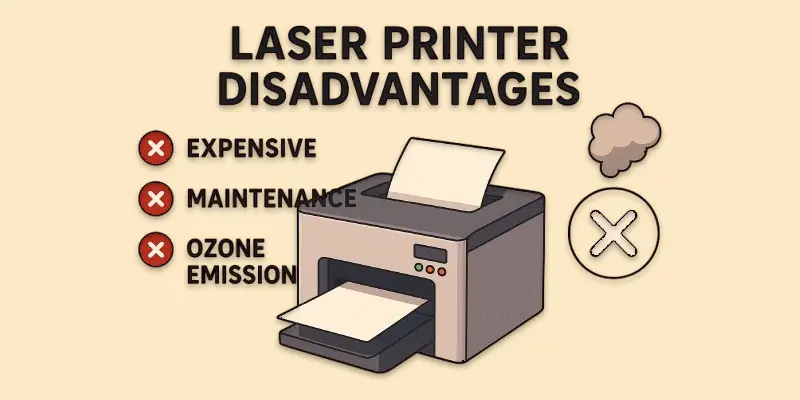
- High Initial Cost
- Expensive Toner Replacement
- Large Size and Weight
- Limited Photo Printing Quality
- Higher Energy Consumption
- Not Ideal for Small Volumes
- Complex Repairs
- Noisy Operation
- Limited Paper Type Compatibility
- Slower Warm-Up Time
High Initial Cost
Because their components and technology are more sophisticated than those of inkjet printers, laser printers are more expensive initially. The printer itself is built to handle heavy use and last longer. This makes the first purchase more expensive. However, the long-term benefits like fast printing and durable performance often balance the initial cost.
Expensive Toner Replacement
Toner replacement is expensive in a laser printer because toner cartridges contain specialized powder that lasts for many pages. The technology used in the cartridges also adds to the cost. Even though the upfront price is high, each cartridge can print a large number of pages. This makes it more cost-effective over time compared to frequent inkjet replacements.
Large Size and Weight
Due to its numerous components, including the laser system, drum, and toner cartridge, a laser printer is big and heavy. These components make it sturdy and durable for heavy use. The size also helps it handle large volumes of printing without problems. This makes laser printers better for offices than small home spaces.
Limited Photo Printing Quality
Photo printing quality is limited on a laser printer because it uses toner powder instead of liquid ink. Toner is great for sharp text, but it cannot capture fine color details like inkjet printers. This makes photos look less vibrant and detailed. Laser printers are better suited for documents than high-quality photo printing.
Higher Energy Consumption
A laser printer consumes more energy because it uses a laser and a fuser to heat and bond toner to paper. This process requires more power than an inkjet printer. The energy usage is higher, especially during large printing jobs. Offices with heavy printing may notice increased electricity use.
Not Ideal for Small Volumes
Because laser printers are made for rapid, large-scale printing, they are not the best option for tiny quantities. Using it for only a few pages at a time can be less efficient. The toner and energy costs may not be worth it for occasional use. Small printers or inkjets are often better for light printing needs.
Complex Repairs
Repairs can be complex on a laser printer because it has many advanced parts like the laser system, drum, and fuser. Fixing these parts often requires technical knowledge. Unlike simple inkjet printers, you can’t easily replace or repair most components at home. This makes professional service necessary for many issues.
Noisy Operation
A laser printer can be noisy during operation because of its internal parts, like the drum, rollers, and fan. These parts move quickly to print pages fast. The noise is louder when printing large documents or high-volume jobs. While normal, it can be noticeable in quiet offices or small rooms.
Limited Paper Type Compatibility
A laser printer has limited paper type compatibility because the toner needs heat to fuse properly onto the paper. Special or very thin papers may not handle the heat well. Glossy or textured papers can also cause smudges or jams. Regular office paper works best for smooth and clear prints.
Slower Warm-Up Time
A laser printer has a slower warm-up time because it needs to heat the fuser before printing can start. The fuser melts the toner onto the paper, which takes a few seconds. This makes the first page take longer compared to inkjet printers. Once warmed up, the printer can print pages quickly and efficiently.
What are the Tips for Choosing a Laser Printer?
Choosing the right laser printer can save you time, money, and frustration, so it’s important to consider a few key tips before buying.
- Consider Your Printing Needs: Decide if you need it for home, office, or heavy-duty use.
- Check Print Speed: Look for a printer that can handle the number of pages you print regularly.
- Look at Print Quality: Ensure it produces clear text and, if needed, decent images.
- Think About Color or Monochrome: Choose color printing only if you need it; monochrome is cheaper.
- Check Toner Costs: Look at the price of replacement toner cartridges.
- Consider Size and Space: Make sure it fits your desk or office space.
- Look for Connectivity Options: Wi-Fi, USB, or network options make printing easier.
- Check Maintenance Requirements: Some printers need less frequent cleaning or refills.
- Read Reviews and Ratings: Learn from other users’ experiences.
- Set a Budget: Balance upfront cost with long-term printing needs.
Conclusion
When weighing the laser printer pros and cons, it’s clear that these printers excel in speed and print quality, making them ideal for offices or heavy printing tasks. Personally, I recommend investing in a reliable laser printer if you need consistent and sharp prints. Explore the best options today to find the one that suits your needs perfectly.
FAQS
Laser printers work quickly and produce sharp, clear text. They can print many pages without frequent interruptions, making them ideal for students who have lots of assignments.
Yes, laser printers use toner cartridges that need to be replaced when empty.
The best color laser printer depends on your budget, speed, and print quality. Popular brands include HP, Canon, and Brother.
Yes, they need occasional cleaning, toner replacement, and checking parts to keep printing smoothly.
With proper care, a laser printer can work efficiently for around 5 to 7 years, sometimes even longer, depending on usage.
Depending on the model, most laser printers can print 15 to 40 pages per minute, making them faster than most inkjet printers.






- Be Respectful
- Stay Relevant
- Stay Positive
- True Feedback
- Encourage Discussion
- Avoid Spamming
- No Fake News
- Don't Copy-Paste
- No Personal Attacks
- Be Respectful
- Stay Relevant
- Stay Positive
- True Feedback
- Encourage Discussion
- Avoid Spamming
- No Fake News
- Don't Copy-Paste
- No Personal Attacks
