What Is Cloud Security? Explained Clearly
Published: 13 Feb 2026
Cloud security protects data, apps, and systems stored online. Many people use cloud services every day, yet they do not know what cloud security is or why it matters. Do you ever feel confused about how safe your online files really are?
Data leaks, weak passwords, and hacking risks worry many users. This fear grows when personal photos or work files sit on the cloud. What is Cloud Security helps solve these problems by keeping data safe from threats.
It controls who can access your files and how data moves online. Think of it like a digital lock for your cloud data. Understanding what Cloud Security is helps you use cloud services with more confidence and peace of mind.
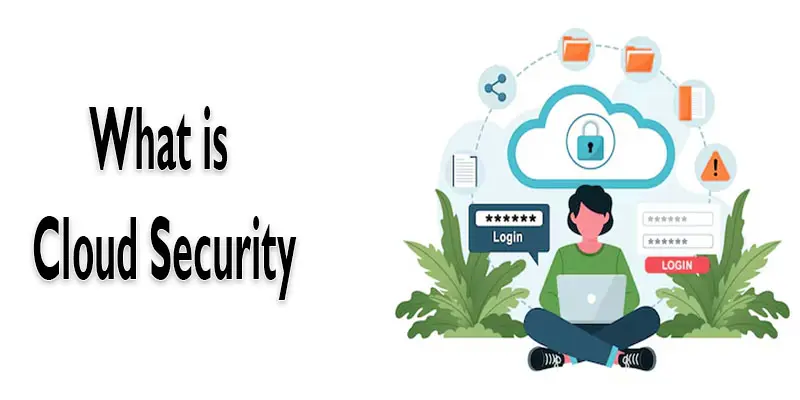
What is Cloud Security?
Cloud security keeps your online data safe and protected. It secures files, apps, and systems stored on the cloud. It blocks hackers and stops data leaks. In simple words, cloud security works like a lock that protects your digital information.
What are Examples of Cloud Security?
Examples of cloud security show how different tools and methods keep your online data safe and protected every day.
- Strong passwords that protect cloud accounts.
- Two-step login that adds extra safety.
- Data encryption that hides files from hackers.
- Regular backups to prevent data loss.
- Activity monitoring to spot unusual logins.
Why is Cloud Security Important?
Cloud security is important because it keeps your online data safe from hackers and cyberattacks. It protects personal files, business information, and sensitive documents stored on the cloud. Without proper security, data can be stolen, lost, or misused.
Cloud security also helps control who can access your files and prevents unauthorized people from seeing them. It builds trust for businesses and users who rely on cloud services. With strong cloud security, you can work, share, and store data online without constant worry. In simple words, it acts like a digital shield for your important information.
How Does Cloud Security Work?
Cloud security works by using tools and methods that protect your online data from hackers, leaks, and unauthorized access.
- Data Encryption: Converts your files into a secret code so only authorized users can read them.
- User Access Control: Limits who can log in and access cloud data using passwords and verification.
- Activity Monitoring: Watches for unusual logins or suspicious actions in your cloud account.
- Regular Updates: Keeps security tools and systems up to date to block new threats.
- Backup and Recovery: Keeps extra copies of your data so you can get it back if it’s lost or damaged.
What are the Types of Cloud Security?
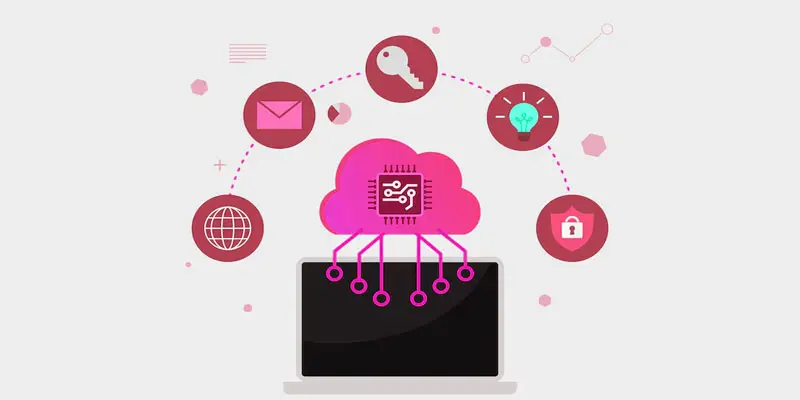
There are different types of cloud security, each designed to protect data, apps, and networks in specific ways.
- Data Security
- Network Security
- Application Security
- Endpoint Security
- Identity and Access Management (IAM)
- Cloud Security Monitoring
What is Data Security?
Data security means protecting your digital files and personal information from unauthorized access or cyber theft. It protects personal, business, and sensitive data stored on the cloud. Methods like encryption and backups help make sure your data stays private and can be recovered if lost. In simple words, data security acts like a safe for your important information.
What is Network Security?
Network security protects the data that moves between computers and cloud systems. It stops hackers, viruses, and unsafe traffic from reaching your files. Tools like firewalls and secure connections help keep the network safe. In simple words, network security acts like a guard that watches your online data.
What is Application Security?
Application security keeps apps and software safe from hackers and cyberattacks. It protects the data inside apps and prevents unauthorized access. Tools like security testing and updates help fix weak points in apps. In simple words, application security acts like a lock that protects your apps and information.
What is Endpoint Security?
Endpoint security protects devices like computers, phones, and tablets that connect to the cloud. It stops viruses, malware, and hackers from accessing your data. Tools like antivirus software and device monitoring help keep these devices safe. In simple words, endpoint security acts like a shield for all your gadgets.
What Is Identity and Access Management (IAM)?
Identity and Access Management decides who is allowed to use your cloud accounts and view your data. It makes sure only the right people can log in and use files. Tools like strong passwords, two-step verification, and user roles help keep accounts secure. In simple words, IAM acts like a digital key that gives access only to authorized users.
What is Cloud Security Monitoring?
Cloud security monitoring watches your cloud accounts and systems for any suspicious activity. It alerts you if someone tries to hack or access your data without permission. Tools track logins, file changes, and network activity to keep everything safe. In simple words, cloud security monitoring acts like a security camera for your online data.
What are the Advantages and Disadvantages of Cloud Security?
Cloud security has both benefits and challenges, and understanding them helps users protect their data effectively.
What are the Benefits of Cloud Security?
- Protects data from hackers and cyberattacks.
- Keeps personal and business files safe.
- Provides secure access from anywhere.
- Uses strong passwords and two-step verification.
- Monitors activity for unusual actions.
- Helps prevent data loss with backups.
- Saves money on physical security tools.
- Updates systems automatically for new threats.
- Controls who can access files easily.
- Builds trust for users and businesses.
What are the Disadvantages of Cloud Security?
- Can be expensive for small businesses.
- Depends on the internet connection.
- Security depends on the cloud provider’s reliability.
- Users may make mistakes with passwords.
- Hackers are always finding new threats.
- Some tools may be complicated for beginners.
- Limited control over cloud provider systems.
- Data breaches can still happen.
- Requires regular monitoring and updates.
- Users may feel worried about privacy.
What are Common Cloud Security Threats?
Common cloud security threats are the risks and dangers that can put your online data, apps, and accounts at risk.
- Weak Passwords
- Phishing Attacks
- Data Breaches
- Malware and Viruses
- Insider Threats
- Account Hijacking
- Insecure APIs
- Denial of Service (DoS) Attacks
- Unsecured Public Wi-Fi
- Misconfigured Cloud Settings
- Weak Passwords: Simple or common passwords can be cracked easily, letting hackers get into your cloud accounts.
- Phishing Attacks: Fake emails or messages trick you into giving your login details or personal information.
- Data Breaches: Hackers steal sensitive data from cloud systems without permission.
- Malware and Viruses: Harmful software can infect your devices and cloud data.
- Insider Threats: Employees or people inside a company may misuse access to steal or damage data.
- Account Hijacking: Hackers take control of your cloud accounts and use them without permission.
- Insecure APIs: Poorly protected application connections can let hackers access cloud data.
- Denial of Service (DoS) Attacks: Hackers overload cloud systems to make services unavailable.
- Unsecured Public Wi-Fi: Using open Wi-Fi can allow hackers to intercept your cloud data.
- Misconfigured Cloud Settings: Wrong settings in cloud accounts can leave data exposed to threats.
Who is Responsible for Cloud Security?
Both cloud service providers and users share the responsibility for cloud security. Providers protect the cloud systems, networks, and servers from hackers and attacks. They also ensure regular updates and backups to keep data safe. Users must protect their accounts by using strong passwords, enabling two-step verification, and sharing files carefully.
Businesses must also manage who can access their cloud data. By working together, providers and users can keep cloud information safe and prevent data loss or breaches. In simple words, cloud security is a shared effort between the service and the user.
Final Thought
Cloud security is the process of keeping your cloud-stored data, apps, and services safe from online threats. I personally recommend always using strong passwords, enabling two-factor authentication, and choosing a reliable cloud provider to keep your information safe. Start securing your cloud today to protect your business and personal data from potential risks.
FAQS
Anyone who stores data online needs cloud security. It keeps your files, photos, and apps safe from hackers and unauthorized access.
The main purpose of a cloud is to store and access data over the internet. It lets you save files and use apps without needing your device’s storage.
Cloud on your phone is online storage for your files, photos, and backups. It helps free up space on your phone and keeps your data safe.
Open your cloud app, check your files, and delete the ones you don’t need. You can also clear backups and old photos to free up space.
No, only people with your login or permission can see your cloud. Strong passwords and security settings help keep it private.
Some popular free cloud storage options are Google Drive, Dropbox, OneDrive, and iCloud. They offer limited free space for files and backups.






- Be Respectful
- Stay Relevant
- Stay Positive
- True Feedback
- Encourage Discussion
- Avoid Spamming
- No Fake News
- Don't Copy-Paste
- No Personal Attacks
- Be Respectful
- Stay Relevant
- Stay Positive
- True Feedback
- Encourage Discussion
- Avoid Spamming
- No Fake News
- Don't Copy-Paste
- No Personal Attacks
