How to Stay Safe Online | Simple Tips for Beginners
Published: 29 Jan 2026
Every day, over 4 billion people use the internet, but many don’t realize the risks of scams, hackers, and malware. Have you ever wondered if the websites you visit or the links you click are really safe?
For many users, worrying about stolen passwords, hacked accounts, or private information getting leaked is stressful. That’s why learning how to stay safe online is so important. From strong passwords to cautious clicking, simple steps can make a big difference.
Even small habits, like updating apps or checking privacy settings, can protect you. By following easy tips, you can enjoy the internet without fear. This guide explains easy ways to stay secure and confident while browsing the internet.
What are the Common Risks of Using the Internet?
Using the internet is fun and useful, but it can also expose you to threats like scams, hackers, and viruses.
- Viruses and malware
- Phishing scams
- Identity theft
- Hacking of accounts
- Unsafe websites
- Cyberbullying
- Data breaches
- Spyware or tracking software
Viruses and Malware
Viruses and malware are harmful programs that can damage your computer or phone. They can take your private data, make your device run slowly, or even make it crash. Some malware spreads through downloads, emails, or unsafe websites. Protecting your devices with antivirus software helps keep them safe.
Phishing Scams
Phishing attacks fool you into sharing sensitive info, such as your passwords or banking details. They usually come in fake emails, messages, or websites that look real. Always check carefully before clicking links or sharing information.
Identity Theft
Identity theft happens when someone secretly uses your personal information, like your name, passwords, or bank details, for their own benefit. They can use it to steal money or pretend to be you. It can happen through emails, websites, or lost devices.
Hacking of Accounts
Hackers access accounts by guessing weak passwords or stealing them through fake emails and links. They also break into accounts when people use the same password everywhere. Using strong passwords and extra security helps stop this.
Unsafe Websites
Some websites are unsafe because they can contain viruses, malware, or fake forms to steal your information. Opening links or downloading files from them can damage your device. Always check if a website is trusted before using it.
Cyberbullying
Cyberbullying happens when someone uses online platforms or social media to harm, scare, or humiliate you. It can make people feel sad, stressed, or unsafe online. Always report it and block people who bully you.
Data Breaches
Data breaches happen when hackers steal private information from companies or websites. This can include emails, passwords, or credit card details. They often happen when systems are not secure or are hacked.
Spyware or Tracking Software
Spyware is a program that secretly watches what you do on your device. It can track your passwords, messages, or websites you visit. Using antivirus software helps protect your device from spyware.
How Can You Keep Yourself Safe Online?
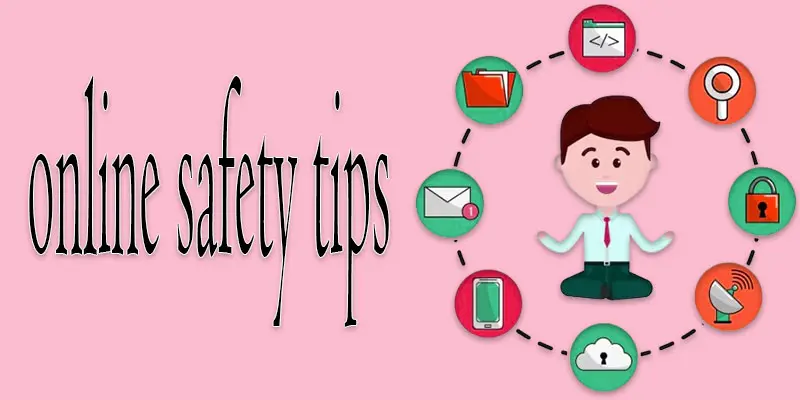
You can follow simple and practical steps to stay protected whenever you use the internet.
- Use strong passwords
- Enable two-factor authentication (2FA)
- Keep software and apps updated
- Be careful with emails and links
- Protect personal information
- Use a VPN on public Wi-Fi
- Secure your devices with antivirus software
- Backup important data regularly
Use Strong Passwords
Make your passwords strong by combining letters, numbers, and special symbols. Avoid using easy words like your name or birthdate. You can also use a password manager to keep them safe and easy to remember.
Enable Two-Factor Authentication (2FA)
Two-Factor Authentication (2FA) adds an extra login step, such as a code sent to your phone. It keeps your accounts safer, even if someone knows your password, making it much harder for hackers to break in.
Keep Software and Apps Updated
Updating your software and apps fixes security problems and bugs. It also helps your device run faster and more safely. Turning on automatic updates makes it easy to stay protected.
Be Careful with Emails and Links
Be careful before clicking links or opening attachments in emails, especially from unknown senders. Scammers use fake emails to steal your information. Always check the sender and verify links before clicking.
Protect Personal Information
Only share personal information, like your address or phone number, on trusted websites. Keep your social media accounts private and think twice before sharing personal details. Being careful helps keep your information safe from hackers.
Use a VPN on Public Wi-Fi
Public Wi-Fi can be unsafe because hackers can see your data. Using a VPN protects your connection by keeping your information private. It helps you browse safely on shared networks.
Secure your Devices with Antivirus Software
Antivirus software protects your computer and phone from viruses, malware, and spyware. It scans files and blocks harmful programs. Using an antivirus keeps your devices safe and running smoothly.
Backup Important Data Regularly
Backing up your data keeps your important files safe if your device is lost, stolen, or hacked. Save your important files by storing them on a cloud service or an external drive. Regular backups help you recover information quickly and easily.
What Advanced Steps Can You Take to Stay Extra Safe Online?
Besides basic tips, there are extra steps you can take to keep your devices and information even safer online.
- Turn on a VPN to keep your connection safe when using public Wi-Fi.
- Secure your devices with strong passwords and antivirus software.
- Regularly back up important data to the cloud or external drives.
- Enable privacy settings on apps and social media.
- Avoid using unknown USB drives or devices.
- Monitor your accounts for unusual activity.
- Use encrypted messaging apps for private conversations.
What Common Online Mistakes Should You Avoid?
Many people make simple mistakes online that can put their information and devices at risk.
- Using the same password for multiple accounts.
- Sharing too much personal information on social media.
- Ignoring software and app updates.
- Clicking unknown links or attachments in emails.
- Using unsecured public Wi-Fi without protection.
- Falling for phishing or scam messages.
- Not backing up important files regularly.
Final Thought
The online safety tips shared here can help you stay protected while using the internet. I recommend starting with simple steps like creating strong passwords and enabling two-factor authentication. Take these tips seriously and share them with your family and friends to keep everyone safe online.
FAQS
Hackers can steal passwords, public Wi-Fi can be unsafe, strong passwords prevent hacks, software updates protect devices, and phishing emails are a common threat.
Skills include recognizing scams, creating strong passwords, using two-factor authentication, checking website security, and protecting personal information.
The safest practice is being careful with your information, avoiding unknown links, using strong passwords, updating software, and staying aware of online threats.
Students should use strong passwords, avoid sharing personal info, be careful on social media, avoid suspicious links, and use school-approved apps safely.
The biggest threats include phishing scams, malware, identity theft, weak passwords, and unsafe websites.
Set privacy settings, monitor activity, teach them safe online habits, use parental controls, and talk about online risks regularly.





- Be Respectful
- Stay Relevant
- Stay Positive
- True Feedback
- Encourage Discussion
- Avoid Spamming
- No Fake News
- Don't Copy-Paste
- No Personal Attacks
- Be Respectful
- Stay Relevant
- Stay Positive
- True Feedback
- Encourage Discussion
- Avoid Spamming
- No Fake News
- Don't Copy-Paste
- No Personal Attacks
