Cloud Security in Cloud Computing Guide for Businesses
Published: 8 Sep 2025
The way organizations operate is being altered by cloud computing. It enables businesses to operate programs, store data, and get information from any location. Cloud security is important because it keeps this data safe and protects businesses from cyber threats.
Many companies rely on cloud tools like AWS, Cloudflare, and Box to improve performance and serve customers better. We will go over cloud computing, cloud security, hazards, tools, and safe usage in this guide.
Cloud computing: What is it?
Using computers, storage, and software online is known as cloud computing. Businesses store data and run apps on remote servers rather than on their own computers. This makes it easier to access files anytime, anywhere, and reduces the cost of buying hardware.
Example
Online shopping websites store product information in the cloud. This allows customers to browse and buy products from anywhere in the world. Cloud computing also includes tools for AI, networking, and security, helping businesses work faster and smarter.

What is Cloud Security and its Types?
Cloud security safeguards the information, programs, and services that are kept on the cloud. It ensures that sensitive information is safe from hackers, data loss, or unauthorized access. Without cloud security, businesses risk losing important data and damaging their reputation. Example: Banks use cloud security to protect customer transactions and personal information. Even if someone tries to access the data illegally, security measures prevent it.
Types of Cloud Security
Cloud security encompasses a range of methods for protecting cloud-based data and applications. Using multiple types of security helps businesses stay safe from various threats.
Main types include
- Network Security – Protects cloud networks from unauthorized access or attacks.
- Data Security – Keeps sensitive information safe with encryption and access controls.
- Application Security – Ensures apps running in the cloud are secure from hackers.
- Management of Identity and Access (IAM)– limits the use of cloud resources.
- Compliance & Monitoring – Checks that the cloud follows rules and detects unusual activity.
How Do You Plan and Implement Cloud Security?
Planning cloud security is important before storing data or running apps online. A clear plan helps businesses prevent data loss, hacking, and other risks.
Steps to implement cloud security
- Assess Your Needs – Identify which data and applications need protection.
- Choose Security Tools – Use encryption, firewalls, and access controls to secure resources.
- Set Access Policies – Decide who can access specific data and apps.
- Monitor Regularly – Track activities and detect unusual behavior quickly.
- Train Your Team – Make sure employees know how to use the cloud safely.
What are the Risks and Challenges of Cloud Security?
Using the cloud comes with many benefits, but there are risks businesses should know. Understanding these risks helps prevent data loss and security breaches.
Common risks and challenges
- Data Breaches – Hackers may try to steal sensitive information.
- Misconfigured Settings – Wrong cloud settings can expose data to the public.
- Insider Threats – Employees or contractors might accidentally or intentionally misuse data.
- Compliance Issues – Failing to follow privacy laws can lead to fines or legal trouble.
- Service Downtime – Cloud providers may face outages, affecting access to data.
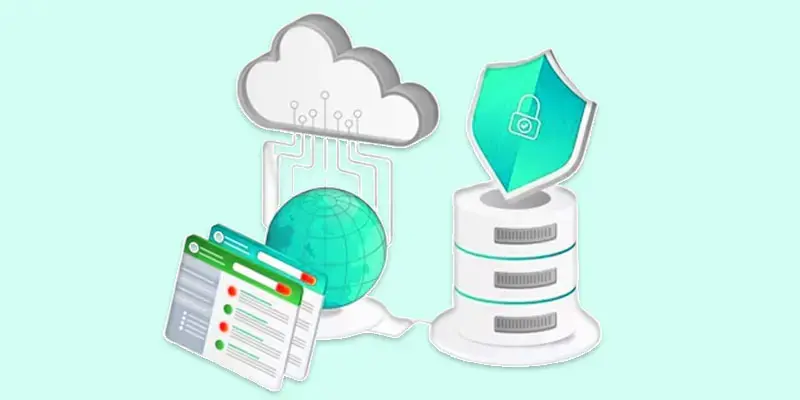
What are the Key Security Tools and Solutions for Cloud?
Cloud security tools help protect data, apps, and networks from threats. Using the right tools makes it easier for businesses to stay safe while working in the cloud.
Key tools and solutions include
- Firewalls – Block unauthorized access to cloud networks.
- Encryption Tools – Convert data into codes so only authorized users can read it.
- Identity & Access Management (IAM) – Control who can access apps and data.
- Monitoring & Alerts – Track activities and warn about suspicious actions.
- On-Demand Security Tools – Services from AWS, Cloudflare, or Box for extra protection.
What are the Benefits of Cloud Security?
Cloud security provides many advantages for businesses using cloud computing. It helps companies protect data, save money, and work efficiently.
Key benefits include
- Data Protection – Keeps sensitive information safe from hackers and loss.
- Compliance – Helps meet privacy and industry regulations easily.
- Business Continuity – Ensures data is available even during outages or attacks.
- Customer Trust – Secure services increase confidence in your business.
- Cost Savings – Reduces the cost of data loss, breaches, and downtime.
What are the Case Studies and Real-Life Applications of Cloud?
Many businesses use cloud security to protect data and improve operations. Real-life examples show how effective cloud security can be.
Examples
- E-commerce: Online stores use encryption and monitoring tools to protect customer data and prevent fraud.
- Banking: Banks secure transactions and store sensitive data safely using cloud security solutions.
- Entertainment & Streaming: Platforms like Netflix use cloud security to deliver content safely to millions of users.
Conclusion
Cloud security is a key part of using cloud computing safely. It helps protect data, prevent cyberattacks, and ensure smooth business operations. By using the right tools and following best practices, businesses can stay secure, maintain customer trust, and grow efficiently. Taking action now to implement cloud security measures ensures that your data and applications remain safe while you take full advantage of cloud technology.
FAQS
Who is the father of cloud computing?
John McCarthy is often called the father of cloud computing. He proposed using computer resources as a public utility in the 1960s. His ideas led to modern cloud technology.
Who is the mother of cloud computing?
There is no widely recognized “mother of cloud computing.” Many innovators contributed, but the main credit often goes to early computer scientists like John McCarthy.
Who are the big three of cloud computing?
The top three are Amazon Web Services (AWS), Microsoft Azure, and Google Cloud Platform (GCP). They provide most cloud services globally. Many businesses rely on them for storage, AI, and networking.
What are the three pillars of cloud computing?
The three pillars are Infrastructure as a Service (IaaS), Platform as a Service (PaaS), and Software as a Service (SaaS). IaaS provides hardware, PaaS gives tools to build apps, and SaaS delivers ready-to-use software.
What is the full form of GCP?
GCP stands for Google Cloud Platform. It is Google’s cloud computing service. Businesses use it for storage, AI, and cloud-based apps.
What are the top 3 cloud platforms?
The top three are AWS, Microsoft Azure, and Google Cloud Platform (GCP). They offer powerful tools, global coverage, and high security. Most large companies rely on them for cloud services.






- Be Respectful
- Stay Relevant
- Stay Positive
- True Feedback
- Encourage Discussion
- Avoid Spamming
- No Fake News
- Don't Copy-Paste
- No Personal Attacks
- Be Respectful
- Stay Relevant
- Stay Positive
- True Feedback
- Encourage Discussion
- Avoid Spamming
- No Fake News
- Don't Copy-Paste
- No Personal Attacks
