Cloud Computing Infrastructure Components Explained
Published: 10 Sep 2025
Did you know that over 90% of businesses now rely on the cloud to run daily operations? But what actually powers these services behind the scenes? Many people feel confused when they hear terms like virtualization or data centers. Whether you’re tired of slow systems, high costs, or just want things to work better, learning the components of cloud computing infrastructure can make a big difference, even if you’re just sipping coffee and browsing the web.
What are the Components of Cloud Computing Infrastructure?
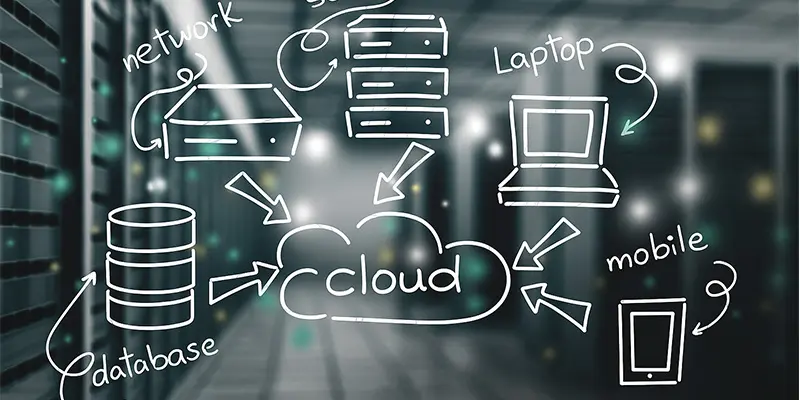
Core components of cloud computing infrastructure are the building blocks that power cloud services, helping data move, store, and process across the internet smoothly.
- Servers
- Storage
- Networking
- Virtualization
- Data Centers
- Operating Systems
- Management Software
- Internet Connectivity
- Security Systems
- Cloud Service Models (IaaS, PaaS, SaaS)
Servers
Servers are powerful computers that store, process, and manage data. In cloud computing, they run apps and deliver content to users over the internet. Think of them as the brain behind online services.
Storage
Storage in cloud computing is where your files, photos, and data are safely kept online. It works like a digital locker you can open from any device. This lets you save space on your computer or phone.
Networking
Networking helps connect all the cloud parts so data can move from one place to another. It’s like the roads that let information travel between servers, storage, and users. Without networking, the cloud wouldn’t work.
Virtualization
Virtualization is a smart way to run many virtual computers inside one real computer. It helps cloud providers save space and use resources better. This makes cloud services faster and more flexible.
Data Centers
Data centers are large buildings filled with powerful computers and storage systems. They hold and manage all the data used in cloud computing. You can think of them as the cloud’s physical home.
Operating Systems
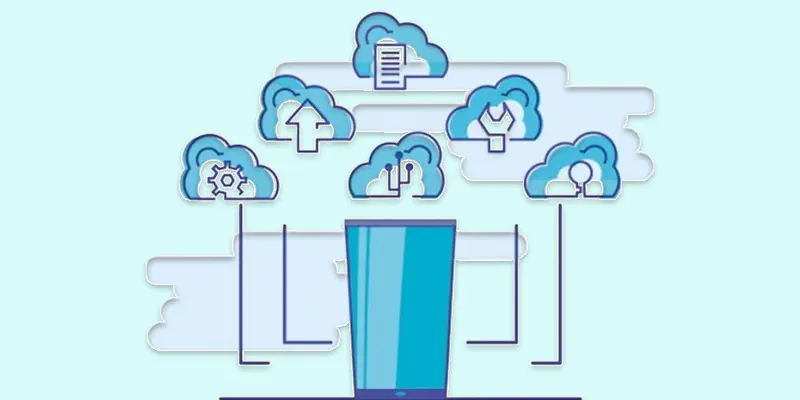
Operating systems manage all the tasks inside a computer or server. In cloud computing, they help run apps, control hardware, and keep everything working smoothly. They’re like the boss of the system.
Management Software
Management software helps control, monitor, and organize cloud systems. It lets users and providers check performance, fix issues, and manage resources easily. Think of it as the dashboard for running the cloud.
Internet Connectivity
Internet connectivity is what lets you access cloud services from anywhere. It connects your device to the cloud through the web. Without it, you can’t reach your online files or apps.
Security Systems
Security systems protect cloud data from hackers and threats. They include things like passwords, firewalls, and encryption. These tools keep your information safe and private online.
Cloud Service Models (IaaS, PaaS, SaaS)
Cloud service models are different ways to use the cloud. IaaS gives you basic tools like storage and servers, PaaS offers a platform to build apps, and SaaS lets you use ready-made software like Gmail or Zoom. Each model fits different needs.
What are the Benefits of Understanding Cloud Infrastructure?
Understanding cloud infrastructure helps you use cloud services better, save money, and keep your data safe.
- Helps you choose the right cloud services.
- Saves money by avoiding unnecessary tools.
- Makes it easier to fix problems.
- Improves data safety and privacy.
- Boosts your job or business skills.
- Helps you understand how apps and websites work.
- Let you use cloud resources more smartly.
- Supports better decision-making in tech setups.

Conclusion
Understanding cloud infrastructure helps you use cloud services better, save money, and keep your data safe. From my experience, learning the key Cloud Computing Infrastructure Components like servers, storage, and networking makes everything easier, even for beginners. I recommend taking the time to explore each part step by step. You’ll feel more confident using cloud tools in your job, business, or daily life. Ready to dive deeper? Start by reading our next guide on how these components work together in real-world cloud platforms.
FAQS
What are the components of the cloud?
The cloud has parts like servers, storage, networking, virtualization, and software. These work together to run apps and store data online.
What makes up cloud infrastructure?
Cloud infrastructure includes hardware like servers and storage, plus software tools, internet connection, and security systems to manage cloud services.
What is the infrastructure layer of cloud computing?
The infrastructure layer is the base level that includes physical tools like servers, storage, and networks. It supports everything else in the cloud.
What is the SLA in cloud computing?
SLA stands for Service Level Agreement. It’s a promise from the cloud provider about service quality, like uptime, support, and performance.
What is an example of an infrastructure layer?
A good example is Amazon EC2, which gives users virtual servers to run apps. It’s part of the IaaS (Infrastructure as a Service) model.






- Be Respectful
- Stay Relevant
- Stay Positive
- True Feedback
- Encourage Discussion
- Avoid Spamming
- No Fake News
- Don't Copy-Paste
- No Personal Attacks
- Be Respectful
- Stay Relevant
- Stay Positive
- True Feedback
- Encourage Discussion
- Avoid Spamming
- No Fake News
- Don't Copy-Paste
- No Personal Attacks
