SaaS vs SASE | Differences Explained Simply
Published: 21 Feb 2026
Are you confused about SASE vs SaaS and not sure which one your business really needs? You are not alone. Many business owners mix them up. Some think they do the same job. But when it comes to cloud security, remote access, and data protection, choosing the wrong solution can cost money and put your data at risk.
Today, teams work from home, cafes, and different cities. Data moves between devices, cloud apps, and office networks. This makes security harder. You may ask, “Do I need better cloud software or stronger network security?” That is where understanding SASE vs SaaS becomes important.
In this guide, we will break it down in simple words. No hard tech terms. You will learn what SASE is, what SaaS is, how they work, and when to use each one. By the end, you will feel clear and confident about the right choice for your business.
What is SASE and SaaS?
SASE and SaaS are two different cloud concepts. Many beginners confuse them. Let’s break them down in simple words.
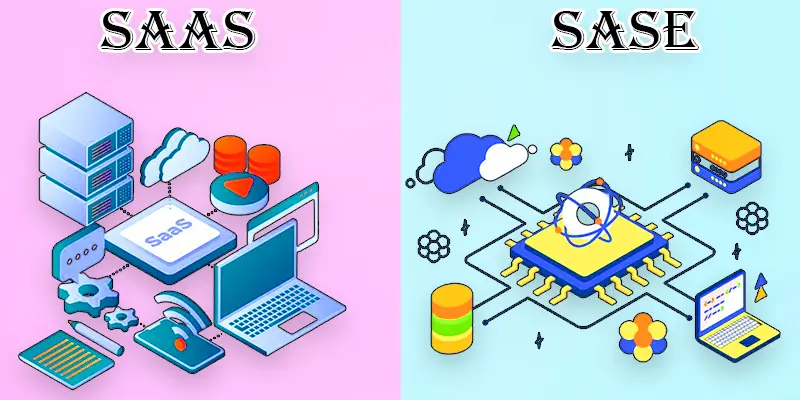
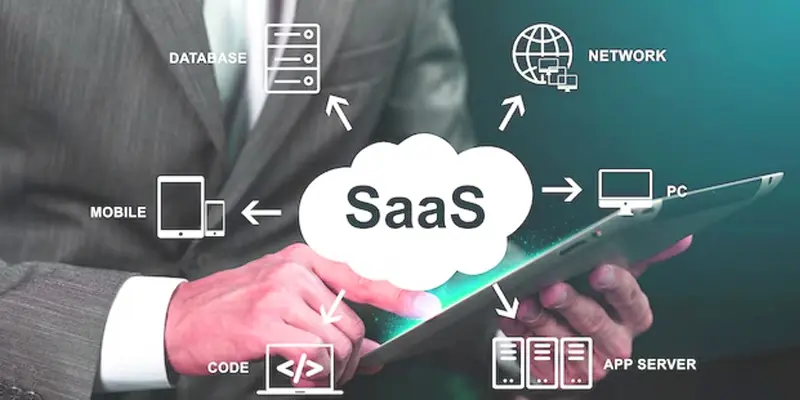
SaaS: Means Software as a Service. It is cloud-based software that you use through the internet. You do not install it on your computer. You just log in and start working. For example, Google Docs or Zoom are SaaS applications. Businesses use SaaS for email, accounting, CRM, and team collaboration. It saves time and reduces hardware costs.
SASE: Means Secure Access Service Edge. It is a cloud security and networking model. It protects users, devices, and data. SASE combines network security, firewall, and secure remote access into one system. For example, if your team works from home, SASE keeps their connection safe.
What is the Difference Between SASE and SaaS?
The main difference between SASE and SaaS is their functionality. SASE focuses on providing a secure framework for optimized network access, whereas SaaS delivers software tools online, making them accessible and easy to use. Together, they improve the efficiency of digital processes.
| SASE | SaaS |
|---|---|
| A framework combining networking and security into one platform. | A software delivery model where applications are accessed via the internet. |
| Palo Alto Prisma, Zscaler. | Google Workspace, Dropbox, Salesforce. |
| Ensures secure, reliable access to networks and data. | Provides access to software without installation or maintenance. |
| SD-WAN, Zero Trust Network Access (ZTNA), Firewall as a Service (FWaaS). | CRM, project management tools, and collaboration platforms. |
| Security and network performance. | Application delivery and user functionality. |
| IT teams managing remote access and security. | End-users requiring applications for daily operations. |
| Cloud-based, with integration of multiple security services. | Cloud-based, accessed via a web browser or app. |
| Often subscription-based, with usage or feature scaling. | Subscription or pay-per-use pricing models. |
| Requires setup and configuration by IT experts. | Easy for end-users to adopt and start using. |
| Easily scales with growing network and security demands. | Scales as user base or business needs expand. |
| Directly enhances security by integrating tools like VPNs, firewalls, and identity controls. | Requires external security measures to ensure data protection (e.g., via SASE). |
| Improves secure access to apps and networks for remote teams. | Provides quick access to apps from any device with an internet connection. |
| Managed by service providers, minimal involvement needed from businesses. | Managed by the SaaS provider, with automatic updates. |
| Offers flexibility to fit organizational security needs. | Limited customization; designed for general use. |
| Integrates with SaaS applications to provide secure access. | Can integrate with third-party tools like SASE for added security. |
| Network security (e.g., SD-WAN, VPN), identity management. | Application functionality (e.g., collaboration, task management). |
| A company securing remote access for employees using SASE. | A small business using SaaS for accounting and invoicing. |
| Provides unified solutions for networking and security. | Provides specific software for operational needs. |
| Works alongside SaaS to secure its delivery. | Relies on frameworks like SASE to ensure safe operation. |
| Growing with the rise of remote work and cloud migration. | Increasing as businesses move to cloud-based workflows. |
Can SASE and SaaS Work Together?
Yes, SASE and SaaS can work together. In fact, they work best as a team. SaaS gives you cloud-based software like email, file sharing, or CRM tools. It helps your team work online from anywhere. But SaaS alone does not fully protect your network.
This is where SASE helps. SASE adds cloud security and secure network access. It protects users, devices, and data while they use SaaS applications. For example, if your team uses Google Docs from home, SASE keeps the connection safe and blocks cyber threats.
When Should You Choose SaaS or SASE?
Choosing between SaaS or SASE depends on whether your business needs cloud-based software to work online or stronger security to protect users and data.
When Should You Choose SaaS?
- You need cloud-based software like email, CRM, or accounting tools.
- You want a quick setup without installing programs on office computers.
- Your team works online and needs access from anywhere.
- You prefer a low upfront cost with a monthly subscription model.
- You want automatic updates and easy maintenance.
Example: A small business using online billing software and video meeting apps can rely on SaaS to run daily tasks smoothly.
When Should You Choose SASE?
- You need strong cloud security for remote workers.
- Your team connects from different locations or devices.
- You want secure remote access to company data.
- You must protect sensitive information from cyber threats.
- You need network security and firewall protection in one system.
Example: A growing company with remote employees can use SASE to secure its cloud network and SaaS applications.
What are the Common Mistakes to Avoid?
When working with SASE vs SaaS, beginners often make some common mistakes. Avoiding these can save time, money, and security risks.
- Confusing SASE and SaaS: They serve different purposes. SaaS is software, SASE is security. Mixing them can cause wrong decisions.
- Ignoring cloud security: Using SaaS apps without SASE or proper protection can put data at risk.
- Choosing tools without assessing needs: Not every business needs advanced security, or every SaaS tool. Plan based on team size and work type.
- Relying on one solution only: SaaS alone won’t protect data; SASE alone won’t provide productivity tools. Use both when needed.
- Skipping updates and monitoring: Outdated SaaS apps or misconfigured SASE systems can create vulnerabilities.
Conclusion About SaaS and SASE
Understanding SASE vs SaaS is not hard when you see the difference clearly. SaaS helps you use cloud-based software like email, CRM, or accounting tools. SASE protects your network, users, and cloud apps with strong security and smart access control. Both are important. SaaS boosts productivity. SASE improves cloud security and remote access safety. When you choose the right mix, you protect your data and help your team work smoothly. Now take a step back. Review your business needs. Do you need better software, stronger security, or both? Make a smart choice today and build a safer, smarter digital future.
FAQS
SASE works by combining network security services like firewalls, VPNs, and identity management into a single cloud-based platform. It ensures secure and optimized access to applications and data from anywhere, especially for remote users.
Yes, you can use SASE independently to secure your network and control access to various systems. However, if you’re using SaaS applications, SASE enhances their security. It’s ideal for businesses with remote teams and cloud-based tools.
It depends on your needs. If you’re using SaaS apps, adding SASE can enhance security and performance. For businesses with remote workers or sensitive data, both can help ensure smooth and secure operations.
SASE solutions are typically offered on a subscription basis, making them more affordable than traditional security systems. Costs can vary depending on the features and scale you need. It’s often more cost-effective than managing multiple separate security solutions.
Yes, SASE is designed to secure any SaaS application you use, from collaboration tools to CRM systems. It ensures that users can access these apps safely, especially when working remotely. Integration is usually seamless, enhancing security without disrupting workflow.


- Be Respectful
- Stay Relevant
- Stay Positive
- True Feedback
- Encourage Discussion
- Avoid Spamming
- No Fake News
- Don't Copy-Paste
- No Personal Attacks
- Be Respectful
- Stay Relevant
- Stay Positive
- True Feedback
- Encourage Discussion
- Avoid Spamming
- No Fake News
- Don't Copy-Paste
- No Personal Attacks
