Difference between Malware and Trojan Horse Explained
Published: 3 Jun 2026
Have you ever clicked a download link thinking it was safe, only to worry later if your device is infected? You are not alone. Many users face this problem every day without even knowing it. Cyber threats are getting smarter, and two of the most confusing ones are malware and a Trojan horse. Malware is any dangerous software designed to harm your device, collect personal information, or reduce your system’s performance.
But a Trojan Horse is different. It hides inside a normal-looking file or app and tricks you into installing it yourself. That’s what makes it more dangerous in many cases. The real problem is this: most users cannot easily tell the difference between safe software and hidden threats. One wrong click can expose your personal photos, passwords, or even bank details.
In this article, you will learn the clear difference between malware and a Trojan Horse in simple words. You will also understand how they work, how they spread, and how you can protect your devices easily. By the end, you will feel more confident and safer while using the internet every day.
What is Malware? (Explanation for Beginners)
Malware is a short word for malicious software. It is any program or file that is made to harm your device, steal your data, or control your system without permission. In simple words, malware is like a digital threat that enters your computer or phone and causes problems. Malware can spread in many ways. It often comes from unsafe websites, fake downloads, or email attachments.
Once it enters your system, it can run in the background without you noticing it. Common effects of malware include slow performance, data theft, and unwanted pop-up ads. For example, you might download a free game from an unknown website, and it secretly installs malware on your device. Another example is clicking a fake email link that installs harmful software.
There are different types of malware, such as viruses, spyware, ransomware, and adware. Each type works differently but has the same goal: to damage or exploit your device. For better security, install reliable antivirus protection, stay away from unknown links, and only download apps from safe and trusted websites or stores.
What is a Trojan Horse? (Explanation for Beginners)
A Trojan Horse is a type of malware that hides inside a normal-looking file or app. It tricks users into thinking it is safe software. Once you install it, it can harm your device or steal your personal data without your knowledge. Unlike other malware, a Trojan does not spread on its own. It needs you to download or open it first.
That is why it is called a “Trojan Horse,” just like the old story where something dangerous was hidden inside a gift. For example, you may download a free software tool or game from an unknown website. It looks real and useful, but it secretly installs a Trojan on your system. Another example is a fake email attachment that claims to be an invoice or document. Once active, a Trojan Horse can:
- Steal passwords and banking details
- Give hackers remote access
- Track your online activity
Trojan attacks are dangerous because they stay hidden for a long time. To stay safe, always download files from trusted sources and avoid clicking unknown links or attachments.
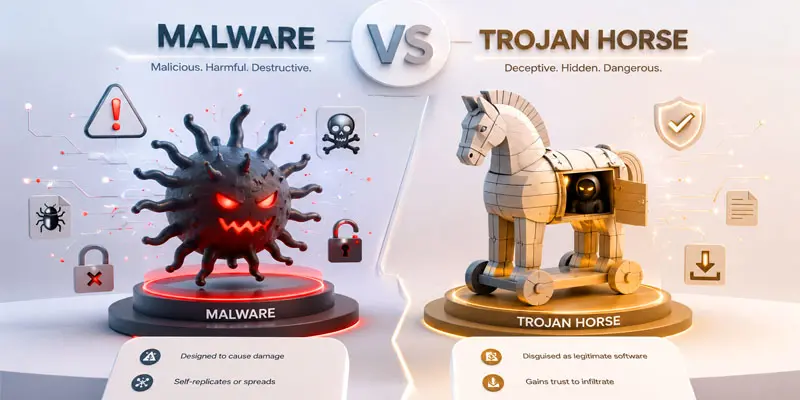
What are the Main Differences Between Malware and Trojan Horse?
Curious about what the main differences are between malware and Trojan horses and how they affect your device? Here’s a simple breakdown to help you understand both clearly and stay protected online.
| Malware | Trojan Horse |
|---|---|
| Malware is harmful software designed to damage or steal data. Example: a virus in a downloaded file. | A Trojan Horse is malware hidden inside a safe-looking file. Example: fake software installer. |
| Malware is a general category of bad software. Example: ransomware, spyware. | A Trojan Horse is one form of malicious software that tricks users into thinking it is safe. Example: fake antivirus app. |
| Some malware shows visible signs like pop-ups. Example: adware ads. | Trojan stays hidden and looks normal. Example: fake game app. |
| Enters through downloads, emails, or websites. Example: infected email attachment. | Enters when the user installs or opens it. Example: cracked software. |
| Can spread automatically like worms. Example: network virus. | Does not spread on its own. Example: USB fake file. |
| The User may not always trigger it. Example: drive-by download. | The User must install or click it. Example: fake PDF file. |
| Designed to harm, spy, or disrupt systems. Example: ransomware locks files. | Designed to trick users and gain access. Example: fake update file. |
| Some malware is easier to detect. Example: An antivirus flags a virus. | Trojan is harder to detect. Example: hidden backdoor app. |
| Can run automatically in the background. Example: worm activity. | Activates after installation. Example: fake tool runs payload. |
| It can cause a system crash or data loss. Example: file corruption virus. | Can steal data silently. Example: password-stealing Trojan. |
| Infects multiple files or systems. Example: file infecting virus. | Stays inside one file/app. Example: A single infected program. |
| Comes from unsafe websites or software. Example: pirated apps. | Comes disguised as trusted software. Example: fake utility tool. |
| High risk to system stability. Example: ransomware attack. | High risk to personal data. Example: banking Trojan. |
| Users may notice system issues. Example: slow PC. | Users often do not notice an infection. Example: silent spyware. |
| Can spread quickly across devices. Example: network worm. | Spread is slow and manual. Example: shared fake file. |
| Often detected by antivirus tools. Example: known virus signature. | Harder to detect due to the disguise. Example: hidden Trojan code. |
| Can take partial or full system control. Example: rootkit malware. | Gives the hacker remote access. Example: backdoor Trojan. |
| Can activate immediately. Example: instant virus execution. | Activates after user action. Example: clicking a fake link. |
| Comes as scripts, apps, or files. Example: malicious .exe file. | Comes as disguised software. Example: fake software update. |
| Can delete or corrupt files. Example: destructive malware. | Can steal sensitive data. Example: login credential theft. |
| Often spreads via internet traffic. Example: phishing sites. | Often spreads via downloads. Example: fake download button. |
| Slows or crashes the system. Example: adware overload. | Runs silently in the background. Example: hidden keylogger. |
| Computer virus, ransomware, spyware. | Fake antivirus, cracked software, fake apps. |
| No need for user trust sometimes. Example: exploit attack. | Depends on user trust. Example: trusted-looking file. |
| Can be removed with antivirus tools. Example: virus cleaner. | Harder to remove due to hidden files. Example: persistent Trojan. |
| Umbrella term for all harmful software. Example: any cyber threat. | One specific trick-based malware type. Example: disguised malicious app. |
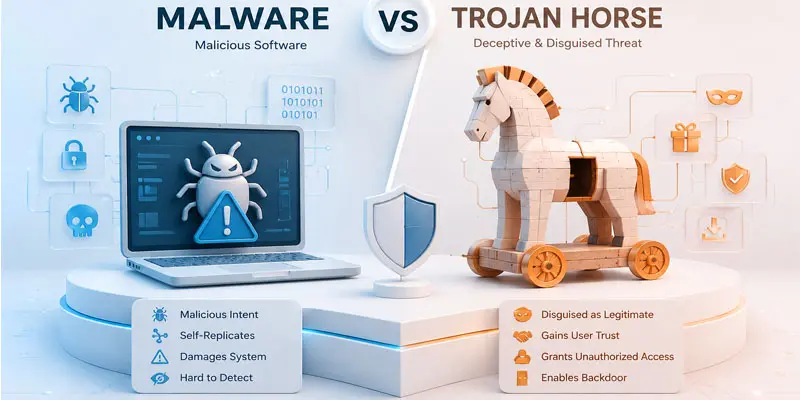
What are the Similarities Between Malware and Trojan Horse?
Want to know what the similarities between malware and Trojan horses are and why both are dangerous for your device? Here’s a simple guide to help you understand their common traits and stay protected online.
- Malware and Trojan Horses are harmful programs that can damage devices, access private information, or create security risks. Example: A fake software download that installs harmful code.
- Both can infect computers, laptops, and mobile phones. Example: A suspicious app on your phone that slows it down.
- Both are used by hackers to access personal information like passwords, banking details, and files. Example: A phishing email that leads to data theft.
- Both can run in the background without the user knowing. Example: Hidden software tracking your online activity.
- Both can cause serious problems such as system slowdowns, data loss, or privacy breaches. Example: Your device suddenly becomes slow after installing unknown software.
- Both often spread through unsafe downloads, email attachments, or fake websites. Example: Clicking a fake “free download” button.
- Both require strong cybersecurity tools like antivirus software and firewalls for protection.
- Both target user mistakes, such as clicking on unknown links or installing untrusted files.
How Can You Protect Your System?
Worried about cyber threats like malware and Trojan horses? Here are simple and effective ways to protect your system and keep your data safe from hackers.
- Use a strong and updated antivirus software to detect malware and Trojan Horse attacks. Example: Antivirus can block a fake software download before it harms your device.
- Keep your operating system and apps updated. Updates fix security gaps that hackers use.
- Avoid downloading files from unknown or unsafe websites. Example: Do not install cracked games or free tools from random links.
- Avoid downloading strange email files or visiting unknown links, as they are often used to spread harmful software.
- Use a strong firewall to block unwanted network access and protect your system from attackers.
- Always use strong and unique passwords for your accounts. This helps protect your personal data.
- Only install apps from official and reliable app stores to reduce security risks.
- Regularly back up your important files to cloud storage or an external drive. This helps recover data after an attack.
- Be careful while browsing online and avoid fake “free download” buttons.
Final Thoughts
Understanding malware vs trojan horse helps you stay one step ahead of cyber threats. Malware is a general category of harmful software, while a Trojan Horse hides inside trusted files to trick users. Both can damage your system and steal sensitive data if you are not careful. The good news is that simple habits like safe browsing, using antivirus software, and avoiding unknown downloads can protect you. Stay alert, stay updated, and keep your data secure in this digital world.
FAQs
Is a Trojan horse a malware?
Yes, a Trojan horse is a type of malware that hides inside normal-looking files or apps. It tricks users into installing it and can steal data or damage your system.
What is the difference between Trojan horse and virus?
A Trojan horse needs user action to install, while a virus spreads on its own. Both are malware, but Trojans stay hidden and rely on tricking users into opening infected files.
Why is malware called Trojan?
Malware is called “Trojan” because it works like the Greek Trojan Horse story. It hides inside trusted files and secretly enters your system when users install or open it.
Can I see if my phone has Pegasus?
You usually cannot easily see Pegasus spyware on your phone because it runs silently. However, unusual battery drain or behavior may signal risk, so use security scans and expert tools.
What is a famous example of a Trojan horse?
A famous example of a Trojan horse is fake antivirus software that looks real but installs hidden malware. It tricks users into installing it and then steals personal data or system access.




- Be Respectful
- Stay Relevant
- Stay Positive
- True Feedback
- Encourage Discussion
- Avoid Spamming
- No Fake News
- Don't Copy-Paste
- No Personal Attacks
- Be Respectful
- Stay Relevant
- Stay Positive
- True Feedback
- Encourage Discussion
- Avoid Spamming
- No Fake News
- Don't Copy-Paste
- No Personal Attacks
