Malware Meaning | Learn in Simple Words
Published: 8 May 2026
Have you ever clicked a link or downloaded an app and then noticed your phone or computer suddenly behaving strangely? Slow performance, pop-up ads, or even missing files can make you feel worried and confused. This is often the hidden work of harmful software that most users don’t notice until it is too late. In today’s digital world, online threats are growing fast, and anyone using the internet can become a target.
This is why understanding what is a malware is very important for every internet user. Malware is harmful software created to infect devices, steal sensitive information, or monitor your online actions without your knowledge. The good news is that you can protect yourself once you understand how it works and how it enters your device.
This guide explains malware, how it infects devices, warning signs to watch for, and easy tips to protect yourself while using the internet. With real-life examples and easy explanations, you will be able to spot threats early and protect your data better. Let’s break it down in a simple way so you can stay safe online every day.
What is Malware (Core Definition)
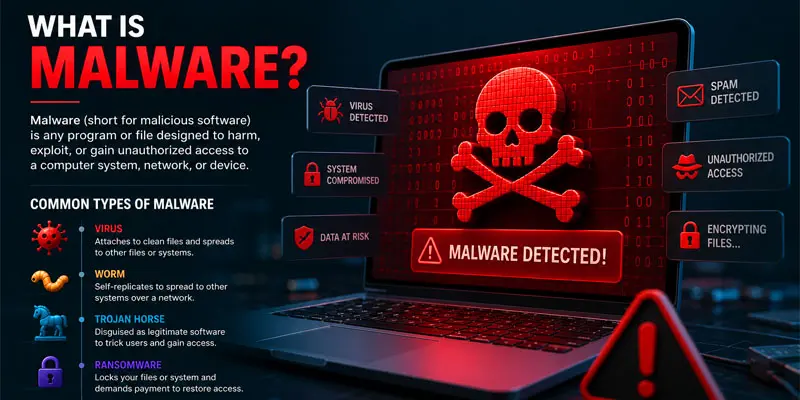
Malware is short for malicious software. It is a type of harmful program that is created to damage your device, steal your data, or spy on your online activity. Simply put, malware is any software that is built to cause harm to computers, mobile phones, or networks.
In simple words, malware works in the background without your permission. You may not even notice it at first, but it can slowly affect your device and personal information.
Here are some real-life examples of how malware can affect you:
- You download a free app, and suddenly your phone shows nonstop ads.
- Your computer becomes very slow after opening a fake email attachment.
- Your personal photos or files get locked, and someone asks for money (ransomware).
- Unknown apps appear on your device without your permission.
What are the Best Practices to Protect Against Malware?
Protecting your device from malware is simple if you follow the right steps. Malware often enters through unsafe clicks, downloads, or weak security habits. Try these easy online safety tips to keep your data and devices secure:
- Use reliable antivirus protection: Add a trusted antivirus tool to your device and update it regularly. It helps block and remove threats like viruses, spyware, and harmful files automatically.
- Stay away from unsafe links: Avoid opening suspicious links from emails, text messages, or pop-up ads. For example, a fake reward or giveaway message may install malware on your device.
- Download from trusted sources: Always use official websites or app stores. Avoid pirated or cracked software, as it often contains hidden malware.
- Keep your system updated: Update your operating system and apps regularly. Updates fix security gaps that hackers use to attack devices.
- Create secure passwords: Use different and hard-to-guess passwords for all your accounts. Strong passwords help keep hackers from accessing your personal information.
- Enable firewall protection: A firewall blocks unsafe network traffic and protects your device from online threats.
- Be careful with email attachments: Do not open attachments from unknown senders. They may contain harmful files.
- Backup your data: Keep a copy of important files on cloud storage or external drives. This helps you recover data in case of ransomware attacks.
- Avoid public Wi-Fi risks: Do not access sensitive data on public networks. Hackers can use them to steal information.
- Stay aware: Learn basic cybersecurity habits. Think before you click or download anything online.
What is the Main Purpose of Malware
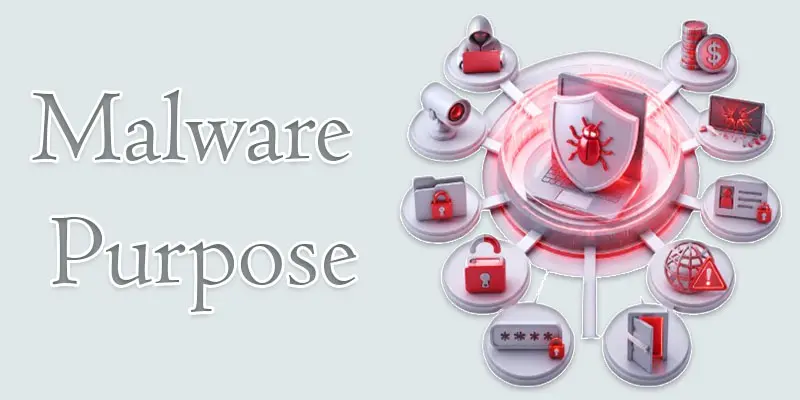
Malware is created for different harmful goals. Each type of attack has a specific purpose that can damage users, systems, or organizations. Below are the main purposes of malware explained in simple words.
- Data theft
- Financial gain
- Spying (surveillance)
- System damage
- File encryption for ransom
- Identity theft
- Unauthorized access
- Disrupting systems or networks
- Stealing passwords
- Installing more malware (backdoors)
Data Theft
Data theft means stealing personal or sensitive information from your device. Malware can collect passwords, bank details, photos, or emails without your permission. Hackers use this data for illegal activities or sell it online. For example, spyware can secretly record what you type and send it to attackers.
Financial Gain
Many attackers use malware to make money. They may steal banking details or force users to pay a ransom. Some malware shows fake ads to earn money from clicks. For example, ransomware can block access to your files and ask for money before you can use them again. This is a common cybercrime method.
Spying (Surveillance)
Some malware is designed to secretly watch your activity. It tracks your browsing history, messages, and even the camera or microphone in some cases. This is often used to monitor users without their knowledge. For example, spyware can collect your online habits and send reports to hackers.
System Damage
Malware can damage your computer or phone system. It may delete files, corrupt software, or slow down performance. In serious cases, it can make your device unusable. For example, a virus may break important system files and cause frequent crashes or errors.
File Encryption for Ransom
This type of malware locks your files using encryption. You cannot open your data unless you pay money. It is called ransomware. For example, a user may lose access to photos or documents and receive a message asking for payment to restore them.
Identity Theft
Identity theft happens when malware steals your personal identity details. Hackers use this information to pretend to be you. They may open fake accounts or make transactions in your name. For example, stolen ID details can be used for online fraud or scams.
Unauthorized Access
Malware can give hackers full access to your device without permission. They can control your files, camera, or system settings. This is often done through hidden backdoors. For example, an attacker may remotely access your computer and monitor everything you do.
Disrupting Systems or Networks
Some malware is designed to disturb or shut down systems and networks. It can slow down websites, crash servers, or block services. This is often used in cyberattacks against companies. For example, a network attack can stop an online service from working properly.
Stealing Passwords
Many malware programs focus on stealing login details. They capture usernames and passwords when you type them. This helps attackers access your social media, emails, or banking accounts. For example, keyloggers record every key you press and send it to hackers.
Installing More Malware (Backdoors)
Some malware creates a hidden entry point called a backdoor. This allows hackers to install more harmful software later. It keeps the system open for future attacks. For example, once installed, attackers can return anytime and add new viruses or spyware without detection.
How Does Malware Work?
Malware works in a simple but hidden way. It enters your device, stays silent, and starts doing harmful activities without your permission. Most users do not notice it until damage is already done. Here is a clear step-by-step explanation of how malware works:
- Infection starts: Malware enters your device through unsafe websites, email links, fake apps, or downloads. For example, clicking a “free movie download” link can install malware.
- Silent installation: After entering, malware installs itself in the background. It hides inside normal files or apps, so you cannot easily see it.
- System access: It gains access to your system files, apps, or even your internet connection. Some malware runs automatically every time you start your device.
- Data collection: It starts stealing information like passwords, bank details, or personal files. Spyware can track everything you type or browse.
- Damage or control: Malware may slow down your device, show ads, lock files (ransomware), or allow hackers to control your system remotely.
- Spreading further: Some malware spreads to other devices through networks or shared files, increasing the infection risk.
How Does Malware Spread?
Malware spreads in many simple but dangerous ways. It often tricks users into clicking, downloading, or opening harmful files. Once it enters your device, it can quickly infect your system and steal or damage data. Here are the most common ways malware spreads:
- Email attachments and phishing links: Attackers send fake emails that look real. When you open attachments or click links, malware gets installed. For example, a fake bank email may ask you to “verify account details.”
- Fake websites: Some websites look real but are designed to spread malware. Downloading files from these sites can infect your device.
- Pirated software: Free cracked software often contains hidden malware. For example, downloading paid apps for free can bring viruses.
- Infected apps: Malware can hide inside mobile apps downloaded from unknown sources outside official app stores.
- USB drives and external devices: Plugging an infected USB into your computer can transfer malware instantly.
- Malicious ads (malvertising): Clicking on unsafe ads can automatically download harmful software.
Final Thoughts
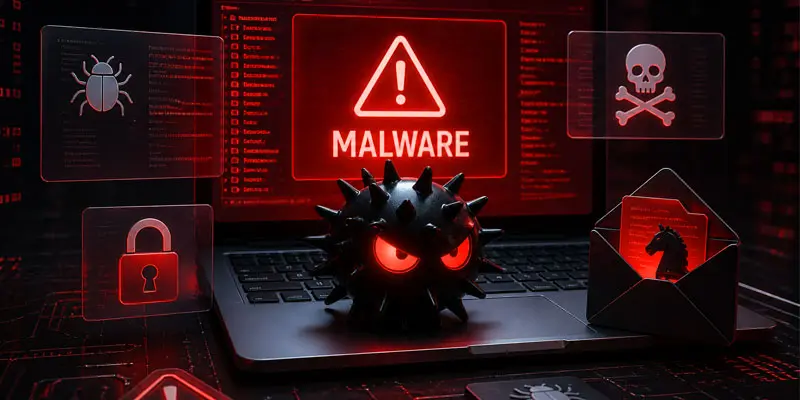
Malware is harmful software that can steal data, slow down devices, and harm your digital safety. Understanding what malware is helps you recognize cyber threats early and avoid common online risks. Using antivirus tools, avoiding suspicious links, and keeping your system updated are simple but powerful protection steps. Stay alert and practice safe browsing to keep your personal data secure every day.
FAQs
How to get rid of malware?
You can get rid of malware by scanning your device with trusted antivirus software and removing detected threats.
Run a full system scan.
Delete suspicious apps/files.
Update your system for better security.
How do I know if I get malware?
You can know you have malware if your device shows unusual behavior like slow speed, pop-ups, or unknown apps.
Frequent crashes or ads.
Battery drains quickly.
Strange activity without your action.
Can your phone detect malware?
Yes, your phone can detect malware using built-in security features or antivirus apps.
Android uses Play Protect.
iPhones have strong built-in security.
Security apps improve detection.
How do I protect myself from malware?
You can protect yourself from malware by following safe browsing habits and using security tools.
Avoid unknown links and downloads.
Use antivirus software.
Keep apps and the system updated.
How can I find hidden malware?
You can find hidden malware by running a deep antivirus scan and checking for suspicious activity.
Look for unknown apps.
Monitor data usage.
Use trusted security tools.
Does turning off your phone remove malware?
No, turning off your phone does not remove malware, but it can stop it temporarily.
Malware stays in the system.
You need antivirus to remove it.
Restarting alone is not enough.




- Be Respectful
- Stay Relevant
- Stay Positive
- True Feedback
- Encourage Discussion
- Avoid Spamming
- No Fake News
- Don't Copy-Paste
- No Personal Attacks
- Be Respectful
- Stay Relevant
- Stay Positive
- True Feedback
- Encourage Discussion
- Avoid Spamming
- No Fake News
- Don't Copy-Paste
- No Personal Attacks
