Cyber Security Types | A Complete Beginner’s Guide
Published: 24 Jan 2026
The world faces millions of online attacks every day, and this makes the Type of Cyber Security more important than ever. Have you ever wondered why simple clicks can lead to big risks? Many users feel scared because their data, phones, or accounts can be hacked with one small mistake.
You may ask yourself, “Why do I even need to learn the different types of Cyber Security?” This confusion is normal because online threats look simple, but act fast. Most people feel stressed when they lose files, get fake messages, or see strange activity on their accounts.
Let’s take a calm start and explore the Types of Cyber Security in the easiest way. These types help you stay safe, protect your data, and avoid everyday online traps. With a few simple steps, you can keep your digital life safe and stress-free.
What are the Different Types of Cyber Security?
Let’s explore the different types of cybersecurity that help protect your data, devices, and online accounts from threats.
- Network Security
- Endpoint Security
- Application Security
- Cloud Security
- Mobile Security
- Information Security (InfoSec)
- Internet of Things (IoT) Security
- Operational Security (OPSEC)
- Identity and Access Management (IAM)
- Disaster Recovery / Business Continuity
- Cryptography / Encryption Security
- Critical Infrastructure Security
Network Security
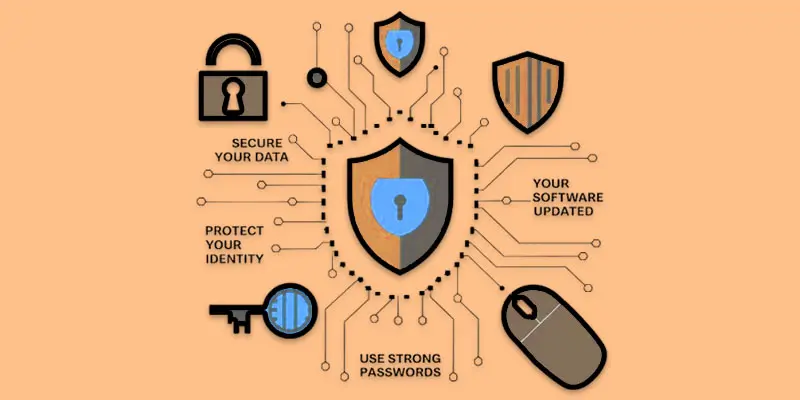
Network security involves safeguarding connected devices like computers and smartphones against viruses, cyber attacks, and unauthorized access. It keeps your data safe when you use the internet or share files online. Think of it like putting a strong lock on your home network to stop strangers from entering. Without network security, hackers can steal information, send viruses, or slow down your internet. Example: A school uses firewalls and antivirus programs to protect all computers in the lab from online threats.
Tips for Network Security:
- Use strong, unique Wi-Fi passwords.
- Install and update antivirus software regularly.
- Enable firewalls on your devices.
- Avoid connecting to public Wi-Fi for sensitive tasks.
- Keep your system and apps updated to prevent vulnerabilities.
Information Security
Information security, or InfoSec, is the practice of protecting data from loss, theft, or unauthorized access. It focuses on keeping personal, business, or sensitive information safe. Think of it like locking your diary or important files so only you can access them. Without InfoSec, private data can be exposed to hackers or cybercriminals. Example: A company encrypts customer information so even if someone accesses the files, they cannot read them.
Tips for Information Security:
- Use strong passwords for accounts and files.
- Encrypt sensitive documents before sharing.
- Backup important data regularly.
- Limit access to files only to authorized people.
- Update security settings and software often.
Application Security
The method of protecting apps on your computer, phone, or online against viruses and hackers is known as application security. It ensures apps work correctly and do not leak personal information. Think of it like checking a game or software before installing it to make sure it is safe. Without proper security, apps can be hacked or misused to steal data. Example: Two-factor authentication is used by a banking software to prevent unwanted access to user accounts.
Tips for Application Security:
- Update your apps to the most recent version.
- Download programs only from reliable sources.
- For app accounts, use secure passwords.
- Turn on security features such as two-factor authentication (2FA).
- Don’t give apps more access than they need.
Cloud Security
The practice of protecting online data and applications from hackers, theft, and unintentional loss is known as cloud security. It protects your files on platforms like Google Drive, Dropbox, or other cloud services. Think of it like locking a safe in the digital world to make sure only you or authorized people can access your data. Without cloud security, sensitive information can be stolen or misused. Example: A company stores its employee records in a cloud server and uses encryption to prevent unauthorized access.
Tips for Cloud Security:
- For cloud accounts, use secure, one-of-a-kind passwords.
- Turn on two-factor verification (2FA).
- Before uploading critical files, encrypt them.
- Restrict access to people you can trust.
- Regularly back up cloud data to another secure location.
Endpoint Security
The practice of defending desktops, laptops, tablets, and smartphones against online attacks is known as endpoint security. Each device is a potential entry point for hackers, so securing them is important. Think of it like putting locks on every door and window of your house. Without endpoint security, malware or viruses can easily infect your devices and steal information. Example: A company installs antivirus and security software on every employee’s laptop to prevent attacks.
Tips for Endpoint Security:
- Install antivirus or endpoint protection software on all devices.
- Keep devices and apps updated regularly.
- Avoid downloading files from unknown sources.
- Use strong passwords and change them frequently.
- Enable device encryption for sensitive data.
Internet of Things Security
IoT Security is the process of protecting smart gadgets, including cameras, smart TVs, smart watches, and home appliances, from cyber threats. These devices connect to the internet, making them potential targets for hackers. Think of it like locking all your smart gadgets so no one can misuse them. Without IoT security, attackers can access your personal data or control your devices remotely. Example: A smart home camera system uses passwords and encryption to prevent strangers from accessing the live feed.
Tips for IoT Security:
- Change default passwords on all smart devices.
- Keep device software and firmware updated.
- Connect smart devices to a secure home network.
- Limit remote access to trusted users only.
- Turn off unused devices when not in use.
Operational Security
The practice of safeguarding sensitive information, procedures, and activities in day-to-day operations is known as operational security. It ensures that important data doesn’t fall into the wrong hands. Think of it like being careful not to share your private office passwords or plans with strangers. Without OPSEC, hackers or insiders could misuse critical information. Example: A company trains employees not to share project details on social media to prevent leaks.
Tips for Operational Security:
- Limit access to sensitive information only to authorized staff.
- Avoid sharing private work details on public platforms.
- Use secure communication channels for confidential information.
- Inform staff members on safe practices and cyber threats.
- Review and update operational security policies on a regular basis.
Identity and Access Management
Controlling who has access to particular data, systems, or apps is known as identity and access management. It ensures only authorized people can see or use sensitive information. Think of it like giving keys only to trusted people and keeping others out. Without IAM, unauthorized users could steal or misuse important data. Example: A company uses IAM to let employees access only the files they need for their job, preventing unauthorized access to confidential documents.
Tips for IAM:
- Use strong passwords and change them regularly.
- Implement role-based access control (only give access needed for a role).
- Enable multi-factor authentication (MFA) for sensitive accounts.
- Regularly review user permissions and remove unnecessary access.
- Monitor login activity for unusual behavior.
Mobile Security
Protecting smartphones and tablets from malware, hackers, and data theft is known as mobile security. It keeps personal information, apps, and messages safe on mobile devices. Think of it like putting a lock and alarm on your phone to stop strangers from misusing it. Without mobile security, attackers can steal passwords, photos, or sensitive apps. Example: Installing an antivirus app on your smartphone to block harmful apps or malware.
Tips for Mobile Security:
- Use strong PINs, passwords, or biometric locks.
- Download software only from reliable sources, such as the App Store or Google Play.
- Update the software on your phone on a regular basis.
- Steer clear of unprotected public Wi-Fi networks.
- Turn on data wiping and remote tracking in case your device becomes lost.
Business Continuity and Disaster Recovery
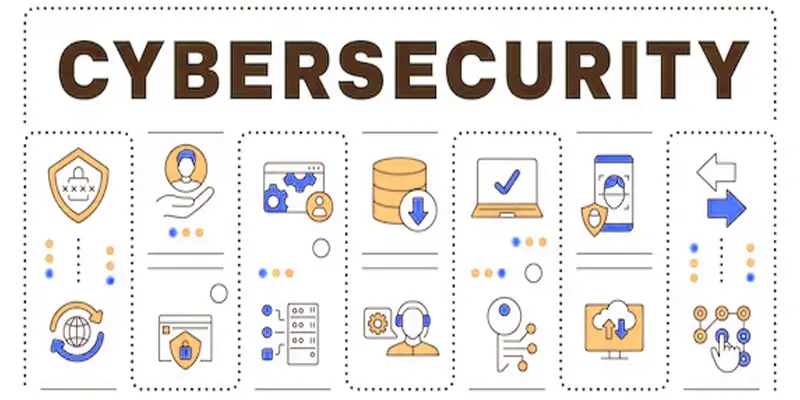
These are strategies designed to keep a business running and safeguard data during unexpected events, such as cyberattacks, natural disasters, or technical failures. They ensure that work can continue and important data is not lost. Think of it like having a backup plan for your home in case of emergencies. Without these, businesses can lose money, data, and customer trust. Example: A company keeps regular backups of all files on a secure server so work can continue even if the main system crashes.
Tips for Disaster Recovery / Business Continuity:
- Regularly back up all important files and data.
- Make sure backup systems function properly by testing them.
- Make a detailed emergency reaction strategy in case of cyberattacks or interruptions.
- Store backups in multiple secure locations.
- Train employees on recovery procedures.
Cryptography or Encryption Security
The process of transforming data into a secret code to protect it from hackers is known as cryptography, or encryption. It guarantees that sensitive data can only be seen by those who are allowed. Think of it like sending a locked box that only the receiver can open. Without encryption, personal or business data can be easily stolen or misused. Example: A messaging app like WhatsApp uses end-to-end encryption so only the sender and receiver can read the messages.
Tips for Cryptography / Encryption Security:
- Use encrypted communication tools for sensitive data.
- Enable encryption on devices and cloud storage.
- Use strong passwords for encrypted files or accounts.
- Regularly update encryption software for maximum protection.
- Avoid sharing encryption keys or passwords with others.
Critical Infrastructure Security
The process of preventing cyberattacks on vital systems and services, such as power plants, water supplies, hospitals, and transportation, is known as critical infrastructure security. It ensures these vital services keep running safely. Think of it like guarding important city utilities so everyone can live safely. Without it, hackers could disrupt services that people depend on every day. Example: A power company uses firewalls and monitoring systems to protect its electricity grid from cyber threats.
Tips for Critical Infrastructure Security:
- Regularly monitor and secure critical systems.
- Limit access to authorized personnel only.
- Keep software and hardware updated.
- Implement strong authentication and encryption measures.
- Train staff on emergency response for cyber threats.
Why Do These Types of Cyber Security Matter?
Understanding these types of cyber security helps protect your data, devices, and online activities from everyday threats.
- They protect personal and sensitive information from hackers.
- They keep devices, apps, and networks safe from viruses and malware.
- They prevent financial loss from online fraud or cyber attacks.
- They ensure businesses and organizations can operate smoothly without disruption.
- They build trust by keeping data private and secure.
- They help individuals and companies avoid stress and damage from cyber threats.
Final Thought
Understanding the Types of Cyber Security is essential for anyone who wants to stay safe in today’s digital environment. Personally, I suggest prioritizing network and data security, as these areas often face the highest risk. You may greatly lessen vulnerabilities by putting these precautions into practice and keeping up with new threats. Don’t wait, begin implementing these security steps now to safeguard your data.
FAQS
The best cyber security depends on your needs. For businesses, network and data security are very important. For personal use, strong passwords, antivirus, and safe browsing are key.
The three levels are network security (protecting networks), application security (protecting software), and information security (protecting data).
Cybersecurity can pay more, especially in high-level roles, but top programmers can also earn a lot depending on experience and skills.
AI can help cybersecurity but will not fully replace jobs. Human experts are still needed to make decisions and handle complex threats.
If you like data, programming, and problem-solving, AI is good. If you like protecting systems and fighting cyber threats, choose cybersecurity.
Studying cybersecurity is better if your main goal is to protect data and systems. IT is broader and covers general computer skills.


- Be Respectful
- Stay Relevant
- Stay Positive
- True Feedback
- Encourage Discussion
- Avoid Spamming
- No Fake News
- Don't Copy-Paste
- No Personal Attacks
- Be Respectful
- Stay Relevant
- Stay Positive
- True Feedback
- Encourage Discussion
- Avoid Spamming
- No Fake News
- Don't Copy-Paste
- No Personal Attacks
