Hybrid Cloud Computing Architecture | Benefits, Uses, and Examples
Published: 27 Sep 2025
Cloud computing has changed the way companies store and use data. But not every business wants to keep all data in one place. This is where Hybrid Cloud Architecture comes in. It combines the power of public and private clouds. Think of it like using both a rented house (public cloud) and your own home (private cloud) at the same time. You can move between them based on your needs.
Hybrid cloud gives businesses more flexibility, better security, and cost control. Many organizations use it to run apps smoothly, protect sensitive data, and scale quickly when demand grows.
What Is the Process of Hybrid Cloud Architecture?
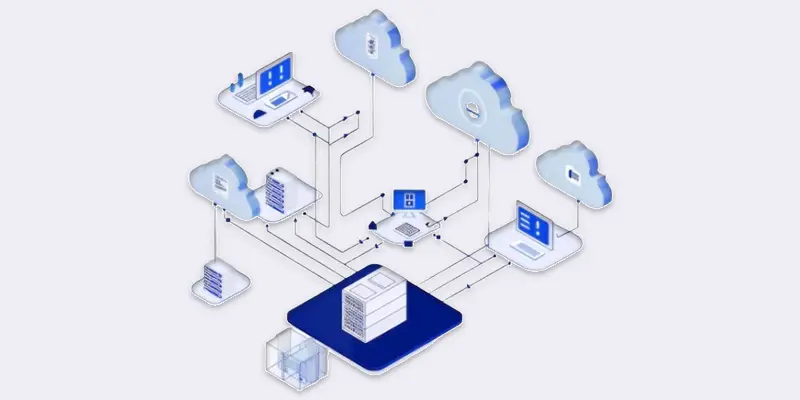
Connecting a private cloud to one or more public clouds is how hybrid cloud architecture operates. Data and apps move between them through secure connections. A business might, for instance, employ a public cloud to run apps that require more speed and storage while keeping private client information.
Businesses benefit from the best of both worlds with this configuration. They may benefit from public clouds’ flexibility and scale while maintaining control over crucial data.

Which Elements Make Up the Hybrid Cloud Architecture?
Some essential components are required for a hybrid cloud to function:
- Private Cloud – A cloud system managed by a business for its own use.
- The public cloud – services from suppliers such as Google Cloud, AWS, and Azure.
- Hybrid Cloud Management Tools – Software that helps control and monitor both clouds from one place.
- Networking and Connectivity – Secure links (like VPNs or APIs) that connect private and public clouds.
- Data and Application Integration – Tools that move data and apps smoothly between different clouds.
How Has Hybrid Cloud Architecture Evolved?
At first, companies used only on-premises data centers to store and run everything. This gave them full control but limited speed and flexibility. Then came public cloud services, which offered cheaper storage and easy scaling. But many businesses worried about security and control.
The hybrid cloud architecture was born. It brought together private and public clouds in one model. Over time, it has improved with faster internet, stronger security tools, and better management software. Today, businesses use hybrid cloud to handle modern needs like AI, big data, and remote work.
What are the Uses of a Hybrid Cloud Approach?
Businesses utilize a hybrid cloud strategy when they wish to:
- Flexibility – to switch between private and public clouds.
- Cost savings – by using public cloud only when needed.
- Security – keeping sensitive data safe in private clouds.
- Scalability – growing resources quickly during high demand.
- Business continuity – keeping services running even if one system fails.
Which Hybrid Cloud Architecture Patterns Are Most Common?
There are some typical trends that companies adhere to:
- Cloud Bursting – Use private cloud normally, but move extra work to the public cloud during high demand.
- Data Partitioning – Keep sensitive data in a private cloud and regular data in a public one.
- Application Distribution – Run different parts of one app across both private and public clouds.
- Disaster Recovery – Use public cloud as backup in case private systems fail.
What is the Difference Between Hybrid Cloud and Multi-Cloud?
| Hybrid Cloud | Multi-Cloud |
|---|---|
| Mix of private + public clouds | Two or more public clouds |
| Balance security & flexibility | Avoid vendor lock-in |
| Sensitive in private, general in public | Spread across public clouds |
| Private + public linked | Clouds may not be connected |
| Can be cost-efficient with public cloud | Varies by provider |
| High for sensitive data | Depends on each cloud |
| Flexible, fast scaling | Depends on the provider |
| Needs hybrid cloud tools | Multiple provider tools |
| Medium to high | Medium |
| Easier with private cloud | Depends on providers |
| Banks, healthcare, gov | Companies needing multiple services |
| Private + public backup options | Depends on the provider |
| Some reliance on public cloud | Less lock-in |
| Can optimize between clouds | Varies by cloud |
| Bank: private for data, public for apps | Company: AWS + Google Cloud |
When Is Hybrid Cloud the Right Solution?
Hybrid cloud is the right choice when:
- A business wants to protect sensitive data but still use the flexibility of public clouds.
- Companies need to scale quickly during high traffic or seasonal demand.
- Industries like healthcare, banking, and government must follow strict data rules.
- Businesses want backup and disaster recovery without high costs.
If a business only needs services from different public cloud vendors, then multi-cloud may be the better choice.
What Advantages Does Hybrid Cloud Architecture Offer?
Businesses may benefit from the best of both worlds with hybrid cloud. Among the principal advantages are:
- Flexibility – Move data and apps between private and public clouds as needed.
- Cost Savings – When necessary, use the public cloud for more processing or storage.
- Security – Use a private cloud to protect sensitive data.
- Scalability – Add more resources quickly during high demand.
- Business Continuity – Keep services running with backups and disaster recovery.
What Difficulties Does Hybrid Cloud Architecture Present?
Even with strong benefits, hybrid cloud has a few challenges:
- Complex Management – Handling two different cloud systems can be difficult.
- High Setup Cost – Building a private cloud requires investment.
- Security Risks – Moving data between clouds may create weak points.
- Skill Gap – Businesses need trained teams to manage hybrid setups.
- Vendor Dependency – Relying on providers can limit choices later.
What are the Benefits and Drawbacks of Hybrid Cloud?
Businesses can assess the advantages, dangers, and suitability of hybrid cloud computing by knowing its advantages and disadvantages.
| Pros | Cons |
|---|---|
| Flexibility to use both private and public clouds | Complex to manage and monitor |
| Better security for sensitive data | Higher setup and maintenance costs |
| Cost-efficient with pay-as-you-go public cloud | Requires skilled IT staff |
| Scales quickly during demand spikes | Risk of data leaks during transfers |
| Strong disaster recovery options | May lead to vendor dependency |
Which Use Cases of Hybrid Cloud Computing Are Most Popular?
Numerous businesses make use of hybrid clouds. The most typical use scenarios are as follows:
- Healthcare – Hospitals keep patient records in private clouds for security, but use public clouds to share reports with doctors or patients.
- Banking and Finance – Banks store sensitive account details in private clouds but use public clouds for customer apps and payment services.
- E-commerce – Online stores run websites in public clouds but keep customer data safe in private clouds.
- Education – Universities use private clouds for student records while hosting online classes on public clouds.
- Media and Entertainment – Streaming companies like Netflix use public clouds for video delivery but private clouds for content management.
Who Uses Hybrid Cloud Architecture?
- Large Enterprises – To handle millions of users while protecting sensitive data.
- Small and Medium Businesses (SMBs) – To save costs by scaling resources as needed.
- Government Agencies – To follow strict data laws and keep operations secure.
- Startups – To grow quickly without investing in full private data centers.
What are the Examples of Hybrid Cloud Architecture?
- Netflix – Uses AWS public cloud for streaming but private cloud for data analytics and recommendation systems.
- Bank of America – makes advantage of public cloud services for mobile banking apps while keeping client data safe in a private cloud.
- Airbus – Runs design simulations on public clouds but keeps confidential designs in private clouds.
- Healthcare Providers – Use a hybrid cloud to share patient test results quickly while keeping sensitive records private.
How to Construct or Configure a Hybrid Cloud?
Although setting up a hybrid cloud may seem difficult, the following steps can help:
- Assess Your Needs – Decide which apps and data need private cloud and which can run on public cloud.
- Choose Providers – Plan your private cloud configuration and select public cloud providers such as AWS, Azure, or Google Cloud.
- Ensure Connectivity – Set up secure connections (VPNs, APIs) between private and public clouds.
- Use Management Tools – Implement hybrid cloud management software to monitor and control both clouds easily.
- Test and Deploy – Start with small workloads, check performance and security, then scale gradually.
What Should You Consider When Creating Hybrid Cloud Architecture?
The following should be considered when creating a hybrid cloud:
- Security First – Use secure transfer routes and private clouds to safeguard sensitive data.
- Cost Management – Monitor public cloud usage to avoid overspending.
- Scalability – Make sure your design allows easy expansion when demand grows.
- Compliance – Follow laws and industry regulations for data storage and transfer.
- Automation – Use tools to automate tasks like backups, monitoring, and scaling.
What are the Best Strategies for Hybrid Cloud Adoption?
- Start Small – Begin with one app or service and expand gradually.
- Train Your Team – Make sure IT staff understand hybrid cloud management.
- Monitor Performance – Track usage, costs, and security regularly.
- Choose the Right Tools – Use software that integrates private and public cloud seamlessly.
How Does Hybrid Cloud Support New Technologies?
Hybrid cloud is not just for storage and apps, it’s now powering new tech. Businesses use it to:
- Run AI and Machine Learning – Heavy computing tasks can use public clouds while keeping sensitive data private.
- Analyze Big Data – Combine data from private and public clouds for better insights.
- Support Remote Work – Employees can access apps and files from anywhere securely.
- Internet of Things (IoT) – Collect IoT data in public clouds while processing sensitive info in private clouds.
What Is the Future of Hybrid Cloud for Businesses?
Hybrid cloud is growing fast. Here’s what to expect:
- More Automation – Tools will manage workloads, security, and scaling automatically.
- Better Security Solutions – Stronger encryption and monitoring will protect data across clouds.
- Integration with AI and Analytics – A Hybrid cloud will make AI smarter and faster for businesses.
- Wider Adoption – More small and medium businesses will use hybrid cloud for cost savings and flexibility.
- Hybrid Multicloud Platforms – Companies will mix multiple public clouds with private clouds for even more control and efficiency.

Conclusion
Hybrid cloud design combines the benefits of private and public clouds. It gives businesses flexibility, security, scalability, and cost savings. Companies can keep sensitive data safe while running apps and workloads efficiently in public clouds. It is used in many industries, such as banks, hospitals, e-commerce, and media, to handle large data, support AI, and ensure smooth operations. While it comes with challenges like complex management and setup costs, the benefits often outweigh the drawbacks. For modern organizations, hybrid cloud is no longer optional. It is a smart way to grow, protect data, and stay competitive in a fast-changing digital world.
FAQS
Who uses hybrid cloud?
Banks, hospitals, e-commerce companies, and government agencies use hybrid cloud. It helps them protect sensitive data while running apps efficiently. Even startups use it for flexibility and cost savings.
What is grid computing?
Grid computing links multiple computers to work together on big tasks. It splits jobs into smaller parts and processes them simultaneously. This speeds up data analysis and computing tasks.
What are the types of basic storage in cloud computing?
Block storage, file storage, and object storage are the three fundamental kinds. Blocks are quick, files are arranged in directories, and objects may hold a lot of data. Each serves different workloads.
What is an SDK?
An SDK (Software Development Kit) is a toolset for developers. It helps build apps for a specific platform. It includes libraries, documentation, and sample code.






- Be Respectful
- Stay Relevant
- Stay Positive
- True Feedback
- Encourage Discussion
- Avoid Spamming
- No Fake News
- Don't Copy-Paste
- No Personal Attacks
- Be Respectful
- Stay Relevant
- Stay Positive
- True Feedback
- Encourage Discussion
- Avoid Spamming
- No Fake News
- Don't Copy-Paste
- No Personal Attacks
