Computer Parts | Essential Components You Should Know
Published: 8 Feb 2025
Have you ever wondered what makes a computer actually work? Many people use laptops and PCs every day, but they do not understand the parts inside them. When your system becomes slow, freezes, or stops working, it can feel frustrating and confusing. You may not know which component is causing the problem or how to fix it.
This is where understanding Computer Parts becomes very important for every user. From the processor to memory, storage, and motherboard, each part has a special role in performance. If you learn how these components work together, you can easily solve issues, upgrade your system, and improve speed. In this guide, we will break down all major Computer Parts in a simple and easy way.
You will learn what each part does, why it matters, and how it affects your computer’s performance. No technical knowledge is needed, just simple explanations that anyone can understand. By the end, you will feel confident in understanding your device and making better tech decisions. This will help you prevent expensive errors and pick the best upgrades for your system.
What are the Basic Parts of a Computer?
A computer is composed of several essential components that each play a crucial role in its operation. The five basic parts of a computer are:
- CPU
- RAM
- HDD
- Motherboard
- GPU
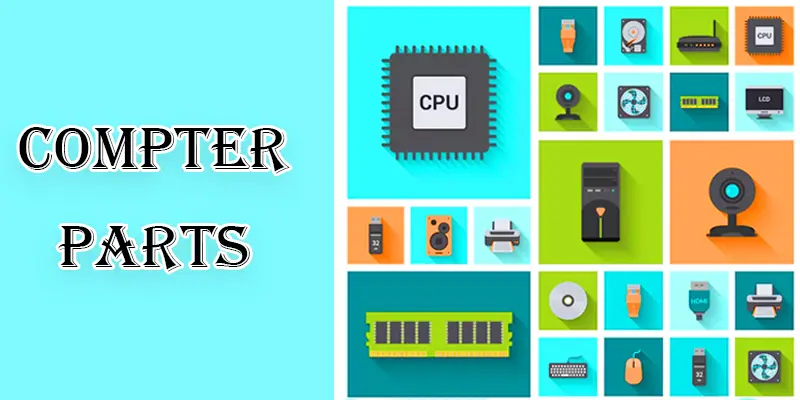
CPU
The CPU, sometimes called the computer’s brain, manages commands and calculations to perform operations and operate programs effectively. It is the main component that handles data processing, making sure your computer runs efficiently. Your computer wouldn’t be able to operate without the CPU.
RAM
This short-term memory is a temporary storage space used by computers to store data needed by the CPU to perform operations. It provides quick access to information that the computer is actively using. With more RAM, your computer can handle multiple apps and processes at once without slowing down.
HDD
Your computer’s HDD (hard disk drive) is where all your files, including software, documents, and images, are kept. It uses spinning disks and a moving arm to save and retrieve data. Everything stays on the HDD even when the computer is turned off.
Motherboard
The motherboard is your computer’s primary circuit board. It connects and allows all the other parts, like the CPU and RAM, to communicate with each other. It’s like the computer’s central hub.
GPU
A Graphics Processing Unit, or GPU, is a part of your computer that makes images and videos look good on the screen. It handles the visual details of games and videos, making sure everything looks smooth and clear.
Final Thoughts
Understanding Computer Parts helps you know how your system works and how to improve it. Each component, like CPU, RAM, storage, and motherboard, plays a key role in performance and speed. When you know these parts, you can easily fix issues, upgrade wisely, and get better results from your device. Start learning more about computer hardware today and make smarter tech choices for the future. Take action and explore guides to become confident with technology.
FAQs
What are the input and output parts of a computer?
Keyboards and mouse are examples of input parts—devices that allow data to be sent to a computer. Output parts are devices that let you see or hear the results, such as the monitor and speakers.
What are the different parts of a computer?
Different computer parts include the CPU, RAM, hard drive or SSD, motherboard, GPU, power supply, case, and peripherals like the monitor, keyboard, and mouse.
What are the basics of a computer?
The basics of a computer include its ability to process information, store data, and perform tasks through its hardware components like the CPU, RAM, and storage devices. It also uses software to run applications and manage tasks.
What are the detailed features of a computer?
Detailed features of a computer include its processing speed (CPU), memory capacity (RAM), storage space (hard drive or SSD), graphics capability (GPU), connectivity options(ports and Wi-Fi), and user interfaces (monitor, keyboard, and mouse). These features determine how well the computer performs different tasks.





- Be Respectful
- Stay Relevant
- Stay Positive
- True Feedback
- Encourage Discussion
- Avoid Spamming
- No Fake News
- Don't Copy-Paste
- No Personal Attacks
- Be Respectful
- Stay Relevant
- Stay Positive
- True Feedback
- Encourage Discussion
- Avoid Spamming
- No Fake News
- Don't Copy-Paste
- No Personal Attacks
