12 Smart Uses of Keyboard to Work Faster and Smarter
Published: 5 Apr 2024
A keyboard is one of the most essential tools for interacting with a computer. From writing emails and coding software to controlling games and executing commands, it serves as the bridge between human thought and digital action. Over the years, keyboards have evolved beyond simple typing devices into powerful instruments for productivity, creativity, and accessibility. Whether you’re a student completing assignments, a professional managing complex workflows, or a gamer chasing precision, understanding the many uses of a keyboard can help you unlock its full potential and work more efficiently in the digital world.
What Is a Keyboard?
A keyboard is a tool you use to type letters, numbers, and commands on a computer. It helps you talk to your device by pressing buttons called keys. You use a keyboard to type on a computer for a school report, search for something on Google, or send a message on Facebook.
What are the Common Uses of the Keyboard in Daily Life?
The keyboard plays a major role in our daily computer activities. It’s more than just a typing device — it’s a versatile tool used for communication, control, and creativity. Below are some of the most common uses of the keyboard in daily life:
- Typing Text
- Entering Commands
- Gaming
- Programming
- Editing Documents
- Navigating the Web
- Creating Shortcuts
- Data Entry
- Email Composition
- Remote Control
- Communication via Chat
- Spreadsheet Manipulation
Typing Text
Typing on a computer is one of the most fundamental uses of a keyboard, allowing users to input written information quickly and efficiently. Whether for emails, documents, or messages, learn keyboard typing essential for communication and productivity.
Entering Commands
Entering commands through the keyboard allows users to interact with software or the operating system, executing specific functions or tasks efficiently. It is essential for controlling applications, managing files, and navigating the computer.
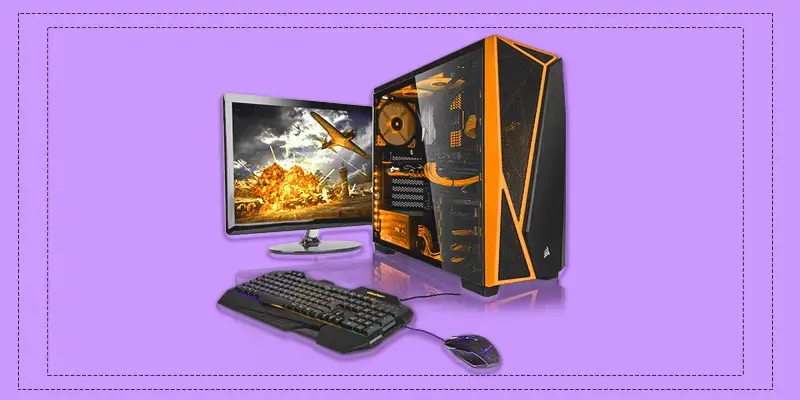
Gaming with a Keyboard
The keyboard plays a crucial role in gaming, providing precise control for character movements, commands, and shortcuts. It enhances the gaming experience by offering fast response times and customizable inputs.
Programming
The computer keyboard use in daily life is essential in programming, allowing developers to write, edit, and debug code efficiently. It enables quick access to various programming commands, symbols, and shortcuts for smooth coding workflows.
Editing Documents
The computer keyboard’s purpose is editing documents, allowing users to easily make changes, format text, and navigate through content. It provides quick access to functions like copy, paste, delete, and undo, streamlining the editing process for improved productivity.
Navigating the Web
The keyboard input device is essential for navigating the web, enabling users to easily type web addresses, search queries, and interact with online content. Navigation keys allow for efficient browsing, with shortcuts for scrolling, opening tabs, and accessing links.
Creating Shortcuts
Creating shortcuts on a keyboard allows users to perform tasks quickly by using key combinations. These keyboard keys can speed up processes like opening applications, copying and pasting, and navigating through files, making work more efficient.
Data Entry
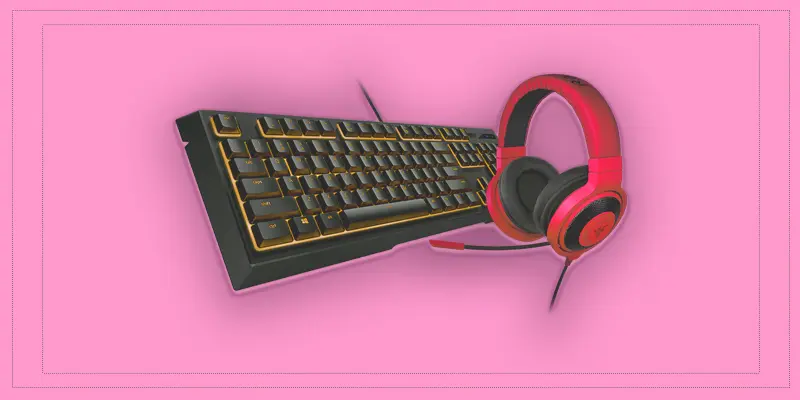
Data entry involves using a keyboard to input information into databases, spreadsheets, or software systems. It requires accuracy and speed to ensure the data is correctly recorded and organized for further use.
Email Composition
Email composition involves writing and formatting messages to communicate effectively with others. It includes crafting clear subject lines, and body text, and using features like attachments. Proper email composition ensures professional and efficient communication.
Remote Control
A keyboard can be used as a remote control for devices, allowing users to navigate and control systems like TVs, media players, or even smart home devices. This functionality provides convenience and enhances user experience with seamless control at your fingertips.
Communication via Chat
Keyboards are essential for communication, digital typing via chat, allowing users to type and send messages quickly across various platforms. Whether for personal or professional use, they enable smooth, real-time conversations with friends, family, or colleagues.
Spreadsheet Manipulation
Keyboards play a crucial role in spreadsheet manipulation, allowing users to enter data, navigate cells, and perform various functions with ease. Whether creating complex formulas or organizing data, keyboards make spreadsheet tasks faster and more efficient.
What is the Difference Between Keyboard and Touchscreen?
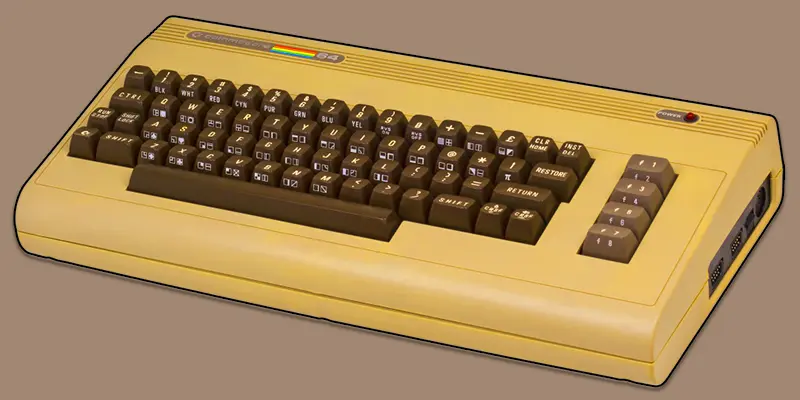
With the growth of smartphones, tablets, and laptops, we now use two main input methods — keyboards and touchscreens. Both help us type, navigate, and communicate, but they work in very different ways. Let’s explore how they compare.
Typing Speed and Accuracy
Typing speed and accuracy are essential for smooth and effective communication. A keyboard allows faster typing with fewer mistakes, thanks to its physical keys and tactile feedback. In contrast, touchscreens are suitable for short tasks but can slow down typing and lead to more errors during long use.
- Keyboard Performance
A physical keyboard provides tactile feedback that helps users type faster and with fewer mistakes. It’s the top choice for writers, programmers, and students who type regularly.
- Touchscreen Experience
A touchscreen keyboard works well for short replies, casual chats, or quick searches. However, for longer writing tasks, it can lead to more typos and slower typing speed.
Comfort and Usability
Comfort and usability are important when working for long hours on a device. Keyboards are designed to reduce strain, offering better hand support and key spacing for smooth typing. Touchscreens are easier for quick actions like tapping or scrolling, but can feel uncomfortable during extended use.
- Keyboard Comfort
Keyboards are designed for long-term use, reducing hand and wrist strain while typing. Their spaced keys make it easier to type smoothly without constant focus on the keyboard.
- Touchscreen Comfort
A touchscreen offers a quick and easy way to interact with devices using taps and swipes. It’s ideal for short tasks like browsing or sending messages, but can feel less comfortable during long typing sessions.
Portability and Convenience
Portability and convenience determine how easily we can use our devices anywhere. Touchscreen devices are lightweight and combine both display and input, making them easy to carry. Keyboards, though slightly bulkier, offer better control and comfort for tasks that require longer typing sessions.
- Touchscreen Portability
Touchscreen devices are lightweight and compact, making them easy to carry and use anywhere. They combine display and input in one surface, saving space and enhancing mobility.
- Keyboard Convenience
Keyboards may add a little extra bulk but offer better precision and control. They’re ideal for long typing tasks where comfort and accuracy matter most.
Ideal Use Cases
Choosing between a keyboard and a touchscreen depends on what you’re doing. Each input method suits different types of tasks, from long writing sessions to quick interactions on the go.
- When to Use a Keyboard
A keyboard is perfect for activities that require accuracy and long typing hours. It works best for writing essays, coding, gaming, or handling office work efficiently.
- When to Use a Touchscreen
A touchscreen is ideal for quick, simple tasks such as browsing websites, taking notes, or sending short messages. It’s especially useful when travelling or working on portable devices.
- Hybrid Option
Modern 2-in-1 devices combine both keyboards and touchscreens, allowing users to switch between them easily. This flexibility helps balance speed, comfort, and convenience for any task.
Final Verdict
- Both keyboards and touchscreens have their own clear advantages.
- Keyboards are best for accuracy, comfort, and productivity during long typing sessions.
- Touchscreens excel in portability, quick access, and ease of use.
- The best choice depends on your personal needs and work style.
- If you type frequently, choose a keyboard; for short, quick tasks, a touchscreen is the smarter option.
Conclusion
The keyboard is an essential tool that connects people to technology. It supports every digital task, from writing and communication to gaming and programming. Understanding the different uses of keyboard helps users work smarter and faster. With proper practice and knowledge, anyone can turn the keyboard into a powerful tool for learning, creativity, and everyday productivity.
FAQs
What are the main uses of a keyboard in a computer?
A keyboard is mainly used for typing text, entering data, and giving commands to the computer. It allows users to interact easily with software, write documents, and perform various tasks efficiently.
How does a keyboard help in typing and data entry?
A keyboard makes typing and data entry quick and accurate. It lets users input letters, numbers, and symbols smoothly, making it the most effective tool for writing and recording information.
What are 7 special keys on a keyboard?
The seven special keys are: Ctrl, Alt, Shift, Enter, Backspace, Tab, and Esc. These keys don’t type letters but help you do things faster. For example, Ctrl + C copies text.
Why is the keyboard an essential input device?
A keyboard serves as an essential device that enables users to input data and communicate with the system easily. It plays a key role in typing, programming, and operating systems, making it vital for everyday computer use.
Is a keyboard better than a touchscreen?
Keyboards are better for long typing tasks like writing or coding. Touchscreens are good for quick taps or mobile use, but not as fast for typing. Many people prefer keyboards for comfort and speed.
How do keyboards improve speed and accuracy in work?
Keyboards improve typing speed and reduce errors through their physical layout and key spacing. This helps users focus on creating content or completing tasks efficiently without frequent corrections.






- Be Respectful
- Stay Relevant
- Stay Positive
- True Feedback
- Encourage Discussion
- Avoid Spamming
- No Fake News
- Don't Copy-Paste
- No Personal Attacks
- Be Respectful
- Stay Relevant
- Stay Positive
- True Feedback
- Encourage Discussion
- Avoid Spamming
- No Fake News
- Don't Copy-Paste
- No Personal Attacks
